Best Wi-Fi 6E Routers of 2026, Tested and Reviewed

The TP-Link Archer AXE75 strikes a balance between budget and performance for users seeking tri-band Wi-Fi connectivity.

Written by

Last Updated: Oct 30, 2025
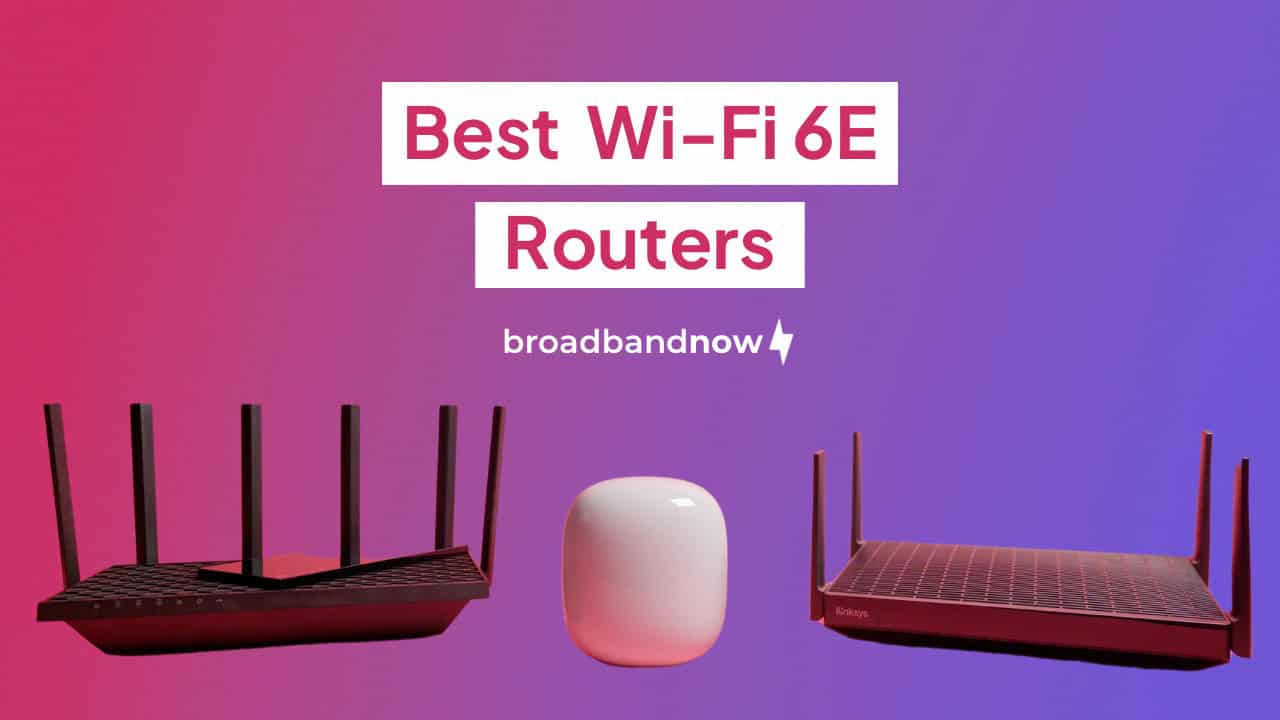
The TP-Link Archer AXE75, Google Nest Wifi Pro and Linksys Hydra Pro 6E against a gradient background.
Wi-Fi 6E routers typically feature the 6 GHz band for more bandwidth and faster speeds. (Image by Alejandro Medellin)

If you’ve ever dealt with spotty connections, sluggish speeds or a router that can’t keep up with today’s devices, then you know how essential a strong, modern Wi-Fi setup really is. With the remote work, smart homes and bandwidth-hungry streaming, investing in a powerful router is no longer optional — it’s foundational. That’s why we explored the latest Wi-Fi 6E models to find the best options available. We tested and ranked these routers based on the following criteria: affordability, performance, value, longevity and technology.

BroadbandNow Bottom Line

With standout speeds, reliable tri-band performance and a price that undercuts many premium competitors, the TP-Link Archer AXE75 is the easiest Wi‑Fi 6E router to recommend. It hits the sweet spot between next-gen capability and everyday usability—making it a smart upgrade for almost any home. You can grab it for $119.99 on Amazon.

Our Best Wi-Fi 6E Routers Video

Want to see this article in action? Check out our video below and subscribe to our YouTube channel for similar videos just like this!

Watch our review of our top Wi-Fi 6E routers!

TP-Link Archer AXE75 (BroadbandNow Top Pick)

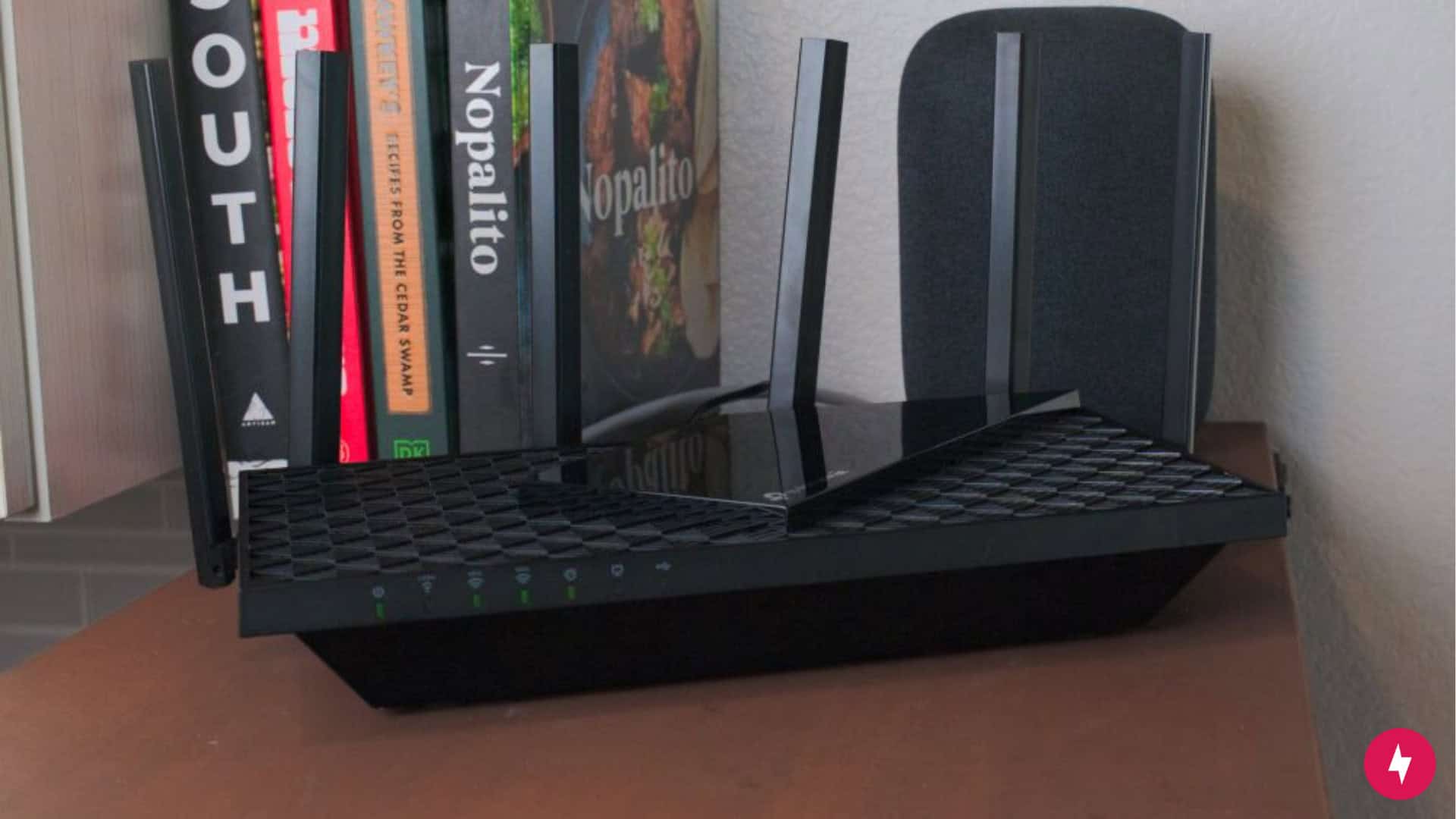
The TP-Link Archer AXE75 on a table with books in the background.
If you want to experience Wi-Fi 6E tri-band connectivity without breaking the bank, the TP-Link Archer AXE75 is a standout choice. (Photo by Alejandro Medellin)

The TP-Link Archer AXE75 earned our top spot by striking the ideal balance between performance, value and forward-looking technology. In our hands-on testing, it consistently delivered faster speeds and lower latency than competitors like the Netgear Nighthawk RAXE3000 and Asus RT-AXE7800, especially on Wi-Fi 6 devices where speed and responsiveness matter most. While other routers in its class either pushed the price higher or sacrificed key features, the Archer AXE75 managed to offer tri-band connectivity — including the coveted 6 GHz band — at a low price point. That blend of affordability and future-ready performance made it the most well-rounded choice in our lineup.

Whether you’re a mid-sized household juggling multiple connected devices, a remote worker needing dependable bandwidth or a streaming enthusiast who wants next-gen speeds without paying a premium, the TP-Link Archer AXE75 is the standout choice.


What We Liked

  • Great value for the price
  • Tri-band connectivity
  • User-friendly setup


What We Didn't Like

  • No multi-gig WAN port
  • Basic design


$119.99 at Amazon

Google Nest Wifi Pro (Best for Whole-Home Coverage)

Three Google Nest Wifi Pro nodes on a table.
If you’re looking for a mesh system in the Google ecosystem, the Google Nest Wifi Pro is a top pick. (Photo by Alejandro Medellin)

The Google Nest Wifi Pro is the next best Wi‑Fi 6E router thanks to its seamless, ultra-simple setup, built-in Matter and Thread smart‑home support and a price point that makes advanced tech accessible. While it didn’t surpass the TP-Link Archer AXE75 in pure throughput, we appreciated its excellent mesh coverage and reliable gigabit performance in everyday use, especially across multi-node setups. For homeowners who value ease of use, smart-home integration and stable, consistent mesh performance without fuss, the Google Nest Wifi Pro remains a compelling option.

It’s best suited for users who want elegant, plug-and-play Wi-Fi 6E in a polished package — with strong smart-home capabilities — without having to hunt for every last gigabit of speed.


What We Liked

  • Simple setup
  • Smart home integration
  • Sleek, minimalist design


What We Didn't Like

  • No multi-gig ports


$399.99 (3-pack) at Amazon

Linksys Hydra Pro 6E (Best for Small Homes)

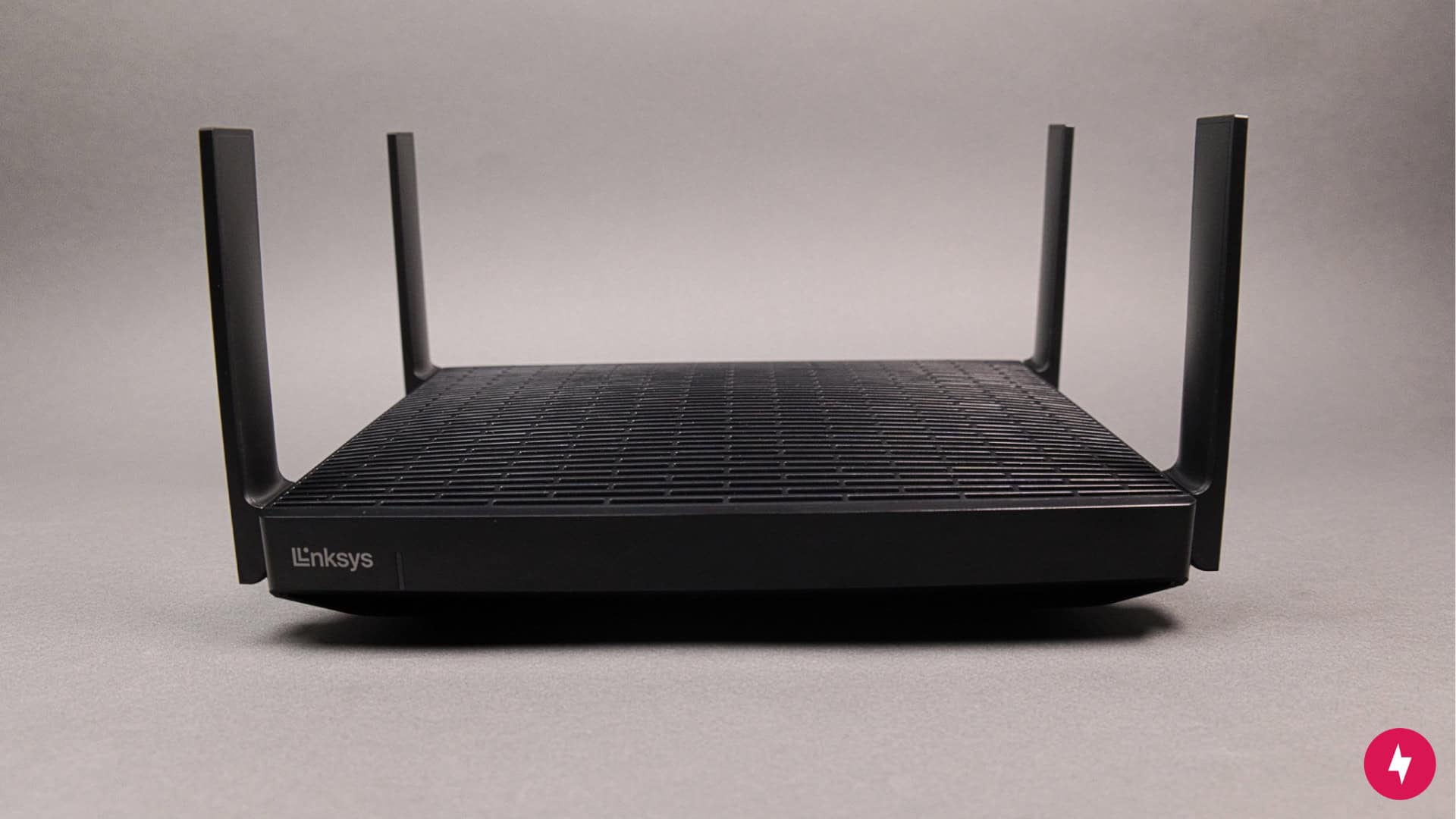
The Linksys Hydra Pro 6E against a gray backdrop.
Another affordable Wi-Fi 6E router is the Linksys Hydra Pro 6E. (Photo by Alejandro Medellin)

The Linksys Hydra Pro 6E is a great option for smaller households and remote workers who need reliable, high-speed connectivity, handling multiple devices streaming, gaming, and working simultaneously without issue. Setup is refreshingly simple thanks to the user-friendly Linksys mobile app, and at its price point, it delivers respectable performance — though faster options like the Netgear Nighthawk RAXE500 and Asus ROG Rapture GT-AXE11000 exist at significantly higher prices. However, performance drops noticeably at long distances, so while it’s ideal for apartments or single-story homes, multi-floor setups will need mesh nodes for consistent whole-home coverage.


What We Liked

  • Affordable
  • Easy setup
  • Solid performance


What We Didn't Like

  • Not for multi-floor homes


$150 at Amazon

Our Top Wi-Fi 6E Router Recommendations

Details BroadbandNow Top Pick Best for Whole-Home Coverage Best for Small Homes
Wi-Fi 6E Router TP-Link Archer AXE75 Google Nest Wifi Pro Linksys Hydra Pro 6E
Price $119.99 at Amazon $399.99 (3-pack) at Amazon $150 at Amazon
Square feet covered Varies Up to 6,600 sq. ft. (3-pack) Up to 2,700 sq. ft.
Wi-Fi Wi-Fi 6E Wi-Fi 6E Wi-Fi 6E
Number of radios Tri-band Tri-band Tri-band
Speed rating AXE5400 AXE5400 AXE6600
Wireless speeds (up to) 5,378 Mbps (combined frequencies) 5.4 Gbps (combined frequencies) Up to 6.6 Gbps (combined frequencies)
Parental controls Yes, with select features requiring a premium plan Yes Yes
Smart home connectivity Yes (Amazon Alexa, Google Assistant and IFTTT) Works with Google Home and as a Google Home hub, Matter, Thread 0 802.15.4 (at 2.4 GHz) and Bluetooth Low Energy N/A
Radio frequencies 2.4 GHz, 5 GHZ, and 6 GHz (160 MHz channel support) 2.4 GHz, 5 GHZ and 6 GHz 2.4 GHz, 5 GHZ and 6 GHz
Ethernet ports 4 (LAN), 1 (WAN) Two per router 4 (LAN), 1 (WAN)

Why You Should Purchase a Wi-Fi 6E Router

Wi‑Fi 6E routers represent the next evolution in wireless connectivity, offering faster speeds, lower latency and access to the virtually untapped 6 GHz band for cleaner, congestion-free connections. While upgrading isn’t mandatory for everyone — especially if your current router meets your needs and you don’t own many Wi‑Fi 6 or 6E–compatible devices — it’s a smart purchase for remote workers, heavy streamers and families looking to future-proof their home network. You should consider a Wi‑Fi 6E router if:

  • You have multiple people streaming, gaming, or video conferencing simultaneously, as these routers handle congestion better with three frequency bands and greater bandwidth.
  • You own newer devices like the iPhone 15, Galaxy S23 or recent MacBooks that support Wi‑Fi 6E, unlocking the performance they were built for.
  • You live in a densely populated area with network interference, where the 6 GHz band offers a clean, interference-free connection that cuts through the noise.
  • You plan to keep your router for more than four years, making sure your network stays current as more devices adopt the standard.
  • You’re building a smart home with multiple connected devices, where Wi‑Fi 6E routers with features like OFDMA and MU-MIMO.

How We Chose Our Favorite Wi-Fi 6E Routers

When evaluating Wi-Fi 6E routers, we don’t just default to the newest releases or the flashiest brands. Instead, we take a practical, hands-on approach — testing routers across a range of real-world scenarios, including streaming, gaming, video calls and smart home integrations. We focus on these key areas:

  • Affordability: Budget matters when investing in your home network. Wi-Fi 6E routers typically range from $200 to $600, reflecting their advanced tri-band capabilities and 6 GHz support. We focused on models between $250 and $400, as this range offers the best balance of cutting-edge features and reasonable pricing for most users.
  • Performance: Our picks prioritize routers that deliver the advertised speeds on all three bands, including the new 6 GHz band. With many households now subscribing to gigabit internet plans, we made sure every recommended router can handle speeds of 1 Gbps and beyond while maintaining low latency across multiple connected devices.
  • Value: True value emerges where cost meets capability. An expensive router that underperforms isn’t worth recommending, while a mid-priced model that exceeds expectations earns its place on our list. We verify that affordable options deliver reliable 6 GHz connectivity and premium models justify their price through advanced features like multi-gig ports, enhanced security or superior coverage.
  • Longevity: Electronics represent major investments, and we recognize that upgrading every year isn’t practical. Our Wi-Fi 6E router picks are designed to remain relevant for 4-5 years, with sufficient processing power and band support to handle evolving internet demands and growing device ecosystems.
  • Technology: Wi-Fi 6E’s addition of the 6 GHz band provides crucial advantages over Wi-Fi 6, including reduced interference and increased capacity for demanding applications. While Wi-Fi 7 routers are emerging, Wi-Fi 6E currently offers the optimal combination of performance, device compatibility and value for most households.

How We Tested Our Top Picks

We went beyond idealized lab conditions and instead tested each device in a real-world environment that mirrors how people actually use their networks. Our testing took place in a two-story, 1,600-square-foot detached home with a variety of common Wi-Fi obstacles, including interior walls, floor transitions, stairwells and a mix of open and enclosed spaces. This layout helped us assess not just peak performance, but also how each router handled range, signal consistency and device congestion in challenging scenarios.

We connected a mix of modern devices — Wi‑Fi 6 and 6E–capable laptops, smartphones, tablets, streaming boxes and smart TVs — across multiple rooms and floors. Routers were tested for real-world throughput on both 5 GHz and 6 GHz bands, and we measured performance at varying distances (within 10 feet, 35 feet and 50 feet), as well as through walls and on different levels of the home. Where possible, we evaluated latency during video conferencing and online gaming, as well as stress testing with multiple 4K streams and simultaneous downloads.

Each router was tested in the exact same location under the same conditions to maintain consistency. We also used manufacturer-recommended firmware and setup configurations while evaluating ease of installation and app-based management. Since Wi‑Fi 6E routers are built to handle higher device loads, our testing prioritized stability, speed degradation at range and how well each model maintained performance under pressure.
Other Wi-Fi 6E Routers Worth Mentioning

Several other strong contenders are also worth considering. Just because a router didn’t land in our top three doesn’t mean it lacks performance, value or advanced features — these models bring plenty to the table depending on your needs and preferences:

  • Netgear Nighthawk RAXE300: This powerhouse boasts fast tri-band performance and support for the 6 GHz band, making it a strong alternative to our top pick. However, it’s priced notably higher than the TP-Link Archer AXE75, and its app interface and firmware updates weren’t as polished in our experience, nudging it slightly out of consideration for the top tier for most users.
  • eero Pro 6E: The eero Pro 6E excels at delivering a user-friendly mesh experience with Wi‑Fi 6E support baked in. That said, it’s more expensive than the Google Nest Wifi Pro and relies heavily on Amazon’s ecosystem, which may not appeal to users looking for more advanced customization or platform neutrality.
  • Asus ROG Rapture GT-AXE11000: This router is a high-octane option for power users and gamers who want top-tier speed, customization and visual flair. However, its large footprint, premium price tag and gamer-focused aesthetic make it less suitable for the average home — unless you’re building a high-performance setup and want absolute control.

How to Pick the Perfect Wi-Fi 6E Router for Your Home

With so many routers on the market — each boasting different features, specs and price points — choosing the right one can become overwhelming. But don’t worry: the best router for your home isn’t necessarily the most expensive or advanced. The key is to find a model that aligns with your space, devices, internet plan and long-term needs. Here are a few smart considerations to guide your choice:

  • Consider your home’s size and layout: A small apartment may only need a single-band router with modest range, while larger or multi-story homes benefit from tri-band models or mesh systems that extend coverage to every corner. Interior walls, building materials and floor separation all impact how well a signal travels, so match your router’s capabilities to your home’s physical demands.
  • Match the router to your internet speed: Your router should be able to keep up with the speeds provided by your ISP. If you’re paying for gigabit internet, make sure your router can handle it — ideally with a multi-gig WAN port or strong 5 GHz or 6 GHz throughput. Using a high-end internet plan with an underpowered router is like putting a sports car engine in a tricycle.
  • Think about the devices you’re connecting: Take stock of what’s on your network. If you’ve got a growing collection of smart home gadgets, newer phones, gaming consoles or streaming devices, you’ll want a router with modern features like MU-MIMO (Multi-User Multiple Input, Multiple Output), OFDMA (Orthogonal Frequency Division Multiple Access), and tri-band support. More devices mean more demands, so your router needs to multitask well.
  • Don’t overlook security and parental controls: Good security isn’t just for enterprise networks. Look for routers with automatic firmware updates, WPA3 encryption, built-in firewalls and parental control tools if you have kids or guests. These features help keep your network safe without requiring a degree in cybersecurity.
  • Keep budget in mind: You don’t have to splurge to get solid performance. While high-end routers offer impressive power, mid-range and even budget options can deliver excellent everyday speed and reliability. The key is value — find a router that gives you the performance you need at a price that fits your budget.

Frequently Asked Questions About Wi-Fi 6E Routers

What’s the difference between Wi‑Fi 6 and Wi‑Fi 6E?

The biggest difference between Wi‑Fi 6 and Wi‑Fi 6E is the addition of the 6 GHz band. Wi‑Fi 6 operates on the 2.4 GHz and 5 GHz bands, while Wi‑Fi 6E adds an entirely new, high-frequency 6 GHz channel that offers more bandwidth, less interference and faster data transmission.

Will my current devices work with a Wi‑Fi 6E router?

Yes, Wi‑Fi 6E routers are backward compatible with older devices, including those that only support Wi‑Fi 5 or Wi‑Fi 4. However, only devices that specifically support Wi‑Fi 6E will be able to access the 6 GHz band. Everything else will still connect over the 2.4 GHz or 5 GHz bands.

Does Wi‑Fi 6E improve gaming performance?

Wi‑Fi 6E can significantly reduce latency and congestion, especially in homes with many connected devices or in densely populated areas. The cleaner 6 GHz band offers low-lag, high-speed performance ideal for gaming. That said, your gaming device needs to support Wi‑Fi 6E to take full advantage of those benefits. Otherwise, the improvement will be more about network stability and consistency.

Is Wi‑Fi 6E worth it if I don’t have any 6E devices yet?

It depends on your goals. If your current router is performing well and you don’t plan to upgrade devices anytime soon, it might not be urgent. However, if you’re replacing an outdated router and want something future-proof, investing in a Wi‑Fi 6E model is a smart move. You’ll be ready as more devices with 6 GHz support roll out over the next few years, saving you another upgrade down the line.

Can Wi‑Fi 6E routers be used in a mesh system?

Many Wi‑Fi 6E routers now offer mesh compatibility either out of the box or through expansion kits. Mesh systems allow you to blanket your entire home with fast, reliable coverage — particularly helpful in larger or multi-story homes.