The TP-Link Archer AXE75 combines performance with budget, making it a solid choice for newcomers in the router space. (Photo: Alejandro Medellin)
TP-Link is a reputable brand known for its affordable, high-quality tech products, including mesh Wi-Fi systems. With more households interested in extending their Wi-Fi to keep up with the growing number of connected devices, mesh networks provide a solution for faster internet speeds. While many mesh systems require multiple nodes to extend Wi-Fi, the Archer AXE75 provides a mesh network in just one device. If you need convincing, we tested the router based on specs, setup, price, performance, and value.
What We Like
Affordable pricing
6 GHz capability
Simple installation
What We Don't Like
Long setup time
Large, imposing design
BroadbandNow Bottom Line
The Archer AXE75 router outperforms most Wi-Fi 6 and Wi-Fi 6E routers in both price and speed. However, if you’re still clinging to older Wi-Fi 5 devices, you won’t be able to optimize their performance to the fullest, which means you’ll have to upgrade those devices. Its affordability at $115.99 at Amazon or $155 at Walmart makes it a viable option for budget-conscious shoppers.
Our TP-Link Archer AXE75 Video Review
Feel like watching a video version of our full review of this router? Check out our video review of the TP-Link Archer AXE75 below:
We got hands on with the TP-Link Archer AXE75. Watch the video to find out if it lives up to the hype!
Walking Through Our TP-Link Archer AXE75 Experience
TP-Link Archer AXE75 at First Glance: It’s What’s on the Inside That Counts
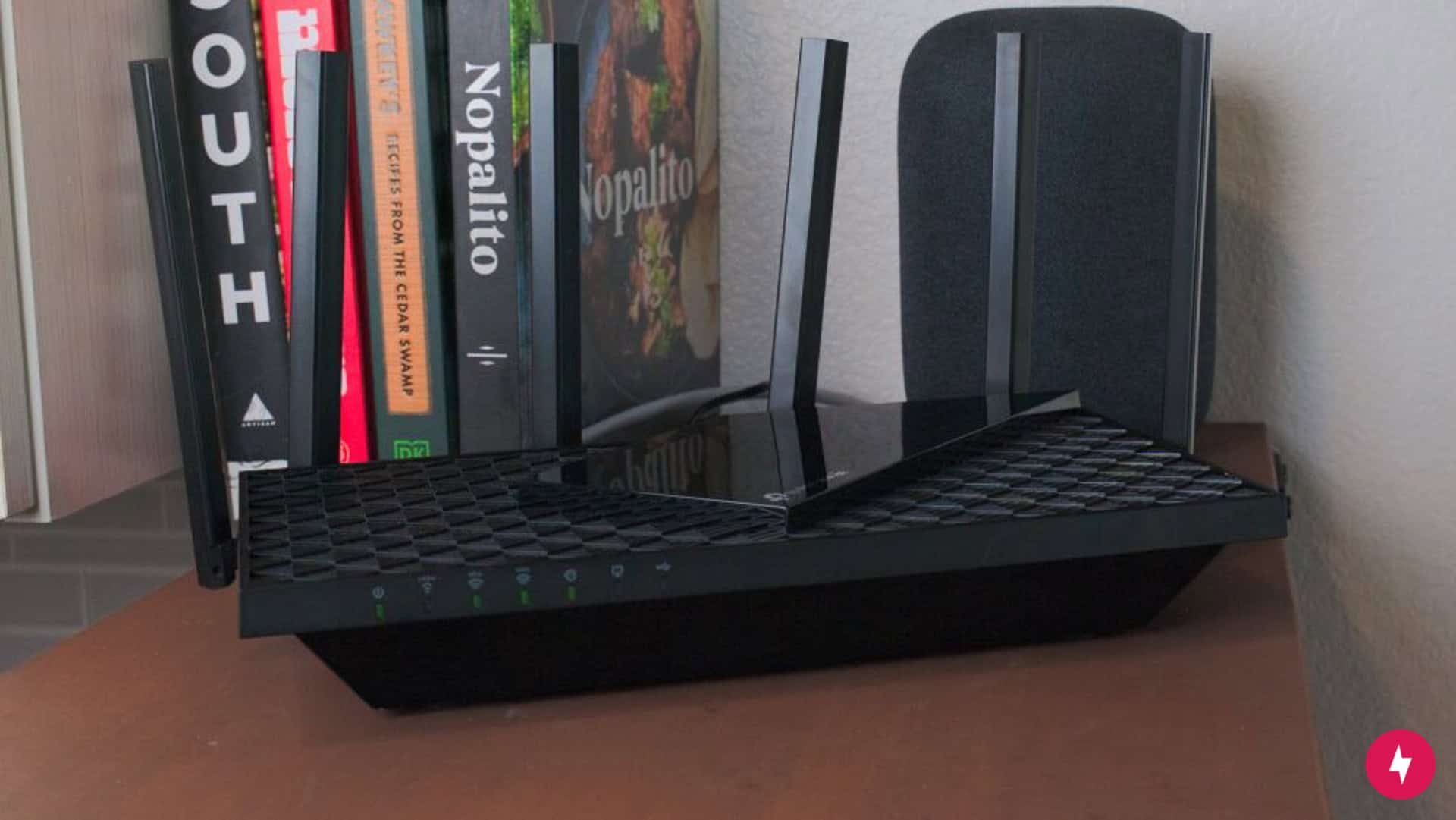
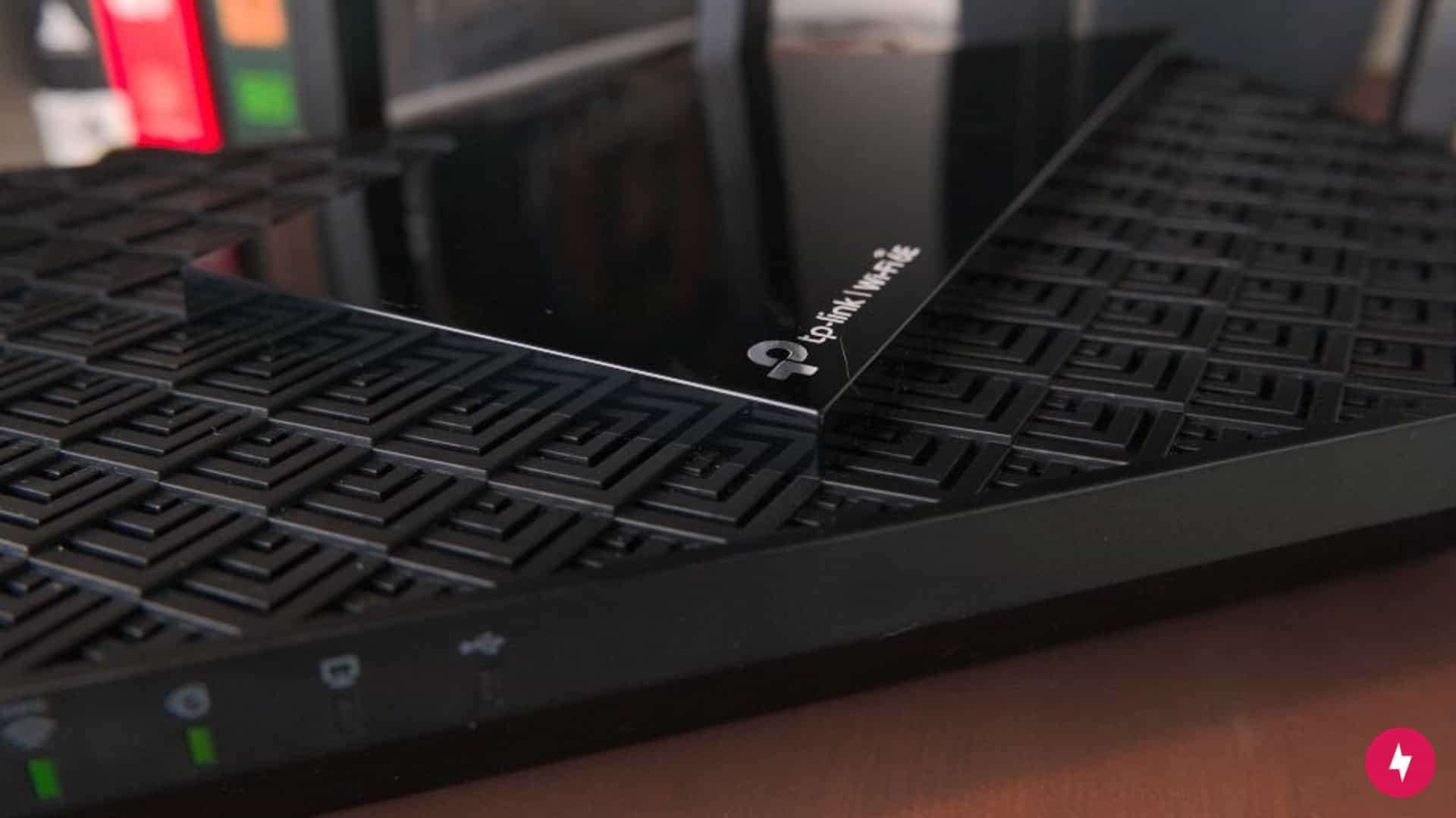
The TP-Link Archer AXE75 isn’t the most aesthetically pleasing router, but it’s the software features and performance that matter. (Photo: Alejandro Medellin)
Most mesh Wi-Fi network systems require multiple nodes, usually two or three, to enjoy the benefits of a mesh network. The Archer AXE75 eliminates the need for multiple nodes by delivering Wi-Fi throughout your home with a single router. This can be a great space-saver and eliminates having to set up more than one router and figure out the best spot to place it.
Despite some benefits, having a single router does have a downside. Other routers I’ve tested, such as the TP-Link Deco S4 and eero devices, feature a sleeker design that can blend into any interior decor. But the Archer AXE75 is hard to discreetly place in a home. The best way to access strong Wi-Fi signals is to place your router out in the open, and I’m not sure I’d want my guests to see it when they come over. While aesthetics isn’t always a deal-breaker when shopping for a router, the Archer AXE75 isn’t my first choice.
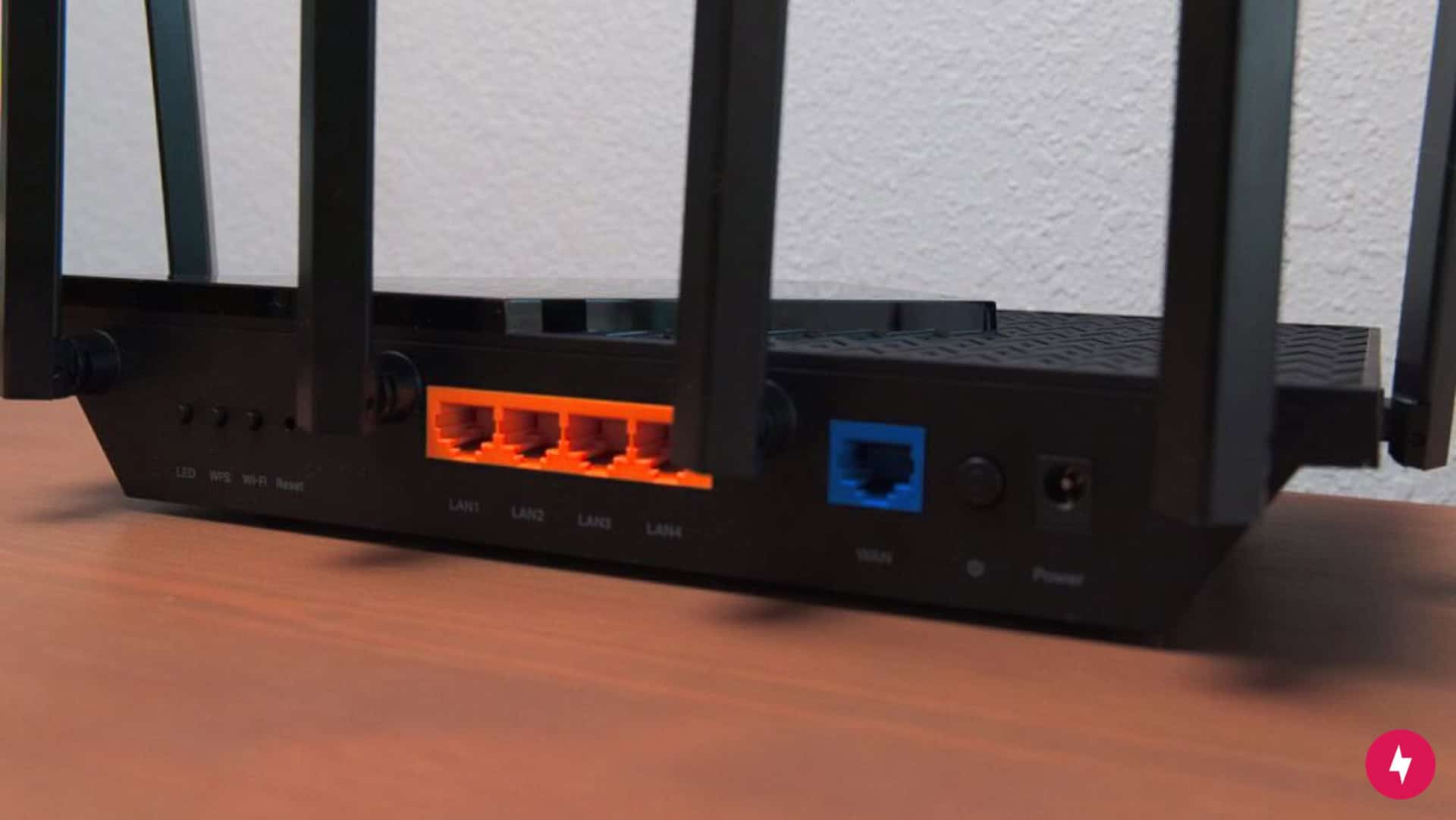
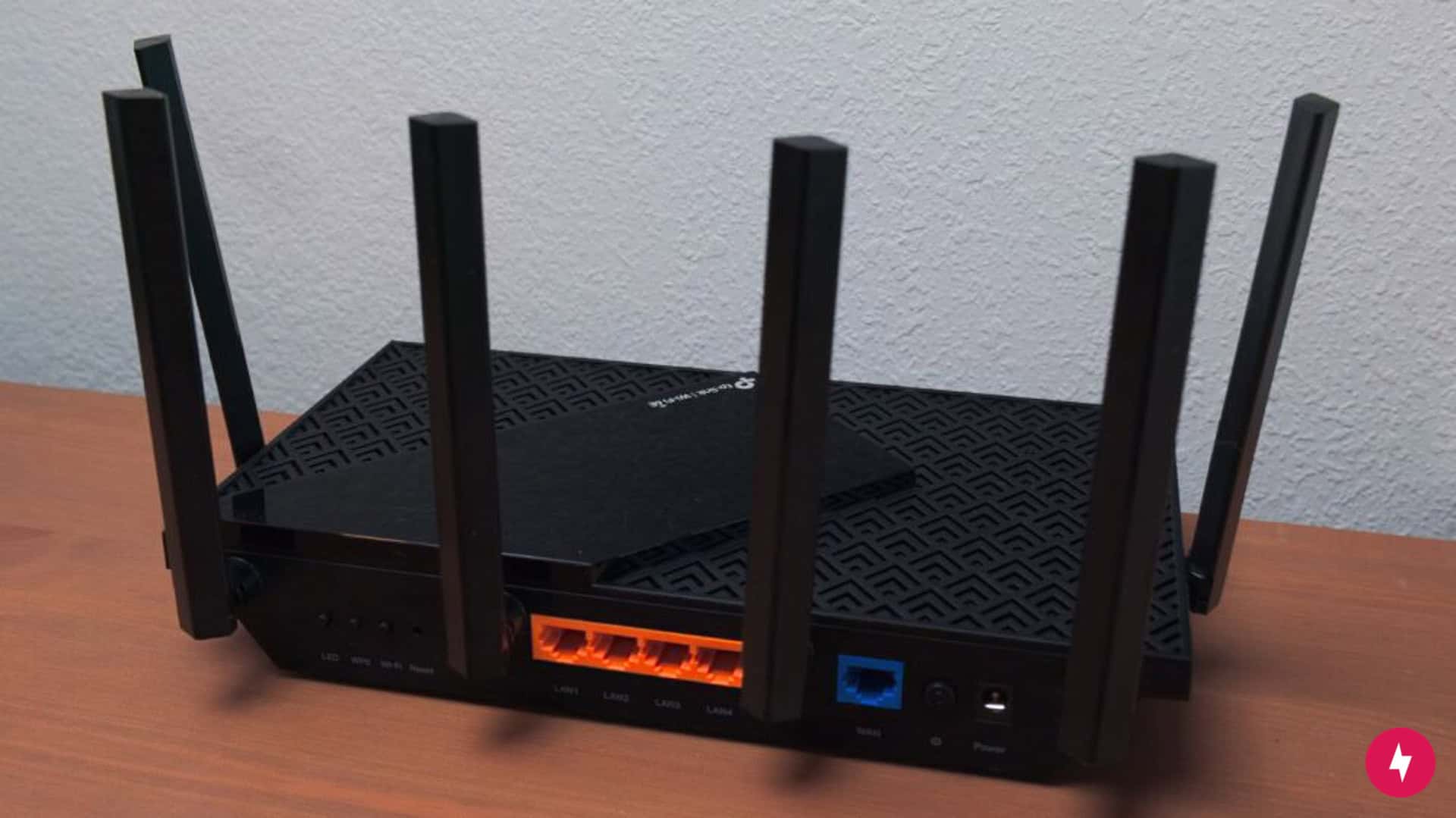
The TP-Link Archer AXE75 isn’t lacking in the port department. (Photo: Alejandro Medellin)
Another feature on the router that’s new to me is the number of antennas. There are six antennas intended to improve signal strength. It’s been a long time since I’ve used a router with antennas, and I’m inclined to think this is more cumbersome than anything. Can you imagine trying to fiddle with six different antennas to attempt to access a better signal? It seems like an exercise in futility!
The Archer AXE75 supports Wi-Fi 6 technology, Wi-Fi 6E circuitry, and tri-band radios. This means the router can access a 6 GHz radio band and is also equipped with the standard 2.4 GHz and 5 GHz radio bands. With tri-band radios, the router can achieve download speeds up to an impressive 5,378 Mbps.
The 6 GHz band also reduces interference and congestion, which directly benefits latency and stability. Combined with OFDMA and MU-MIMO, the router maintains low sub-30 ms latency in typical gaming scenarios and keeps packet timing consistent under load, making it well-suited for competitive multiplayer gaming and real-time applications.
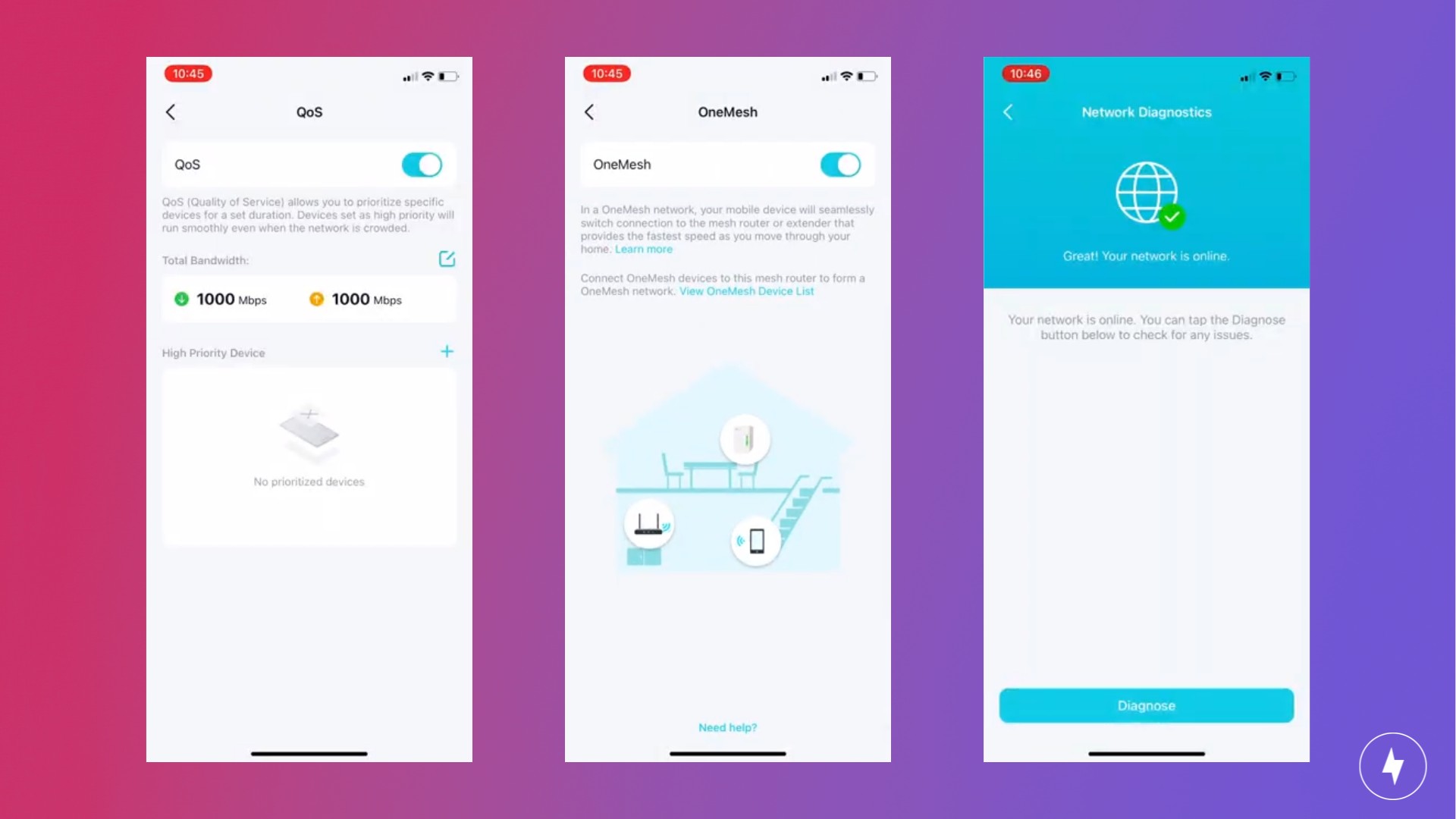
The AXE75 offers meaningful technical depth beyond headline Wi-Fi 6E speeds. Its per-device QoS controls let you prioritize latency-sensitive traffic, such as gaming or video calls, over background downloads, helping reduce jitter during network congestion. The integrated USB 3.0 port supports high-speed external storage for media sharing or light NAS-style backups, delivering significantly faster transfer rates than legacy USB 2.0 routers. With OneMesh compatibility, the AXE75 can pair with supported TP-Link extenders to create a unified mesh network with seamless roaming and centralized management.
TP-Link Archer AXE75 Installation: Straightforward but Time-Consuming
Setting up the TP-Link Archer AXE75 wasn’t the fastest, but it wasn’t overcomplicated. (Photo: Alejandro Medellin)
Advanced technology often gets a bad rap for being challenging to use and install. Luckily, that’s a misconception I’m happy to dispel! I’ve set up countless routers and mesh Wi-Fi systems, and I can say the process was straightforward.
Unboxing and Initial Setup
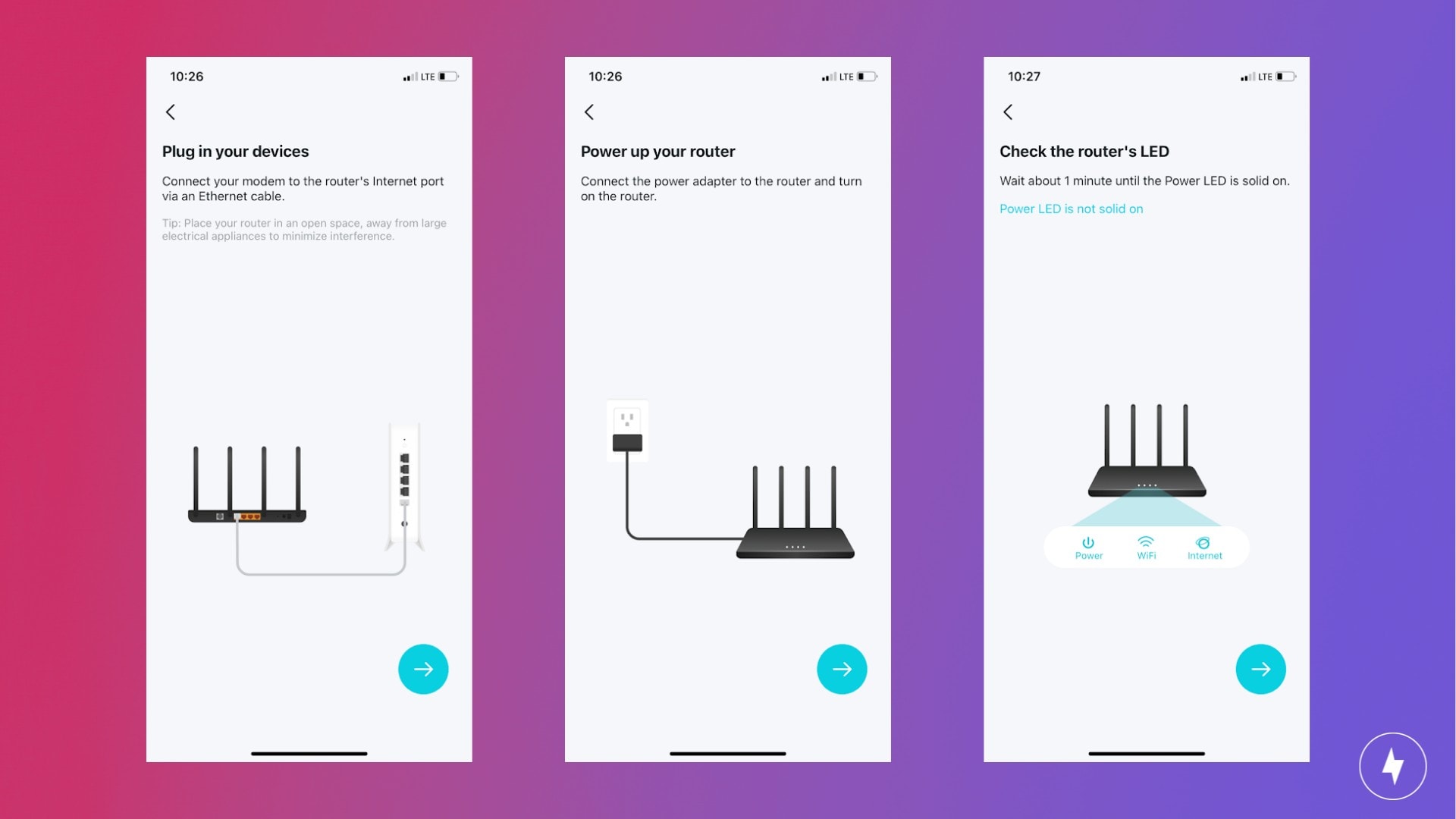
Setting up the TP-Link Archer AXE75 on the app was easy, but it did take some time.
Upon opening the box, the Archer AXE75 router had everything I needed, including a handy installation guide. I wrote a review on the TP-Link Deco S4, and the instructions provided there weren’t too helpful, so I was happy to see that this TP-Link product featured a simple yet comprehensive quick installation guide.
I spoke too soon, though. The instructions were a bit deceiving. It shows a two-step process, but both steps one and two feature three to four steps within them. The process was actually seven steps, but at least they were not overly complicated.
I recommend downloading the installation app, Tether (TP-Link has multiple installation apps depending on your device; the Archer AXE75 router uses Tether), before unplugging your current equipment. That way, if you have spotty or weak cellular service, you won’t run into any issues.
If you already have TP-Link products, you might be able to skip some steps.
The instructions that came with setting up the equipment and going through the steps on the mobile app were straight to the point. However, going through the process on the app took longer than I anticipated. Overall, setup took around 35 to 40 minutes to complete, which is longer than my experience setting up the Deco S4 and eero mesh Wi-Fi routers (both the eero 6+ and eero Pro 6). In those instances, setup took around 20 minutes. Once I was inside the app, I followed along with the prompts and found additional steps to take — it never ends!
The app guides you through setting up a Wi-Fi username and password, which is used for each radio band. You’ll also be required to set up a password for your local account to control your Archer router. This step seems redundant and now adds to my ever-growing list of passwords to keep track of.
The last step allows you to set a time for your router to perform system updates. The default is the middle of the night, but you can set a time that better suits your needs.
Navigating the Mobile App
The Tether app has robust features.
Thankfully, you don’t have to be tech-savvy to use the mobile app during setup, as you’re clearly guided through each step. It’s the minimum you can ask for, but the Tether app delivers.
The app includes useful features typical of other mesh Wi-Fi network apps, such as setting up a guest network, managing parental controls, editing the Wi-Fi username and password, and managing devices. You also have the option of blocking devices from using your network, which could work if you’re trying to cut someone out of your network, such as an unruly teen or nosy neighbor.
One feature I found interesting is Security and Network Optimization. In the Security tab, you can perform a check to assess any risks associated with your network to keep your information safe. More advanced security features are available for a monthly or yearly subscription. They offer a 30-day trial so you can gauge whether the features make sense for you.
With Network Optimization, you can assess your network’s performance. This tool specifically checks for network congestion, so if you’re experiencing slow internet, you can use it to determine whether congestion is the culprit. It’s an ideal resource for troubleshooting the internet.
If you want premium features, you’ll need to subscribe to HomeShield Pro.
TP-Link features parental controls to provide households with children increased security when using the internet. The router comes with a complimentary HomeShield Basic plan, offering essential parental controls and fundamental network security features. With the Basic plan, you can manage internet access for specific users, enforce age-appropriate content restrictions, and monitor online activity duration.
The basic plan has some limitations. So if you’re looking to set time limits and reward your children with extra internet time for good behavior, you can upgrade to the HomeShield Pro plan. This premium plan costs $5.99 per month, or $54.99 per year, and includes advanced security options such as malicious-content filtering, denial-of-service protection, and detailed network security reports.
Aside from these features, I was overall underwhelmed by the Tether app. One feature I enjoyed on the TP-Link Deco app is the Discover page, where you can access articles related to internet usage. This makes learning about safety, troubleshooting, and Deco-specific tools simple. As another TP-Link app, I assumed Tether would feature a similar tab.
The app’s layout also left something to be desired, as there was a lot of hunting and pecking for information. Some criteria, such as the Guest Network option and Parental Controls, are double-exposed in the app.
TP-Link Archer AXE75 Performance: Not Optimized for Older Devices
The TP-Link Archer AXE75’s speeds are great, but only on newer devices. (Photo: Alejandro Medellin)
After getting the Archer AXE75 up and running, it was time to test it. I placed the device in a central location in my home: the living room. I tested the router on a Spectrum gigabit internet connection using my iPhone (Wi-Fi 5).
Testing the Router
The performance wasn’t bad, but it wasn’t great on Wi-Fi 5 devices.
I tested the router three times each from four locations using Speedtest by Ookla: right beside the router, 15 feet away, from behind a wall and at the farthest point away from the router. In my home, that was in an upstairs bedroom at the back of the house. I also compared the results to my current router, the eero Pro 6. While our team already tested the Archer AXE75 to include it as one of our top picks for the best Wi-Fi routers, I put it to the test in a two-story, stand-alone home.
The performance was exceptional in close proximity to the router, both beside it and from 15 feet away. Speeds topped out between 535 and 559 Mbps. Compared to my previous router, the speeds were nearly identical. This result is to be expected, as mesh routers often perform well the closer they are to the devices in use.
As I moved farther from the router, I naturally noticed a decrease in speed. When behind a wall from me and the router, I logged 448 Mbps, which is a 19 percent decrease. Unfortunately, when I tested upstairs, I was disappointed with the speed results. I recorded a measly 244 Mbps, a 56 percent decrease from the closest area and a 45 percent decrease from behind a wall.
As I noted earlier, though, I have an older iPhone that operates on Wi-Fi 5, which is where the Archer AXE75 doesn’t perform at its best. In our test home results, where the team was able to test on Wi-Fi 6 devices, the Archer AXE75 achieved the highest speeds in both a normal and busy environment. It reached 946 Mbps near the router and had a slight drop 15 feet away. If you have a gigabit internet plan and Wi-Fi 6 or 6E devices, then you have a better chance of accomplishing near-gigabit speeds than I did.
While I was personally disappointed with the results in my home, they served as a good reminder to upgrade my devices so the Archer AXE75 can perform at its best.
Comparing to Competitors
Compared to my eero Pro 6, the speeds were similar, except in my upstairs rooms. Admittedly, the eero Pro 6 was 21 percent faster than the Archer AXE75 at 309 Mbps, so I would say these two devices perform similarly, despite their distinct features. With the Archer AXE75 coming in at considerably less than an eero system, it’s a viable alternative to a pricier Wi-Fi extender.
When comparing the Archer AXE75 to my testing of the Deco S4, the latter outperforms the former. With the Deco S4, the speeds from behind a wall and upstairs were very similar, and I didn’t notice a sharp decrease in internet speed when moving upstairs. In our test home, however, the team found that the AXE75 performed way better than the Deco S4 on Wi-Fi 6 devices.
Here’s how the Archer AXE75 price stacks up against similar mesh networks.
Router
Device Cost
TP-Link Archer AXE75
$154.99
TP-Link Deco S4
$95.99
Eero 6+
$299.99
Google Nest Wifi Pro
$279.99
Asus ZenWiFi AX
$179.99
Our Verdict: Out With the Old, in With the New
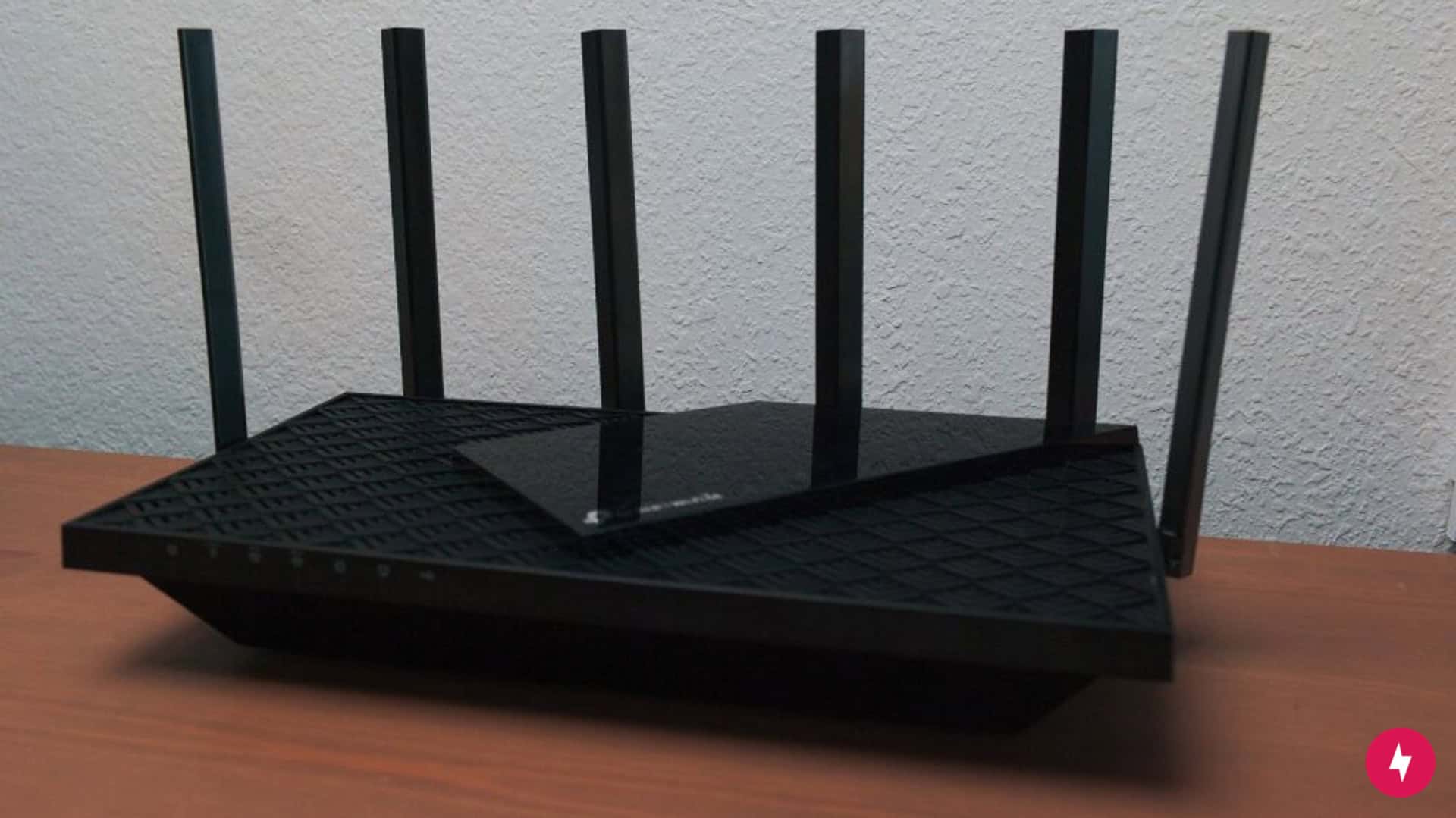
The TP-Link Archer AXE75 combines price and performance for an incredible value. (Photo: Alejandro Medellin)
As a Wi-Fi 6E router, the TP-Link Archer AXE75 shines brightest with newer devices that run on Wi-Fi 6 and Wi-Fi 6E technology. Unfortunately for me, I wasn’t able to experience a similar throughput as the rest of the team because I’m still using Wi-Fi 5 devices. If you’re in the same boat with mostly Wi-Fi 5 devices, a device like the Eero Pro 6 should work fine for your household.
While my speed test results were disappointing compared to other mesh Wi-Fi routers I’ve tested, that doesn’t diminish the Archer AXE75’s strong overall performance. After all, there’s a reason our team included it in our list of the best Wi-Fi routers. For the price and the performance, the Archer AXE75 is one of the most affordable Wi-Fi 6E mesh Wi-Fi routers that don’t require you to buy multiple devices in order to achieve full coverage. I didn’t vibe with its appearance, but I give credit where credit is due: It’s the most budget-friendly, blazing-fast router for those with newer devices.
How We Assess Routers
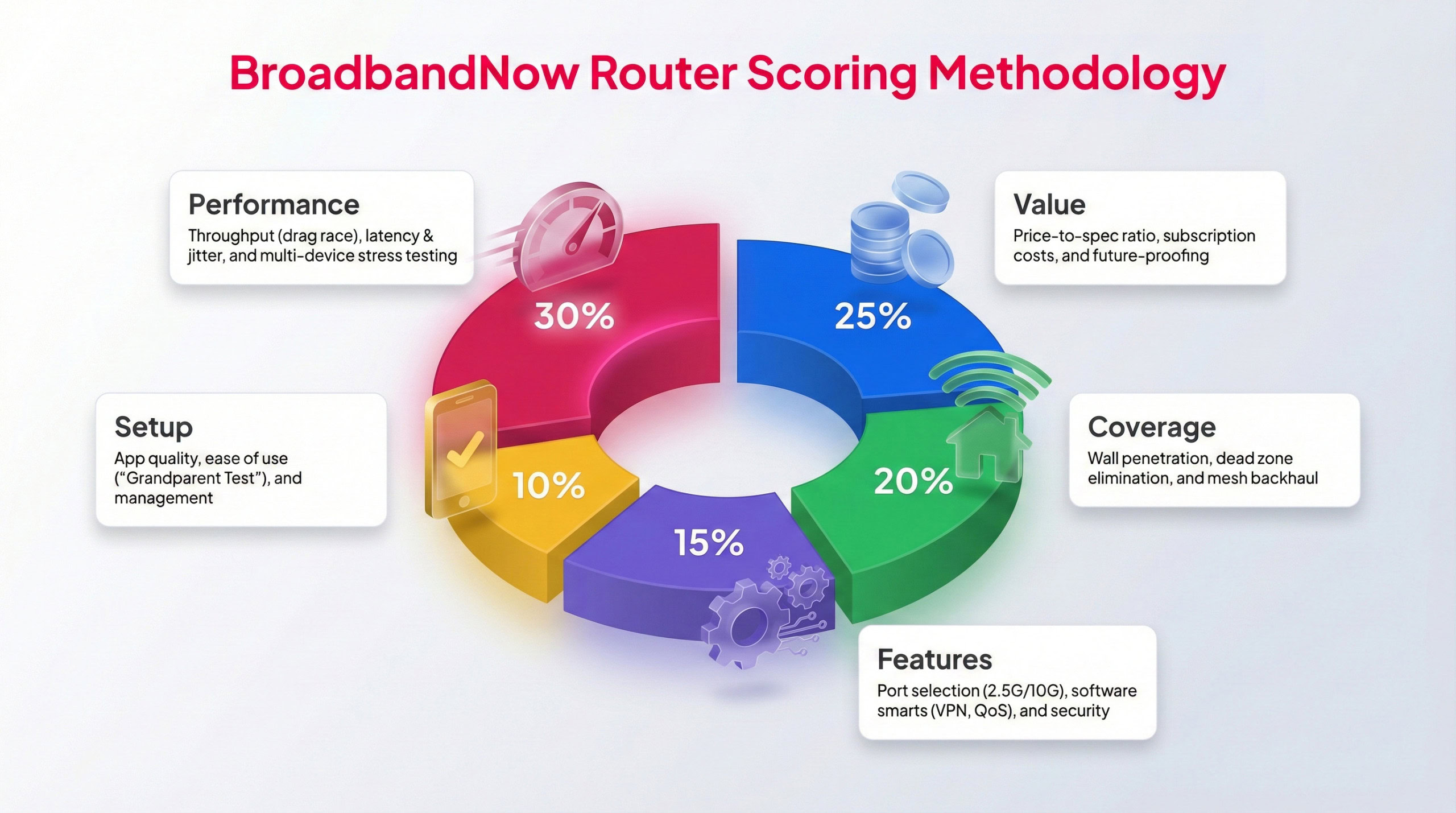
Each BBN expert tests routers following this methodology to provide a weighted score.
To maintain consistency across all of our reviews, every router is evaluated using the same hands-on testing standards. The TP-Link Archer AXE75 was put through a full 30 days of real-world use in an active household setting. Over that period, our broadband team assessed long-term stability, feature depth relative to its price point, and how well it sustained performance under heavier network loads. Testing included peak evening congestion, high-bandwidth activities like 4K streaming and competitive gaming, and speed measurements taken from multiple spots throughout the home, and performing three tests for each location using Speedtest by Ookla to measure result.
Each router earns a score on a weighted 1–5-star scale, with performance and value factored in most heavily. Below, you’ll see how the Archer AXE75 rated across five core categories, along with a detailed look at how it held up during testing in my two-story home.
Performance – 5/5: I tested the mesh router in multiple areas around my home and pushed it to its limit with heavy bandwidth activities. While my older Wi-Fi 5 device struggled to reach the max speeds the router offers, our team has tested the router on newer Wi-Fi 6 and Wi-Fi 6E compatible devices and has shone with top performance nearing gigabit speeds.
Value – 5/5: The TP-Link Archer AXE75 has a price that can’t be beat compared to similar mesh systems, with speeds that can handle large households with bandwidth-heavy activities. It’s truly one of the best Wi-Fi routers on the market.
Coverage – 4/5: The router did an excellent job providing quality speeds throughout my two-story home. While it did struggle in one of my known dead zones, it still worked well for my needs. And, of course, using the Archer AX765 with more compatible devices will certainly prove beneficial.
Features – 5/5: The TP-Link Archer AXE75 has all the best features of any mesh system: multi-gigabit capabilities, Wi-Fi 6E compatibility (great for futureproofing), and tri-band radios. As a TP-Link device, it also comes with the basic version of HomeShield, which is equipped with plenty of security features to keep your network protected.
Setup – 4/5: The Archer AXE75 uses TP-Link’s Tether app for installation setup, which is simple enough for anyone to follow along with. But, while the included insert made it appear that the setup would take just a few steps, the process proved to be a bit more complicated and took longer than other tests I’ve conducted, such as the TP-Link Deco S4.