DOCSIS 3.0 vs. DOCSIS 3.1: What’s the Difference?
Learn what these two technologies mean for your modem and how they impact your online experience.

- DOCSIS stands for “Data Over Cable Service Interface Specification” and is the interface standard that determines how your modem translates internet signals into internet service.
- The main differences between DOCSIS 3.0 and DOCSIS 3.1 are the maximum speeds and pricing.
- Choosing between DOCSIS 3.0 and DOCSIS 3.1 depends on your home’s specific internet needs.
Cable internet is by far one of the most popular internet connection types on the market, thanks to its fast speeds and wide coverage. As cable internet providers revolutionize their modem technology to keep pace with cable’s popularity, you might find yourself between standards like a DOCSIS 3.0 or a DOCSIS 3.1 modem. It’s normal to have questions (because you’re likely not hearing many of your friends and family talk about DOCSIS in everyday conversation). We’ll walk you through the concept of DOCSIS, explain the differences between DOCSIS 3.0 and DOCSIS 3.1, and help you choose the best option for your home.
Watch: DOCSIS 3.0 vs. DOCSIS 3.1
Prefer a verbal explanation? Watch our video for a clear understanding of the differences between DOCSIS 3.0 and DOCSIS 3.1, and what to expect if you choose to upgrade your equipment.
What Is DOCSIS?
DOCSIS, also known as Data Over Cable Service Interface Specification, is a standard for transferring data between your cable internet service provider (ISP), modem, and device (laptop, smart TV, Alexa). DOCSIS was created to allow cable TV companies to provide internet services to their customers. The first version of DOCSIS was released in March 1997 and has since evolved, improving how internet data is received and transmitted.
What Are the Differences Between DOCSIS 3.0 and DOCSIS 3.1?

Most cable ISPs today provide either DOCSIS 3.0 modems or DOCSIS 3.1 modems, and some are beginning to introduce DOCSIS 4.0 equipment (but only in select markets). You’re likely using the modem they provided, but you can buy your own modem to upgrade your setup. The main difference you need to know is that each DOCSIS standard specifies a set of download and upload speeds.
DOCSIS 3.1 is much faster than DOCSIS 3.0 because it leverages a range of advanced technologies to increase bandwidth and reduce latency, but we won’t bore you with all those hyper-technical details here. That said, whether the extra speed you get from DOCSIS 3.1 matters depends on your internet speed needs and household activities.
Here’s a quick spec comparison of the two technologies.
| Specifications | DOCSIS 3.0 | DOCSIS 3.1 |
|---|---|---|
| Download speeds (up to) | 1 Gbps | 10 Gbps |
| Upload speeds (up to) | ~200 Mbps | 1 Gbps |
| Channel bonding | Fixed 6 MHz or 8 MHz channels | OFDM (Orthogonal Frequency Division Multiplexing) |
| Modulation | Up to 256 QAM | Up to 4096 QAM |
| Latency | Standard | Significantly reduced |
| Security | BPI+ (Baseline Privacy Interface Plus) | Increased security in downloads, improved encryption, and certificate-based authentication |
What Are the Pros and Cons of DOCSIS 3.0 and DOCSIS 3.1 Modems?
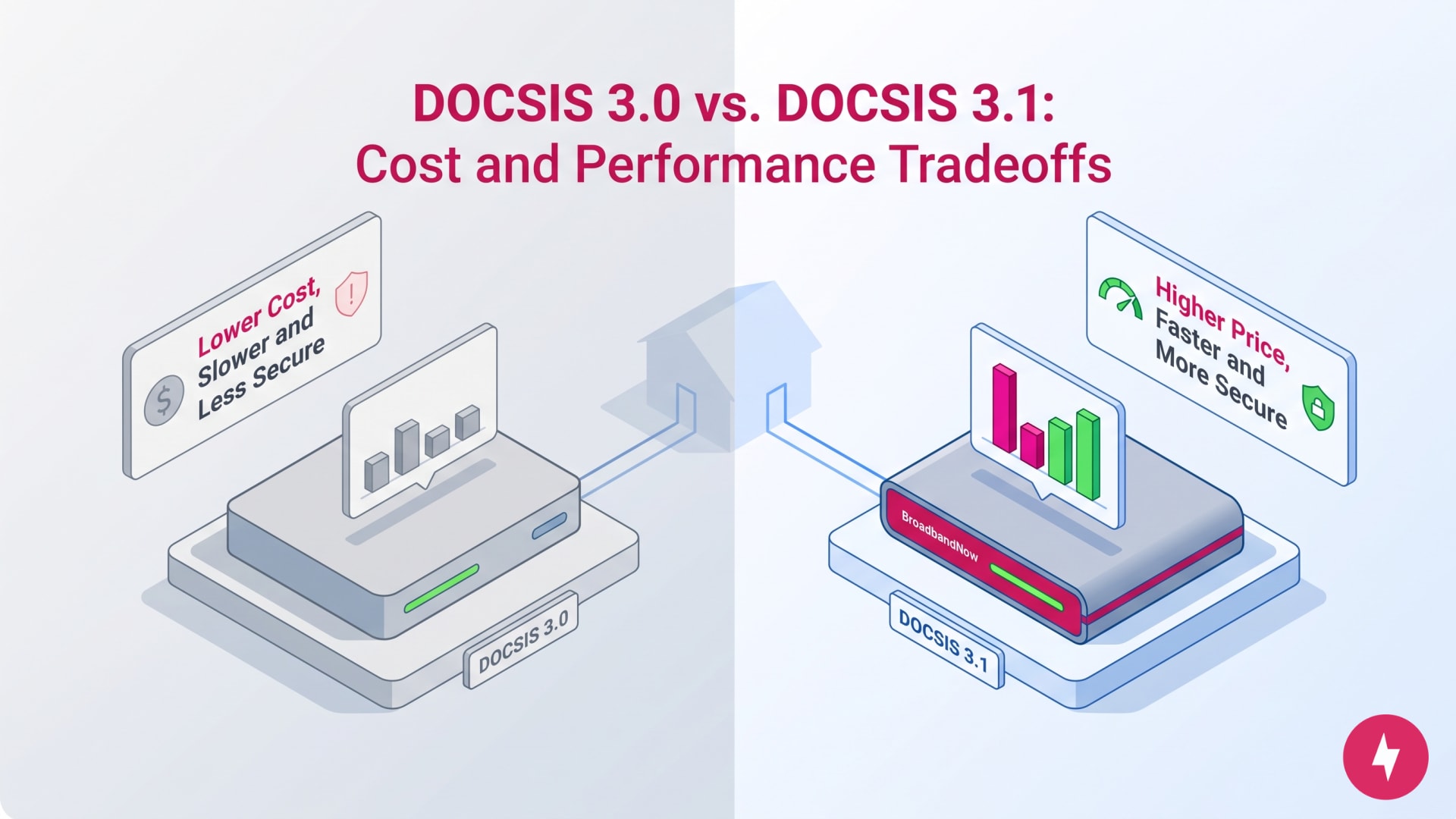
When choosing a DOCSIS modem for your household, consider the pros and cons of each technology. DOCSIS 3.1 is newer, but it often comes with a higher price. DOCSIS 3.0 is cheaper, but less secure and slower.
| DOCSIS standard | Pros | Cons |
|---|---|---|
| DOCSIS 3.0 |
|
|
| DOCSIS 3.1 |
|
|
Which DOCSIS Modem Is Better for Your Home?
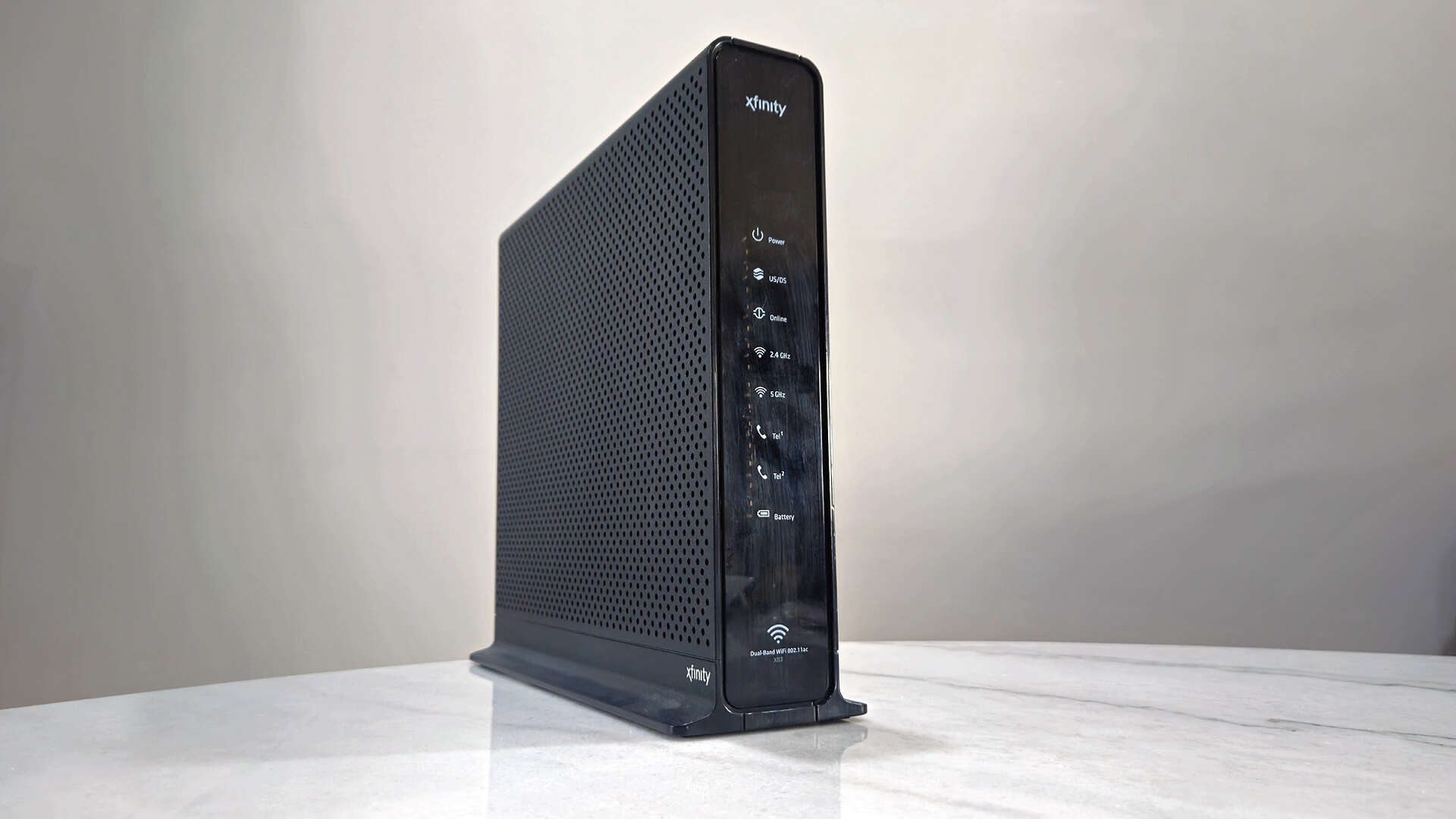
Every internet plan is different, so your modem should be, too. If you subscribe to a 500 Mbps cable internet plan from Xfinity, using the provided DOCSIS 3.0 modem makes the most sense. But if you upgraded to a 1 Gbps Spectrum cable internet plan, DOCSIS 3.1 helps you reach the max speed. What makes sense for your home depends on the number of users, internet speed, internet usage, and your overall budget. The following sections offer scenarios for which DOCSIS 3.1 or DOCSIS 3.0 would be better for you.
When Should You Use a DOCSIS 3.0 modem?
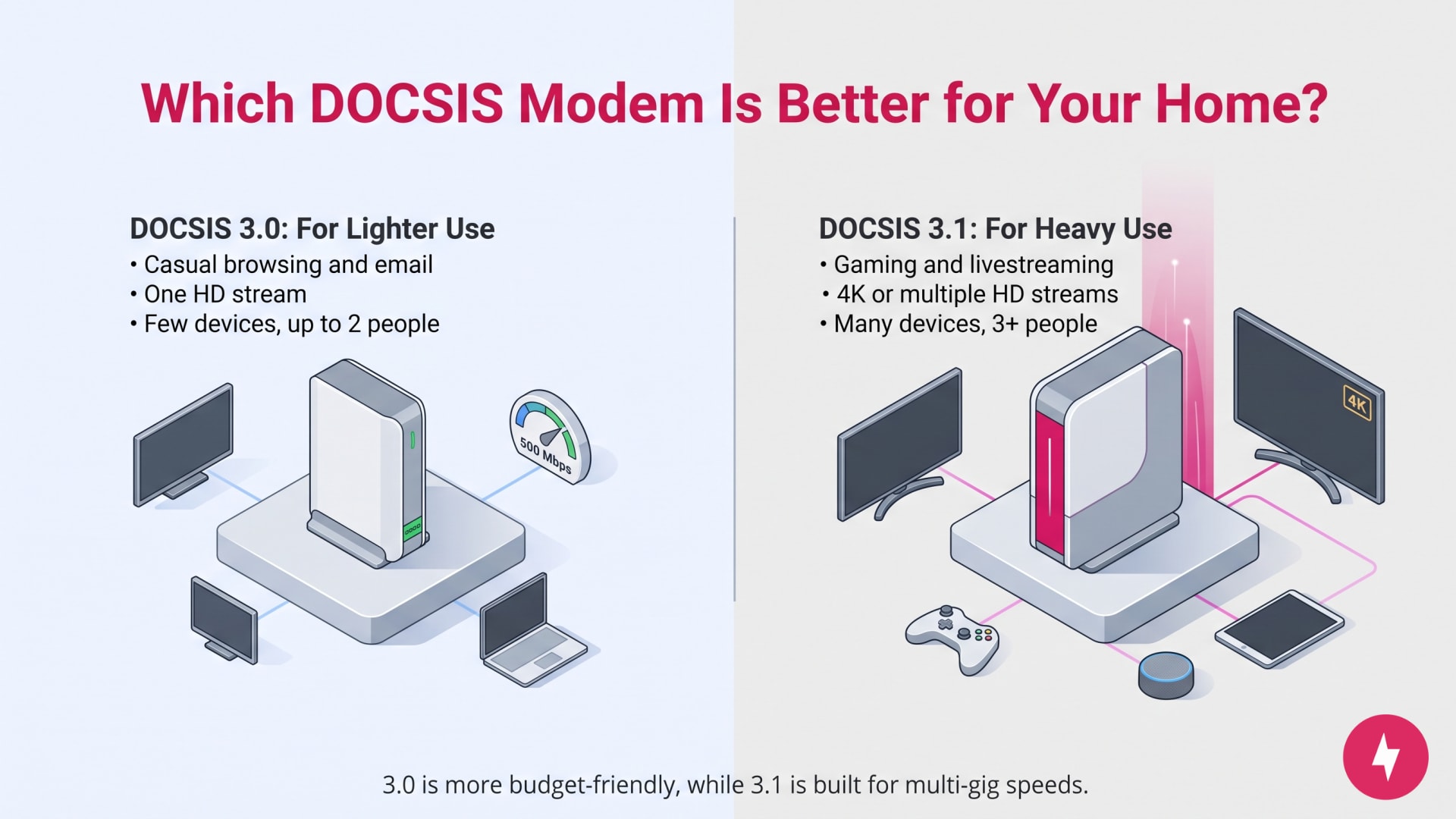
DOCSIS 3.0 modems are great if you’re looking for an affordable cable modem and aren’t using gigabit internet. You should consider a DOCSIS 3.0 modem if you:
- Casually use the internet (browsing the web, sending emails, scrolling social media).
- Only stream in Standard Definition (SD) or High Definition (HD) on one device.
- Own just a few devices in your home.
- Homes with up to 2 people using the internet regularly.
When Should You Use a DOCSIS 3.1 modem?
DOCSIS 3.1 modems may be worth the investment if you need a more powerful modem for your internet activities and have an internet plan above 1 Gbps. You should consider a DOCSIS 3.1 modem if you:
- Play online games (single- or multiplayer), livestream, or engage in other bandwidth-heavy tasks.
- Stream in 4K resolution or in HD on multiple devices simultaneously.
- Use multiple smart devices in your home.
- Full households with 3 or more people simultaneously using the internet.
Recommended DOCSIS 3.0 vs. DOCSIS 3.1 Modems
When buying your own modem to avoid monthly rental fees (which usually run $10–$15 per month), you’ll notice a distinct price jump between standard DOCSIS 3.0 devices and performance-oriented DOCSIS 3.1 hardware.
Below is a breakdown of what to expect for price ranges and top-rated model recommendations across both standards.
DOCSIS 3.0 Modems
DOCSIS 3.0 modems are budget-friendly, making them ideal if you don’t require gigabit speeds and want a quick return on investment. Before buying a DOCSIS 3.0 modem, double-check your ISP’s list of compatible devices. Several providers have begun phasing out older DOCSIS 3.0 modems in favor of 3.1 equipment.
| Best pick for | DOCSIS 3.0 modem | Price range | Download speeds (up to) |
|---|---|---|---|
| Budget | Motorola MB7621 | $60–$80 | 900 Mbps |
| Mid-tier | ARRIS SURFboard SB6190 | $70–$90 | 800 Mbps |
| Combo | NETGEAR C6230 / AC1200 | $100–$120 | 1,200 Mbps (1.2 Gbps) |
DOCSIS 3.1 Modems
DOCSIS 3.1 modems cost more upfront, but they offer multi-gig capabilities, lower latency (via AQM technology), enhanced security, and greater future-proofing.
| Best pick for | DOCSIS 3.1 modem | Price range | Download speeds (up to) |
|---|---|---|---|
| Value | Hitron CODA56 | $120–$140 | 2.5 Gbps |
| Overall | ARRIS SURFboard S34 | $130–$170 | 2 Gbps |
| Gamers and content creators | NETGEAR Nighthawk CM3000 | $260–$300 | 2.5 Gbps |
Do You Need to Upgrade to a DOCSIS 3.1 Modem?
If you plan to use gigabit internet and don’t mind the cost, upgrading to a DOCSIS 3.1 modem will help you make the most of the bandwidth you pay for. DOCSIS 3.1 modems are also relatively future-proof, since many cable internet providers are transitioning away from DOCSIS 3.0 modems entirely. That said, if you currently own a DOCSIS 3.0 modem and have no plans to use gigabit internet, you likely get away with skipping the upgrade and saving some money. At some point down the road, you’ll need to upgrade to a newer DOCSIS technology.
Here’s a quick guide to help you upgrade your modem, if that’s your logical next step.
- Internet speed tier: If your internet plan is under 1 Gbps, a standard DOCSIS 3.1 modem is a reliable and cost-effective choice. If you pay for 1 Gbps or more, prioritize models with a 2.5 Gbps port to avoid capping your speed at the modem level.
- Budget-focused: Look for basic, highly rated DOCSIS 3.1 models that prioritize stability and compatibility.
- Feature-focused: Look for modems with Active Queue Management (AQM) to reduce lag for gaming, or Mid-Split support if you need significantly faster upload speeds for video calls and cloud backups.
- Router compatibility: A high-speed modem is only as good as the router it’s connected to. If you are aiming for multi-gigabit speeds, ensure your router also has a 2.5 Gbps WAN port. Using a standard Gigabit router on a 2 Gbps plan will create a bottleneck.
- ISP approval: Before purchasing, always cross-reference the model with your ISP-certified device list. Even the best hardware won’t work if your provider (like Xfinity or Spectrum) cannot activate it on their network.
- Standalone vs. combo: While “all-in-one” gateway units (modem + router) are convenient, standalone modems paired with a separate router (such as an eero or ASUS router) are generally preferred. This allows you to upgrade your Wi-Fi technology in the future without replacing your entire cable connection.
Which Modem Is Right for You?
Start by checking your current internet plan speed and logging into your provider’s account to view their certified modem list. If you pay for speeds under 500 Mbps and want to minimize upfront costs, purchasing an approved DOCSIS 3.0 modem will easily pay for itself by eliminating monthly rental fees within a year. However, if you subscribe to a gigabit plan, run a busy household with multiple heavy internet users, or simply want to future-proof your setup for the next several years, investing in a DOCSIS 3.1 modem ensures you get the full performance, lower latency, and higher speeds you’re already paying for.
Frequently Asked Questions About DOCSIS
Do I need a DOCSIS 3.1 cable modem for gigabit cable internet?
Although DOCSIS 3.0 modems can support download speeds up to around 1 Gbps under ideal conditions, a DOCSIS 3.1 modem will more reliably deliver gigabit internet with lower latency. Plus, a DOCSIS 3.1 modem offers much faster upload speeds, making your gigabit plan more valuable (you might as well get what you pay for).
What if my cable internet is below gigabit speeds?
If your cable internet plan offers speeds below 1 Gbps, you can save money by purchasing a DOCSIS 3.0 modem. If you plan on upgrading your plan in the future, you’re better off considering a DOCSIS 3.1 modem to keep your home networking setup up to date.
Do I need DOCSIS 3.1 for 4K?
You don’t strictly need DOCSIS 3.1 for 4K streaming, but it helps. 4K video typically requires 25 Mbps per stream, which DOCSIS 3.0 can handle. However, DOCSIS 3.1 offers better performance, lower latency, and greater bandwidth for households with multiple devices streaming, gaming, or working online simultaneously.
How will I know that my DOCSIS modem is working as intended?
Running an internet speed test and comparing it to your advertised plan speed is the best way to know you’re getting the most out of your modem. It’s always a good idea to run tests across multiple rooms in your home, especially in areas where you use the internet most (like an office or a living room). You’ll get a better idea of how your modem is working throughout the house.
What is DOCSIS 4.0?
DOCSIS 4.0 is a newer version of DOCSIS designed to support multi-gigabit internet speeds over cable networks. In practice, DOCSIS 4.0 systems can deliver download and upload speeds well above those typically supported by DOCSIS 3.1, offering significantly higher capacity and better performance for advanced broadband services.
Will DOCSIS 3.1 become obsolete soon?
DOCSIS 3.1 isn’t expected to become obsolete anytime soon. Cable internet providers still use it widely, and it supports multi-gigabit download speeds with improved efficiency and reliability. While DOCSIS 4.0 is emerging, adoption will take years. Most providers will continue supporting DOCSIS 3.1 well into the next decade.