Does Internet Matter for FPS in Minecraft?
Online lag and frame rate issues are two different problems.
- Minecraft, while not as resource-heavy as other games, provides a better gaming experience when played at least 60 frames per second (FPS).
- Your computer’s performance can impact FPS, but slow internet won’t.
- However, slow internet can cause latency (lag), which can feel a bit like bad FPS and can be just as frustrating!
Ask any gamer what game is considered the least “power-hungry,” and they’re likely to say Minecraft. The sandbox game developed by Mojang is known for running on virtually any computer because of its low resource requirements. It’s a game that doesn’t require fancy graphics cards or CPUs. When it comes to FPS, however, some people argue for or against the idea that internet matters when it comes to improving the game’s frame rates. Is it true? To answer this question, we’ve written this guide to cover why internet matters (or doesn’t) and provide use cases for each scenario.
Watch: Internet vs. FPS Issues
Need a quick video explanation of what could be causing your FPS issue on Minecraft? Check out our video where we break down the most common causes.
Does Internet Speed Affect Minecraft FPS?

The short answer is: No, your internet speed does not affect frame rates in Minecraft. While some people think slower internet speeds will cause Minecraft’s frame rates to drop, it’s actually ping that is most affected by internet speed. A slow internet connection can result in a high ping rate, which negatively affects gameplay in Minecraft. What actually determines the FPS in Minecraft is the hardware used in the computer that’s running the game.
Additionally, hardware also determines the ticks per second, or TPS, in Minecraft. Think of TPS as the in-game processing speed. In Minecraft, the ideal TPS would be 20 ticks per second, or 50 ms per tick. This ensures that the game runs and processes its environment smoothly, giving you a smoother gaming experience.
Ping vs. FPS

Some people use ping rates and FPS interchangeably as factors that affect a game’s performance, but they measure different aspects of a game. Ping is the time it takes for a piece of data to go from your device to the internet server and back again — so, in the case of an online Minecraft session, it’s the time it takes for your keystroke or mouse click to register in the game and for the results of that action to show up on your screen. This, of course, is dependent on your internet connection (which is why we recommend that gamers opt for high-speed internet plans). FPS, however, is the number of images displayed per second and is dependent on your computer’s hardware, specifically your CPU and GPU. Both affect the game, but in different ways, so you need to address them differently when gameplay or connection issues arise.
With lousy ping, your computer won’t have the information it needs to put the right information on screen. Your FPS will be just fine, but every time the screen refreshes with a new image, it will still show the wrong thing — you’ll see that zombie too late or miss that crucial jump.
How to Fix Bad Ping in Minecraft
Although FPS isn’t related to internet, there are a couple of things you can do to your internet connection to reduce the ping rate in Minecraft. You’ll want to set your Wi-Fi channel to one with the least amount of interference (for more on choosing the right Wi-Fi channel, check out our guide on the subject). This should improve your internet speeds, lower your ping, and maximize the effects of a good FPS while gaming.
Additionally, you could also play Minecraft using a wired internet connection. Although FPS is affected by hardware, plugging your computer directly into your router with an Ethernet cable will guarantee a lower ping rate, which will enhance your game and provide a smooth gaming experience. It’s your best option for lag-free gaming.
When Internet and FPS Matter in Minecraft
Although we did mention earlier in this article that Minecraft performs well with minimal system requirements, there are some cases where having a good internet connection is crucial:
You Plan on Recording or Streaming Minecraft Online
If you’re recording or streaming Minecraft online, you’ll definitely want to invest a bit more in your internet plan and your computer hardware. This is especially important because you’ll be using streaming software and broadcasting your game live to people, which uses up a lot of computer resources. Faster internet speeds also include faster upload speeds, which support higher bitrates and provide content creators with smoother streaming quality for viewers.
You’re Playing Minecraft Online With Other People
Minecraft could be played solo, but it’s very fun when you’re exploring and building with other people. In this case, you’ll want a stable internet connection to stay online. Although FPS is a hardware-driven factor, slow internet connections can cause high ping and lag, which can feel similar to an FPS drop. A fast internet connection is also important if you want to modify your server with mods, which can eat up RAM and affect your and other players’ performance.
When Internet and FPS Do Not Matter in Minecraft
There are a couple of cases where internet speed and FPS don’t matter as much in Minecraft because they primarily don’t affect overall gameplay.
You’re Playing Minecraft Offline
If you’re on your own server and have no plans to share it with others, you won’t need to worry about having good internet since you’ll be able to play offline. Your FPS also won’t matter if you’re okay with “average” graphics. Keep in mind that if you mod your server, it may affect your game’s performance, since mods use resources while the game is active.
You Have No Plans to Stream or Record Minecraft
If your ideal gaming session doesn’t involve using broadcasting software to stream or record Minecraft, then you’re in luck. Only having the game running means you won’t need to worry about other software and live streaming elements using up bandwidth, so you’ll be able to have a nice gameplay experience without worrying about having to upgrade your internet plan. You also won’t need to worry about having the best CPU or GPU since you’ll only be using it to run the game.
How to Get the Best FPS While Playing Minecraft
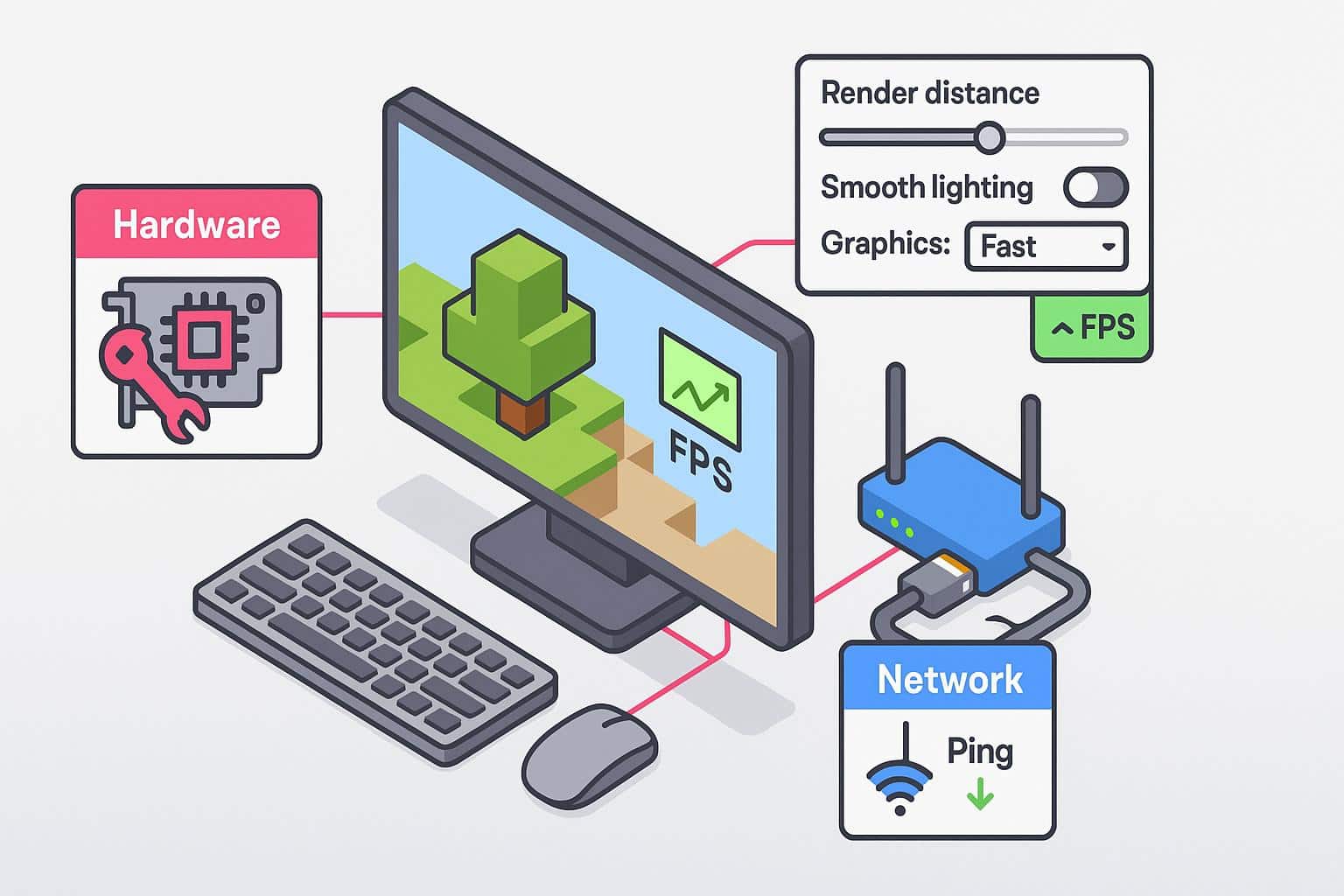
So if your internet speed doesn’t influence FPS, then what does? Here’s where to turn when you’re trying to improve your FPS in Minecraft.
Game Settings
Even at maximum settings, Minecraft can still run on even the most basic computers. However, if you really want to get the best FPS possible while playing, it’s worthwhile to adjust your game settings. Reducing graphics quality, turning off smooth lighting, and turning down rendering are great ways to optimize your frame rate. Keep in mind, however, that this comes at the cost of graphics performance, since you are reducing the visual quality of the game.
Performance Mods
One way to optimize your Minecraft sessions is to find mods that focus solely on performance. Mods like Sodium and Lithium are designed to fix graphical issues while also improving frame rates. Others, like ModernFix, help reduce memory usage and fix bugs in the game.
Hardware Upgrades
Although you don’t need a souped-up gaming PC to run Minecraft, it’s still possible to have FPS issues if you’re playing on a very old device. The parts of your computer that are most responsible for FPS performance are your graphics processing unit (GPU) and your central processing unit (CPU). If your device is struggling to run Minecraft, it may be time for a new GPU — or perhaps a whole new computer.
Frequently Asked Questions About Internet for Minecraft
Does internet speed affect Minecraft lag or FPS?
While internet speed can affect ping and lag in Minecraft, FPS is more affected by hardware specifications, specifically your CPU and GPU.
Is FPS capped on Minecraft servers?
All Minecraft servers are capped at 60 FPS by default. However, you can change up the game settings or install mods to increase FPS in the game.
What’s the difference between FPS drops and lag spikes?
FPS drops are caused by faulty hardware and can slow the number of images displayed per second while gaming. This results in stuttering images and reduces the game’s visual quality. Lag spikes, on the other hand, are sudden spikes in latency, which can cause your game to freeze or even delay your game processing.
How much RAM does Minecraft need for smooth FPS?
For the smoothest FPS experience, we recommend having at least 4 GB of RAM, especially if you do not plan on modding your servers. Otherwise, you’ll want to invest between 4-6 GB minimum for mods.
Is Minecraft CPU or GPU intensive?
Minecraft isn’t exactly the most visually appealing game, so your GPU doesn’t really affect the game’s performance. If anything, Minecraft is more CPU-intensive than GPU because of the resources required to run the game and process its mods. Compared to other games, however, it’s not as technologically demanding.