Best Wi-Fi 7 Routers of 2026, Tested and Reviewed
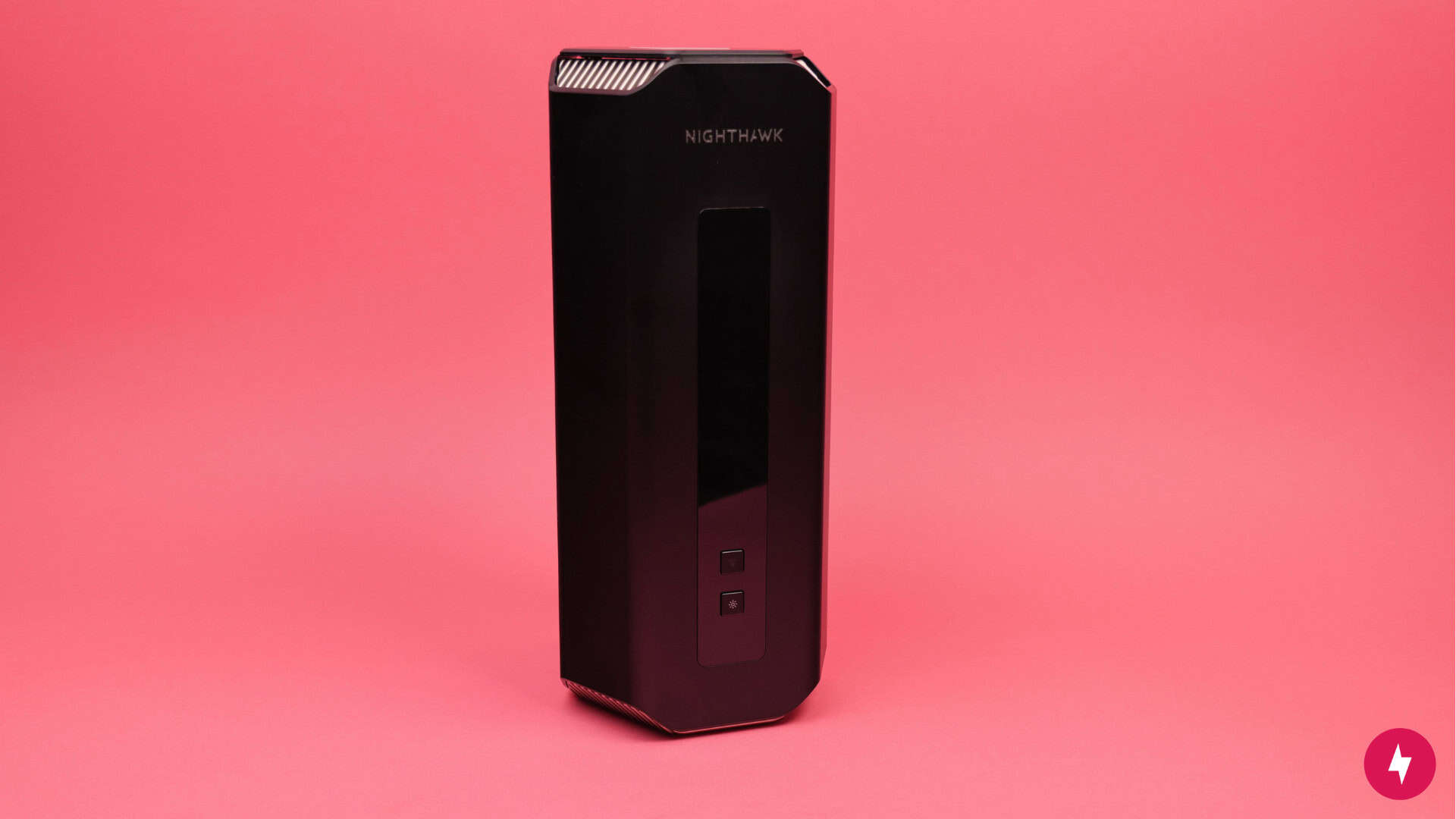
Built like a rocket but tuned for real homes, the Netgear Nighthawk RS700S is the most comprehensive Wi-Fi 7 upgrade.

Modern households demand more than ever before — think 8K streaming, VR gaming, AI-driven applications and seamless smart home automation all running simultaneously. That’s where Wi-Fi 7 comes in. We dove deep into the newest Wi-Fi 7 routers to identify which models truly deliver on the promise of Multi-Link Operation, ultra-wide 320 MHz channels and dramatically reduced latency. Our testing and rankings are based on five essential criteria: affordability, performance, value, longevity and technology.
BroadbandNow Bottom Line
The Netgear Nighthawk RS700S outperformed the competition in our tests, offering unmatched speed, future-proof hardware and rock-solid performance across the board. It’s not the cheapest option, but for households that want the best of Wi-Fi 7 today, this router delivers real-world results that justify the price. You can get it for $599.99 at Amazon.
Our Best Wi-Fi 7 Routers Video
Prefer to watch instead of read? Check out our video below and subscribe to our YouTube channel for similar videos just like this!
Netgear Nighthawk RS700S (BroadbandNow Top Pick)

With unmatched wireless performance, robust hardware and future-ready specs, the Netgear Nighthawk RS700S stood out in every category we tested — especially in speed and longevity. It posted the fastest download results of any router we reviewed, holding steady even under distance and congestion. Its support for full 320 MHz channels on the 6 GHz band pushed Wi-Fi 7 to its limit. While not the most affordable, its high-end internals — like dual 10 Gbps ports, tri-band coverage and a beefy 2.6 GHz quad-core processor — ensure it’s built to last and ready for faster internet speeds as they become available.
Compared to other contenders, it outperformed the budget-friendly TP-Link Archer BE550 in both wired and wireless throughput and offered more LAN flexibility than the sleek but pared-down eero 7. If you’re paying for a multi-gig internet plan or want a router that won’t need replacing for years, the Nighthawk RS700S is our top pick — and best suited for power users, gamers, creatives and homes with demanding networks.
What We Like
- Outstanding wireless performance
- Top-tier hardware
- Future-proof
What We Don't Like
- Expensive
- Bulky vertical design
$599.99 at Amazon
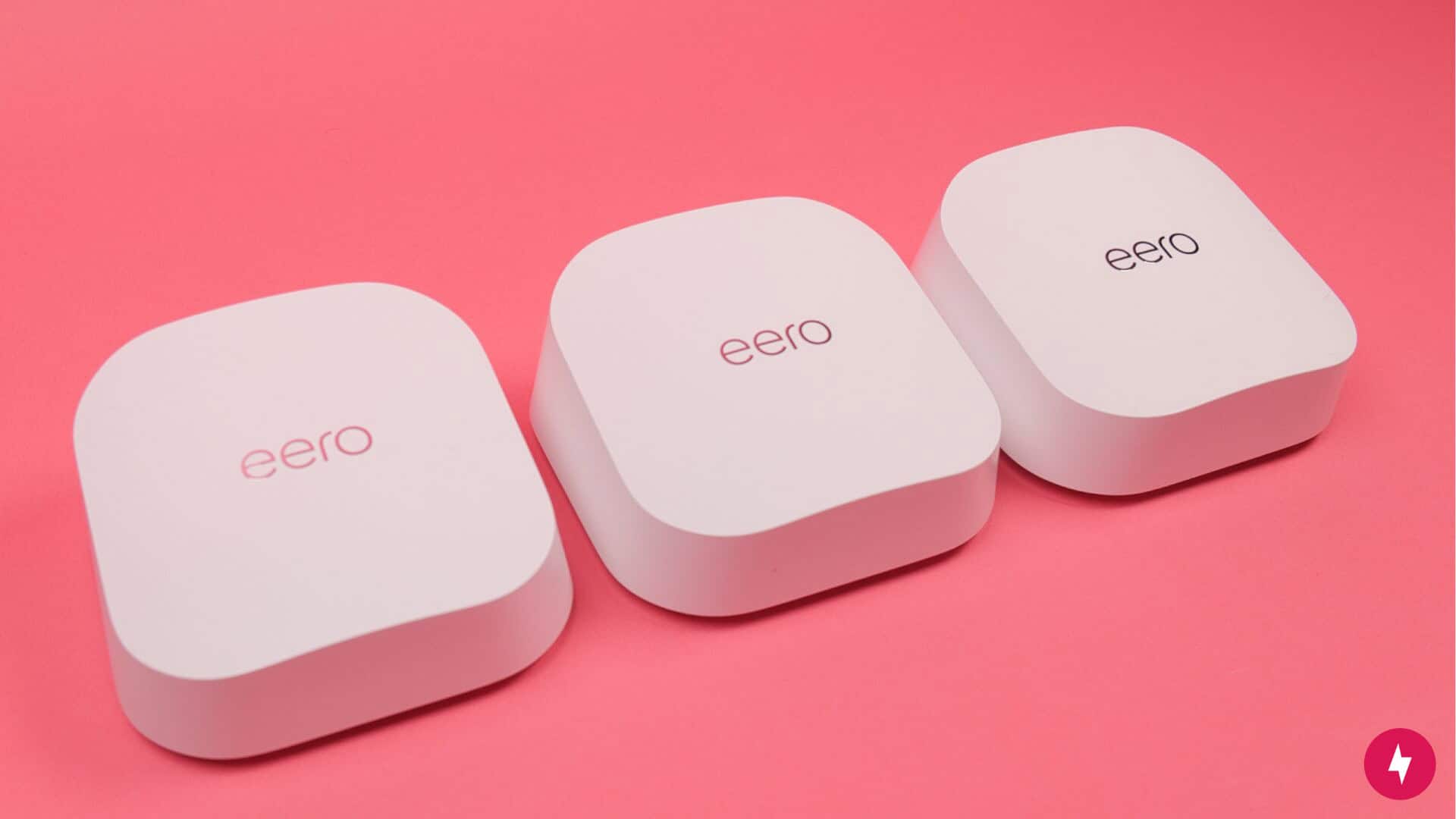
eero 7 (Best for Whole-Home Coverage)

The eero 7 earns its place as our next best pick thanks to its sleek design, excellent mesh performance and streamlined user experience. It offers strong Wi-Fi 7 speeds across a wide coverage area, and its simple app makes managing the network a breeze — once everything’s up and running. During testing, however, setup wasn’t as seamless as advertised: we had to hard reset and manually re-add mesh nodes in different parts of the home, sometimes relocating them entirely to establish a stable connection.
Compared to other options like the TP-Link Archer BE550 or BE3600, the eero 7 still delivers better long-term value and software polish, but it doesn’t match the raw power, LAN flexibility or high-speed stability of the Netgear Nighthawk RS700S. For homes focused more on convenience than extreme performance — like smart homes, families and renters — the eero 7 is an excellent fit, even if setup takes a bit more fiddling than expected.
What We Like
- Compact, modern design
- Backward compatible with previous eero systems
- 2.5 Gb Ethernet ports for faster wired throughput
What We Don't Like
- Setup hassles with mesh nodes
- Limited to dual‑band Wi‑Fi 7
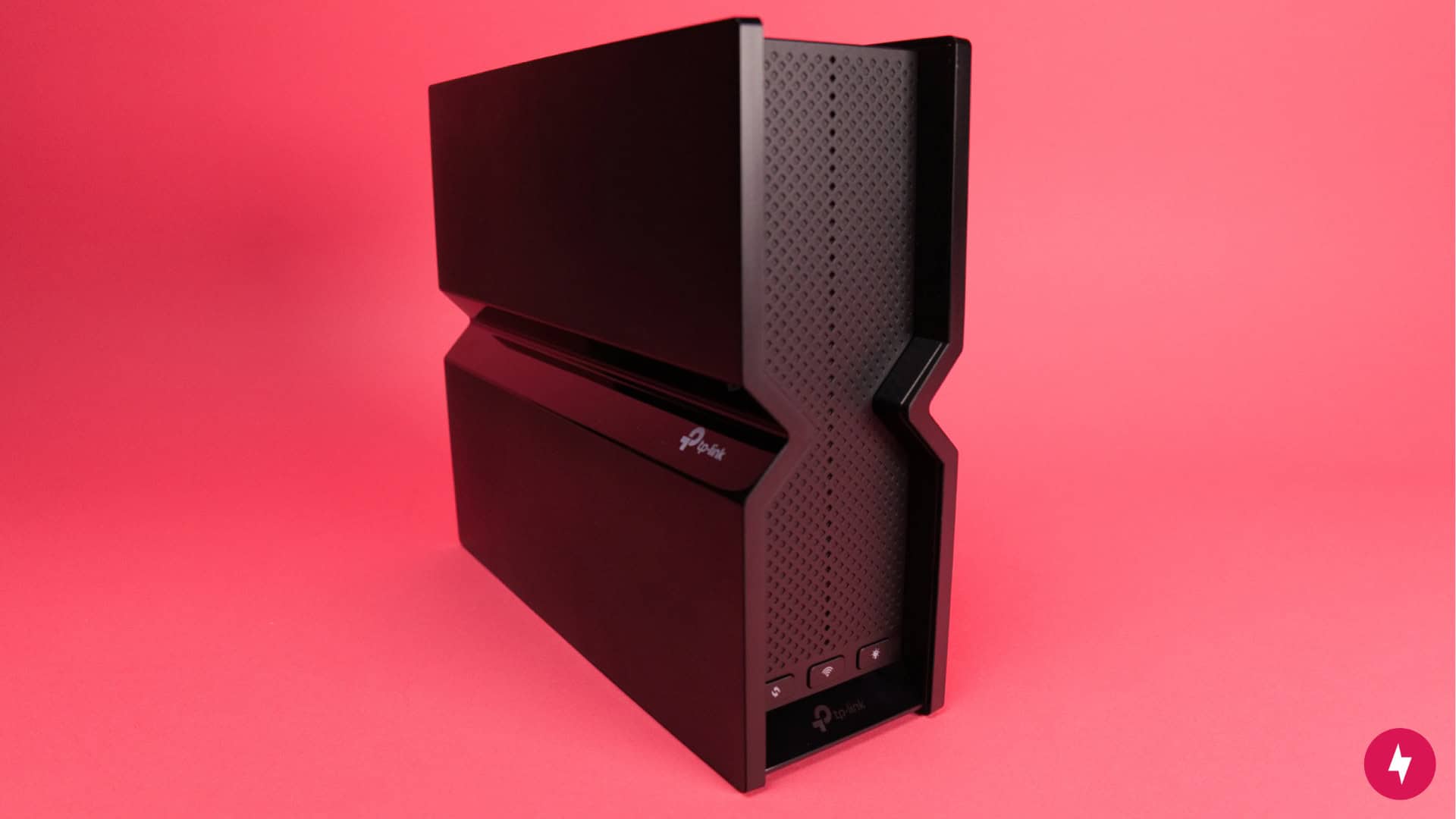
TP-Link Archer BE550 (Best for Budget Buyers)

If you want Wi-Fi 7 speeds without a Wi-Fi 7 price tag, the TP-Link Archer BE550 hits the sweet spot. Coming in at a fraction of the cost of the Netgear Nighthawk RS700S and the eero 7, the Archer BE550 proved in testing that you don’t have to spend hundreds to see real gains in speed and reliability. While it lacks premium features like 10 Gbps ports, ultra-wide 320 MHz channels and mesh flexibility, it still delivered solid throughput and dependable coverage for the average household.
Compared to the Netgear Nighthawk RS700S, it can’t match the raw performance or future-proofing, and the eero 7 still wins on ecosystem and design — but neither can touch the Archer BE550’s value for budget-conscious users. It’s a practical and affordable way to jump into next-gen Wi-Fi without sacrificing core performance. This is the best pick for casual streamers, remote workers and everyday users who want a serious upgrade without the serious price.
What We Like
- Straightforward setup
- Great value
- EasyMesh compatibility
What We Don't Like
- Limited coverage in larger homes
- Advanced features require a TP-Link account or a premium plan
$189.99 at Amazon
Our Top Wi-Fi 7 Router Recommendations
| Details | BroadbandNow Top Pick | Best for Whole-Home Coverage | Best for Budget Buyers |
|---|---|---|---|
| Wi-Fi 7 Router | Netgear Nighthawk RS700S | eero 7 | TP-Link Archer BE550 |
| Price | $599.99 at Amazon | $349.99 (3-pack) at Amazon | $189.99 at Amazon |
| Square feet covered | Up to 3,500 sq. ft. | Up to 2,000 sq. ft. per unit | Varies |
| Wi-Fi | Wi-Fi 7 | Wi-Fi 7 | Wi-Fi 7 |
| Number of radios | Tri-band | Dual-band | Tri-Band |
| Speed rating | BE19000 | BE5000 | BE9300 |
| Wireless speeds (up to) | 19 Gbps (combined frequencies) | 1.8 Gbps | 9,214 Mbps (combined frequencies) |
| Parental controls | NETGEAR smart parental controls (paid) | Yes | Yes |
| Smart home connectivity | IoT device support | Thread, Matter and Zigbee | Amazon Alexa and Google Assistant |
| Radio frequencies | 2.4 GHz, 5 GHz and 6 GHz (320 MHz channel support) | 2.4 GHz and 5 GHz | 2.4 GHz, 5 GHz and 6 GHz |
| Ethernet ports | 1 (10 Gbps WAN)
1 (10 Gbps LAN) 4 (Gigabit LAN) |
2 (2.5 GbE Ethernet LAN/WAN ports) | 1 (WAN)
4 (LAN) |
Why You Should Purchase a Wi-Fi 7 Router
Wi-Fi 7 routers aren’t just about bigger numbers on a spec sheet — they’re about delivering faster, smarter and more stable connections across every device in your home. While most people don’t need to rush out and upgrade if their current setup is working fine, there are real, practical reasons to consider making the switch, especially if you’re starting to feel the limits of Wi-Fi 5 or Wi-Fi 6. Let’s break down why a Wi-Fi 7 router makes sense for many households:
- Your household has Wi-Fi dead spots: Wi-Fi 7 routers offer stronger, more efficient signal coverage with tri-band or quad-band radios and better antenna design. If you’ve got rooms where the signal drops or barely works, a Wi-Fi 7 router can fill in those gaps and give your whole home more consistent coverage.
- Your internet feels fast but your devices don’t: If you’re paying for gigabit speeds but your phone or laptop feels sluggish, your older Wi-Fi standard could be the culprit. Wi-Fi 7 unlocks wider bandwidth channels (up to 320 MHz), allowing faster communication between your devices and your router, so you finally get what you’re paying for.
- Gaming or streaming lags: Latency matters for gamers and streamers — and Wi-Fi 7 routers are built to reduce it. With features like Multi-Link Operation (MLO) and improved Quality of Service (QoS), they keep your connection smooth even when the network is busy.
- Future-proof speeds and low latency: Wi-Fi 7 isn’t just fast today — it’s ready for the next 5-7 years of internet speed upgrades. Whether you’re moving to a multi-gig internet plan or adding new high-performance devices, a Wi-Fi 7 router helps you stay ahead of the curve.
- Smarter, more stable connections: Wi-Fi 7 routers are better at juggling multiple connections, thanks to improved scheduling, lower interference and faster handoffs between bands. That means fewer drops, faster reconnections and a more seamless experience across all your devices.
- Better for smart homes and heavy usage: If your home is loaded with smart devices — or you’re running work calls, 4K streams, downloads and gaming all at once — Wi-Fi 7 spreads traffic more efficiently across all users. It’s built for high-demand households with high expectations.
How We Chose Our Favorite Wi-Fi 7 Routers
When we evaluate routers, we strive to maintain a consistent and thorough approach for every review. While name recognition and cutting-edge specs might grab attention, we dig deeper into what actually matters to everyday users: long-term performance, practical features, ease of use and overall value. We focus on these five key areas:
- Affordability: Price is a big deal when you’re shopping for a new router. Wi-Fi 7 models can run anywhere from $100 for basic dual-band options to well over $700 for premium tri-band systems. We zeroed in on routers in the $300 to $500 range since that’s where you’ll find the sweet spot between next-gen features and pricing that won’t make your wallet cry.
- Performance: Speed claims are one thing, but we wanted routers that actually deliver what they promise across all three bands — including that new 6 GHz spectrum. Since more people are upgrading to multi-gig internet these days, every router we picked needs to crush 1 Gbps or higher speeds while keeping latency low, even when the whole family is online at once.
- Value: It’s all about what you get for what you pay. A pricey router that can’t keep up? Hard pass. But a mid-tier model that overdelivers? That’s making the list. We check that budget-friendly picks handle tri-band connectivity without breaking a sweat, while the expensive ones earn their keep with extras like 10GbE ports, rock-solid MLO or coverage that reaches every corner of your home.
- Longevity: Nobody wants to upgrade their router every year — that’s just not realistic. The Wi-Fi 7 routers we recommend are built to last 5 to 7 years, packing enough horsepower and future-proof tech to handle whatever the internet throws at you down the road.
- Technology: Wi-Fi 7 is a genuine leap forward with its 320 MHz ultra-wide channels and MLO, which lets your devices connect across multiple bands simultaneously. These improvements mean reduced lag and more capacity for bandwidth-hungry online activities like 8K streaming, VR gaming and smart home setups. If you’re planning to keep your network infrastructure solid through the rest of the decade, Wi-Fi 7 is the most forward-thinking choice you can make right now.
How We Tested Our Top Picks
We tested our Wi-Fi 7 routers in a real-world setting — a two-story, 1,600-square-foot detached home packed with wireless devices most families use. From laptops and smartphones to gaming consoles, smart TVs and even a few Wi-Fi-connected appliances, the home network was put under the same kind of everyday stress most households experience. Rather than relying on lab-style testing with just a few laptops at close range, we prioritized a lived-in environment that reflects how routers truly perform under real-world pressure.
The layout of the test home added another layer of challenge. Unlike compact studio apartments or perfectly optimized open-floor office spaces, this house includes multiple floors, interior walls and natural Wi-Fi obstacles. That meant we could measure not just peak speeds, but also how well each router handled range, multi-device congestion and signal consistency from floor to floor. Since Wi-Fi 7 routers promise better stability, lower latency and broader coverage, our goal was to push them to their limits and see which models actually delivered on that promise throughout an entire home — not just in ideal conditions.
Other Wi-Fi 7 Routers Worth Mentioning
Just because a router didn’t take the top spot doesn’t mean it’s not a strong contender. Depending on your needs — home size, device type or ease of use — one of these alternatives might be a better fit than our top picks. Here are a few standouts that still offer excellent value and performance:
- Netgear Orbi 770 Series: The Orbi 770 Series excels at providing consistent coverage for large, multi-level homes. If you need a reliable mesh system to eliminate dead zones and support lots of simultaneous users, this is one of the strongest Wi-Fi 7 mesh options out there.
- TP‑Link Archer BE800: With 10 Gbps ports, a bold LED display and top-tier throughput performance, the Archer BE800 is designed for speed demons. Whether you’re gaming competitively or pushing terabytes through your network, this router has the power and bandwidth to keep up.
- TP‑Link Archer BE3600: If you’re looking to upgrade without feeling overwhelmed, the Archer BE3600 offers solid Wi-Fi 7 performance in a budget-friendly, easy-to-use package. It’s perfect for users who want next-gen tech without the complexity or cost of a high-end model.
How to Pick the Perfect Wi-Fi 7 Router for Your Home
With so many Wi-Fi 7 routers on the market — ranging from minimalist budget models to high-performance towers — it’s easy to feel overwhelmed. But choosing the right one doesn’t have to be complicated. The best router for you depends on how you live, work, and how your household is connected.
- Measure your coverage needs: A 1,200-square-foot apartment has vastly different coverage requirements than a multi-level home. Before you buy, take stock of your home’s layout, building materials and any Wi-Fi dead zones. Larger or more complex spaces may benefit from a mesh system or a router with high-range beamforming capabilities.
- Choose the right number of bands: Wi-Fi 7 routers typically offer tri-band connectivity (2.4 GHz, 5 GHz and 6 GHz), and having all three can significantly improve performance in crowded networks. More bands mean more lanes for your devices to travel on, especially important for households with lots of simultaneous users.
- Consider smart home functionality: If your home is filled with smart speakers, lights, thermostats and security devices, you’ll want a router that can manage dozens of connections efficiently. Look for features like network segmentation, private IoT networks and quality-of-service (QoS) tools that prioritize critical devices.
- Balance speed with budget: While it’s tempting to go all-in on the fastest, most expensive model, many users won’t fully utilize those top-tier specs. If you’re not on a multi-gig plan or using Wi-Fi 7-enabled devices, a mid-range router could offer excellent value and performance for your needs.
- Look for strong app control and setup features: A good router should be easy to set up and manage. Choose one with a reliable, intuitive mobile app that lets you customize settings, monitor usage, and troubleshoot problems without needing a computer science degree.
Frequently Asked Questions About Wi-Fi 7 Routers
Do I need Wi‑Fi 7 if I already have a Wi‑Fi 6 or 6E router?
If your current router is working well and you’re not experiencing slow speeds, dropped connections or congestion, you may not notice a significant difference right away. But if you have a multi-gig internet plan, tons of connected devices or want future-proof performance, Wi‑Fi 7 offers major upgrades in speed, latency and capacity that could be worth the switch.
Will my current devices work with a Wi‑Fi 7 router?
Wi‑Fi 7 routers are fully backward-compatible with previous Wi-Fi iterations and older devices. That means your phone, tablet, laptop or TV will still connect just fine, though you’ll need Wi‑Fi 7-capable devices to unlock the router’s full performance potential.
What kinds of devices support Wi‑Fi 7 today?
As of this writing, Wi‑Fi 7 support is still limited to newer, high-end devices. Several flagship Android models now support Wi‑Fi 7, including the Samsung Galaxy S24 Ultra, Google Pixel 9 Pro and select Xiaomi and OnePlus devices. For laptops, newer models featuring Intel’s 14th Gen Core processors and Qualcomm FastConnect 7800 chipsets are Wi‑Fi 7-ready.
Do I need a tri-band or quad-band router?
For most homes, a tri-band router is more than enough, especially with Wi‑Fi 7’s faster channels and improved stability. Quad-band routers can offer extra lanes for very dense households or advanced mesh setups, but the upgrade isn’t necessary for everyone. It’s really about how many devices you’re running and how much traffic you’re pushing through the network.
Can I use a Wi‑Fi 7 router with my existing modem?
Yes, as long as your modem supports your current internet service (DSL, cable or fiber), you can swap in a Wi‑Fi 7 router without issue. Just make sure your modem isn’t bottlenecking your speed; if it only supports up to 1 Gbps, for example, you won’t be able to fully benefit from a high-end router.
Are Wi‑Fi 7 mesh systems worth it?
If you have a large or multi-story home with lots of Wi‑Fi dead zones, Wi‑Fi 7 mesh systems can deliver consistent, high-speed coverage throughout your entire space. They’re helpful for households with many users, devices and bandwidth-hungry activities like gaming and streaming. If you live in a smaller home or apartment, a standalone router may be more than enough.