SD vs. HD: What’s the Difference?
Not every video has to be in HD, but it does enhance your viewing experience.

- HD is the standard for most streaming services and digital content, but SD is still used in some instances.
- HD delivers sharper, more detailed video, while SD offers lower quality but uses less data.
- Per hour of viewing, HD uses more data than SD content.
Video quality can make or break your viewing experience. SD and HD are standard video formats that vary in resolution, clarity, and data usage, affecting everything from how sharp your movie looks to how much internet it consumes. We’ll explain what SD and HD mean, how they compare, and which one makes the most sense for your screen, your connection, and your needs.
TL;DR: Standard Definition (SD) vs. High Definition (HD)
- SD streams at 480p, using minimal data (~0.5–1 GB/hr) and 1.5–3 Mbps speed, making it ideal for mobile devices, legacy screens, or limited data plans.
- HD scales up to 1080p for noticeably sharper detail and vibrant color, requiring faster speeds (5–10 Mbps) and higher data usage (~1.5–3 GB/hr) suited for modern TVs and monitors.
If your connection and data cap allow it, HD is the recommended baseline for everyday viewing.
What Is Video Resolution?
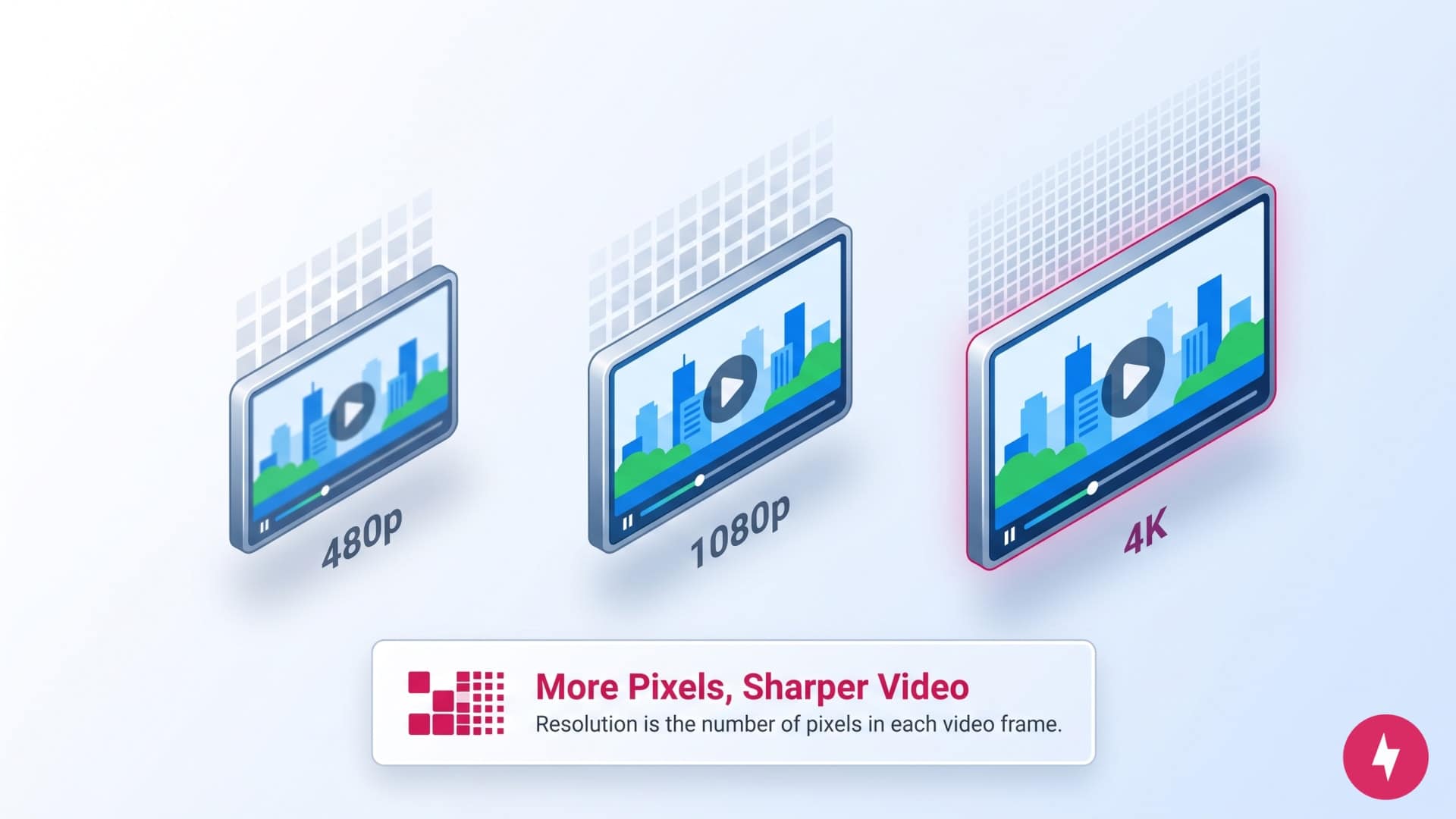
Video resolution is the detail a video displays, measured by the number of pixels in each frame. Pixels are the tiny colored dots that make up a digital image. More pixels mean sharper, clearer video. Resolution is typically noted as width × height (in pixels), like 1280 × 720, and it directly affects the overall quality and clarity of what you see on screen.
Higher resolution means more pixels and better image quality, which is especially noticeable on larger screens. For example, a 1080p (HD) video will look sharper than a 480p (SD) video when viewed on a modern TV or monitor. Resolution is a key factor in video quality, but it’s also tied to other things like file size, bandwidth usage, and device compatibility.
Each step up in resolution adds more pixels, improving visual detail and requiring more processing power and data to stream or display smoothly. Here’s a quick breakdown of common video resolutions:
| Resolution | Progressive scan | Pixel size |
|---|---|---|
| Standard Definition (SD) | 480p | 854 x 480 |
| High Definition (HD) | 720p | 1280 x 720 |
| Full HD | 1080p | 1920 x 1080 |
| Quad HD | 1440p | 2560 x 1440 |
| 4K Ultra HD | 2160p | 3840 x 2160 |
| 8K Ultra HD | 4320p | 7680 x 4320 |
What Is Standard Definition (SD)?
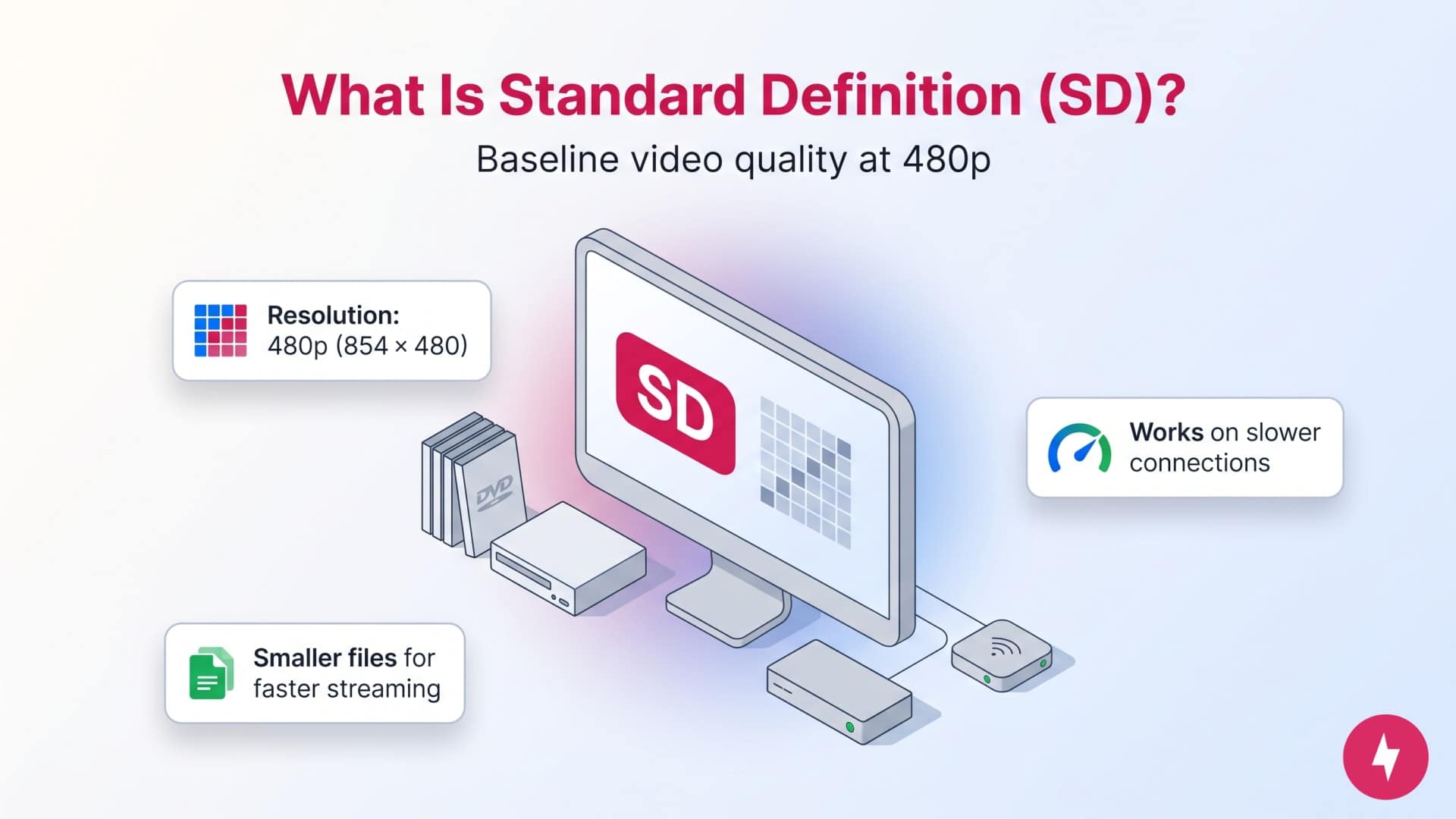
Standard Definition (SD) is the baseline quality for digital video. It refers to a resolution of 480p, which equals 854 × 480 pixels in widescreen format. SD was the dominant video resolution before high-definition formats became widespread and is still used today in situations where there’s limited bandwidth.
Today, SD content can be found on older DVDs, legacy cable TV broadcasts, and budget streaming plans. Because it contains fewer pixels than HD or 4K formats, SD video looks less sharp, especially on modern screens. On smaller devices like phones or tablets, SD may still appear reasonably clear, but on larger screens, the lack of detail becomes more noticeable.
Characteristics of SD video:
- Resolution: Typically 480p (854 × 480) or 576p (for PAL systems)
- Aspect ratio: 4:3 for older formats, 16:9 for widescreen SD
- File size: Smaller compared to HD and 4K, making it faster to stream or download
- Bandwidth use: Ideal for slower internet connections or limited data plans
- Best for: Basic viewing, archival footage, or when video quality isn’t a priority
What Is High Definition (HD)?
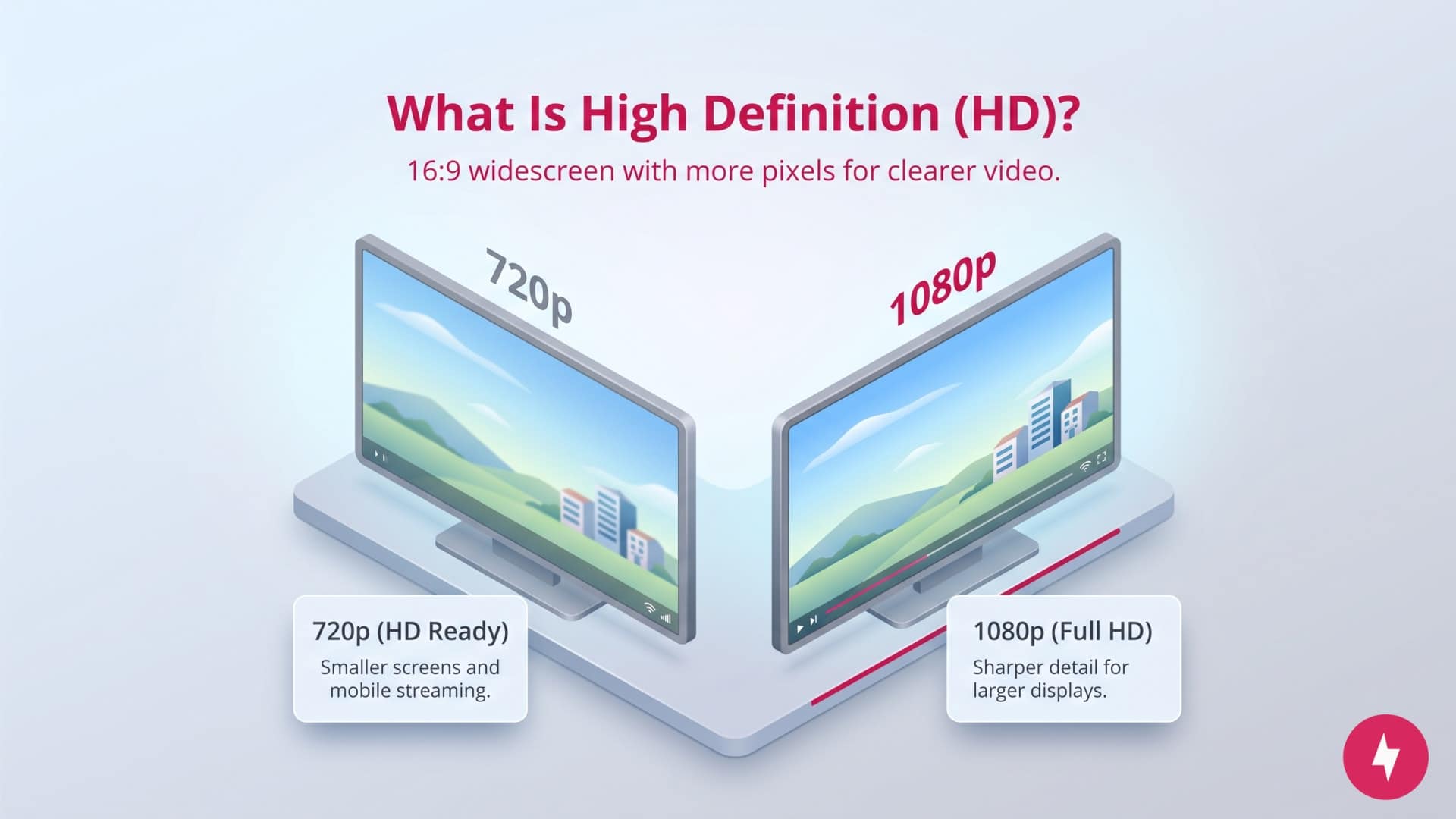
High Definition (HD) offers significantly more detail and clarity than Standard Definition (SD). The most common HD resolution is 1080p, which has 1920 × 1080 pixels, although 720p (1280 × 720 pixels) is also considered HD and is sometimes referred to as HD Ready.
Starting in the mid-2000s, HD became the new standard for TV broadcasts, streaming platforms, Blu-rays, and digital video content. The higher pixel count compared to SD results in sharper images, better color definition, and a more immersive viewing experience, especially on larger screens.
There are two main types of HD:
- 720p (HD Ready): Often used for smaller screens or mobile streaming. It’s a step up from SD but not as sharp as full 1080p.
- 1080p (Full HD): Widely used for modern TVs, computer monitors, streaming services, and gaming. It delivers a crisp, detailed picture that holds up well even on larger displays.
Characteristics of HD video:
- Aspect ratio: 16:9 widescreen
- Improved clarity: More pixels mean better detail, smoother motion, and less blurriness
- File Size & bandwidth: Larger than SD, but still manageable for most internet speed plans
- Best for: Streaming services (like Netflix, Hulu, YouTube), Blu-ray discs, live sports, and video games
SD vs. HD: What’s the Difference?

 The top image shows the TV series “Boy Meets World” in SD quality, while the bottom shows the movie “Avengers” in HD quality, both from the Disney+ streaming platform. (Images by Kate Fann)
The main difference between SD vs. HD comes down to video quality — specifically, the number of pixels used to display the image. HD has become the default standard for most video content. Whether you’re watching a new TV series, a live stream, or a YouTube tutorial, chances are it’s available in HD. SD still has its place, mainly for budget streaming or when conserving data, but HD is the go-to for everyday viewing. HD offers significantly better visual detail than SD. On an HD display, you’ll notice sharper edges, more vivid colors, and overall better clarity, especially when watching fast-moving content like sports or action scenes. SD can appear blurry or pixelated on modern screens, particularly larger TVs or monitors.
Video resolution directly affects bandwidth and internet speed usage. For example, SD (480p) uses 500 MB to 1 GB per hour of video, while HD (1080p) uses 1.5 GB to 3 GB per hour of video. HD videos demand more bandwidth and faster internet speeds to stream smoothly without buffering. SD is the practical choice if you’re streaming on a limited internet plan. HD offers a much more enjoyable experience if your internet connection can handle it.
Here’s where you’ll see SD vs. HD when consuming content:
- Streaming services: Most major platforms like Netflix, Hulu, and HBO Max default to HD if your internet connection allows. However, SD is still available as a lower-quality streaming option, especially on mobile devices or with basic subscription tiers.
- Cable & satellite TV: HD is the norm for most modern broadcasts, but SD channels still exist, especially in older or budget cable packages.
- Online content: Many older videos and low-budget productions may still use SD. Meanwhile, HD is the standard for most new content on platforms like YouTube, TikTok and Twitch.
- DVDs vs. Blu-rays: Standard DVDs typically use SD resolution, while Blu-rays offer full HD quality.
Video Resolutions by Streaming Platform
While most major streaming services support SD and HD, with many also supporting 4K, resolution availability varies by platform. The quality you receive is influenced less by what your screen can display and more by service-specific limitations, including subscription tiers, supported devices, content licensing, and default playback settings.
There is no cost difference between streaming in SD vs. HD, because most streaming platforms default to HD. Costs may increase if you want the option to stream 4K. For example, to access 4K streaming on Netflix, you’ll need to upgrade to the Premium plan, which costs $7 more per month than the Standard plan.
Unlike local video files, streaming platforms rarely guarantee a fixed resolution. Many services dynamically adjust quality in real time to prevent buffering, so viewers may see SD or HD playback even when higher-resolution content is technically available. Others restrict higher-resolution options, such as 4K, to premium plans or select titles.
Below outlines the type of video resolutions offered by popular streaming platforms, and whether there are restrictions to accessing certain resolutions.
| Streaming platform | SD | HD | 4K | Restrictions | Minimum speed for SD/HD | Minimum speed for 4K |
|---|---|---|---|---|---|---|
| Disney+ | Yes | Yes | Yes | 4K included for supported titles only | 5 Mbps | 25 Mbps |
| HBO Max | Yes | Yes | Yes | 4K is only available with the Premium Plan | 5 Mbps | 50 Mbps |
| Hulu | Yes | Yes | Yes | 4K is available only on select devices | 1.5 Mbps (SD) and 6 Mbps (HD) | 16 Mbps |
| Netflix | Yes | Yes | Yes | 4K is only available with the Premium Plan | 3 Mbps | 15 Mbps |
| Paramount+ | Yes | Yes | Yes | 4K is only available with the Premium Plan | 2 Mbps | 25 Mbps |
| Prime Video | Yes | Yes | Yes | 4K included for supported titles or select devices only | 1 Mbps (SD) and 6 Mbps (HD) | 18 Mb |
| YouTube | Yes | Yes | Yes | 4K included for supported titles only | 2.5 Mbps | 20 Mbps |
How to Change Video Resolution by Platform
Every platform varies in how to change video resolutions on your content. In some cases, higher resolution may not be available for specific titles.
Here’s a general step-by-step tutorial you can follow to update video resolution across popular streaming platforms. Most platforms require these changes to be made on a computer rather than right from the streaming service.
- Confirm subscription type: Check your current plan to see which streaming resolutions are included to confirm whether you have access to higher resolutions (or not).
- Navigate to settings: Go to the settings section for your preferred platform. This is usually in the left or right corner of your streaming screen, or accessible from the profile page.
- Select video quality or data usage: The exact verbiage will vary by platform, but look for Quality, Data, Playback, or similar wording to access resolution changes.
- Enable your preferred settings: Select the quality you wish to view content in and save your changes.
Below are screenshots for popular streaming platforms and how to find video quality settings on each.
Netflix
Go to your Account page and access Playback Settings. From here, you’ll see the following options for video quality and see how much data each consumes.

Hulu
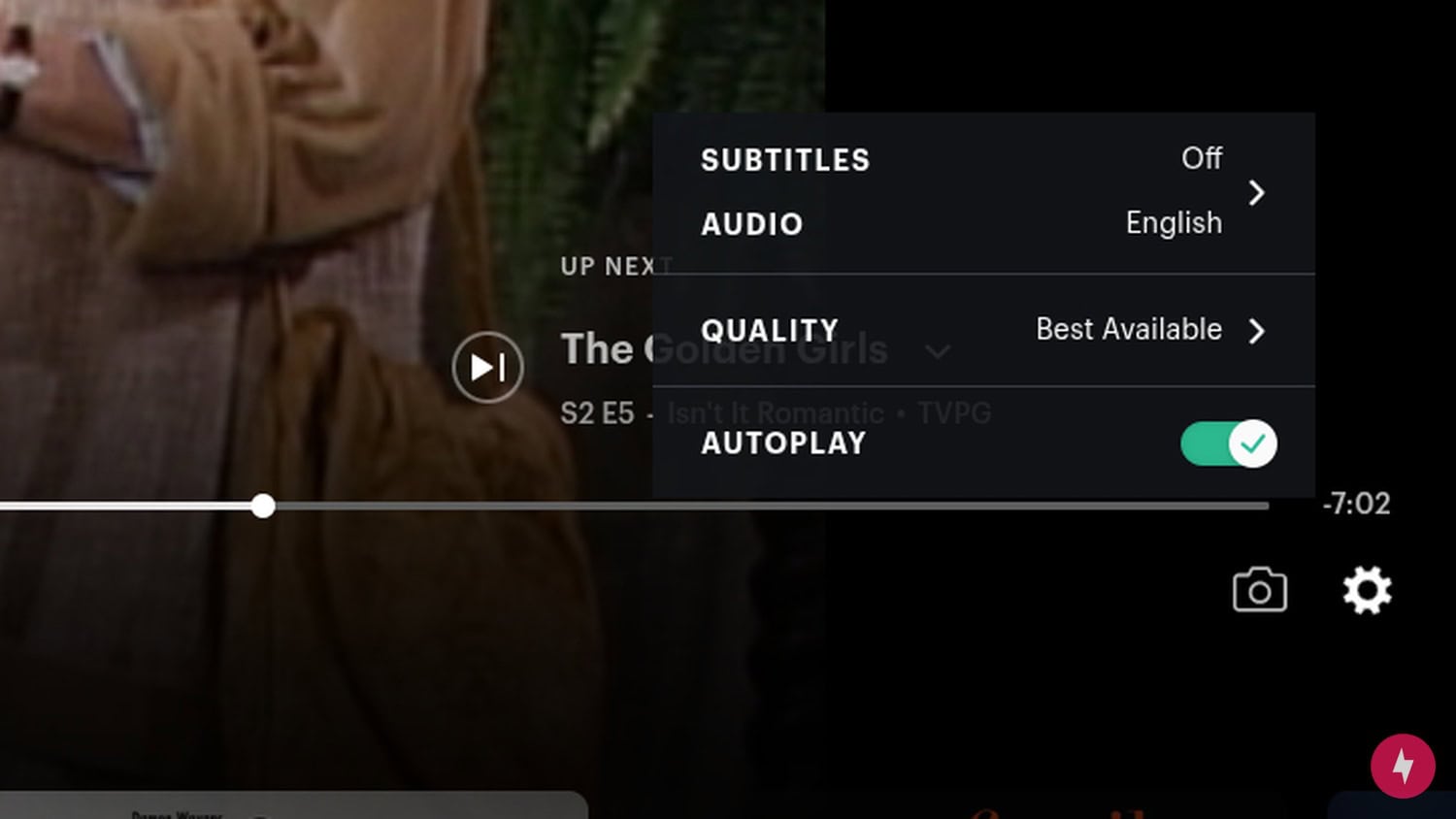
On Hulu, you can change resolution per title, rather than through the settings page. While watching content, pause the show and navigate to the gear icon. Select the quality you wish to watch.
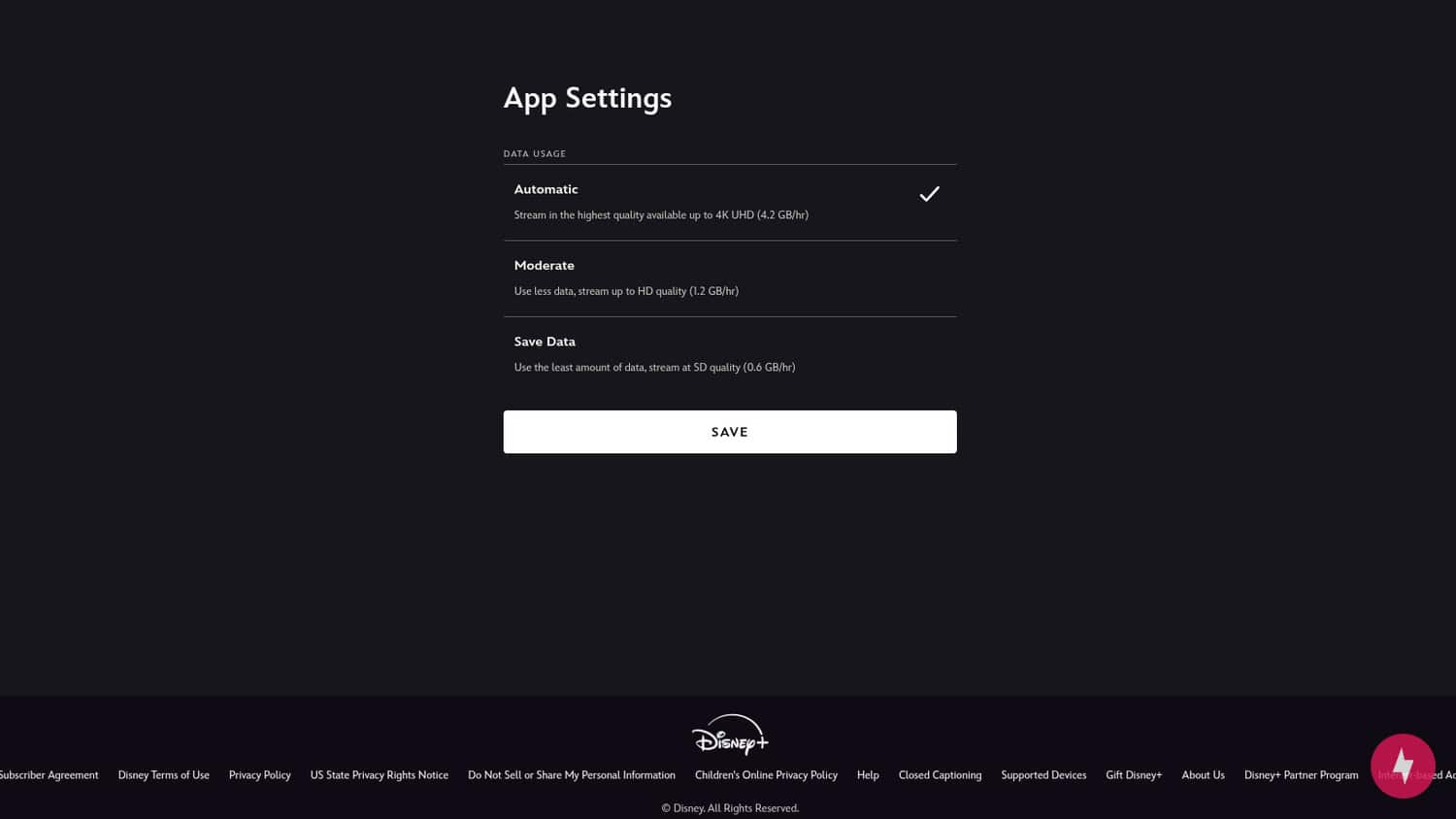
Disney+
Click your profile icon, then select App Settings. The page below will generate, and you can select the video quality. Disney+ lets you know how much data you’ll consume for each quality level.
YouTube
You can adjust the video resolution for individual videos by clicking the gear icon, usually located in the bottom-right corner. From there, select Quality and choose which resolution you’d like to view the video in.

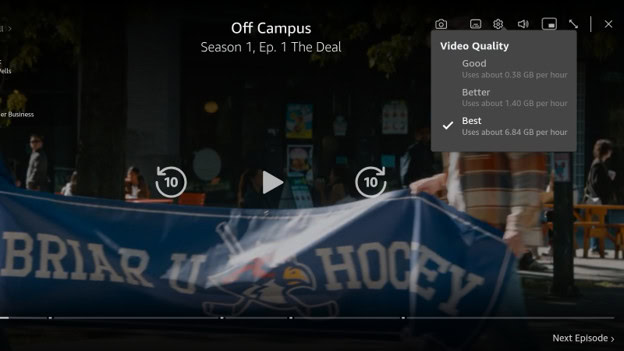
Prime Video
With your video pulled up, navigate to the gear icon to change the video quality. Prime Video categorizes the quality as Good, Better, or Best rather than sharing which resolution you’re choosing, and will also estimate how much bandwidth each option consumes.
Common Pitfalls with SD and HD Streaming
If you’re running into issues with either resolution not loading as it should, there could be something else going on behind the scenes. Here are a few common issues you might come across and what’s really going on.
Sustained vs. Burst Bandwidth
Streaming isn’t about how fast your internet is, but about how consistent it stays. For example, if you have a 300 Mbps plan, but your Wi-Fi is on the 2.4 GHz band, or you’re far from the router, micro-jitters occur. Platforms like YouTube and Netflix use Adaptive Bitrate Streaming (ABS), which will drop the quality to SD the moment a jitter is detected to prevent a buffering circle.
Once the quality drops to SD, many platforms take 30 to 60 seconds to check if it’s safe to go back to HD, leaving you in a blurry state even after the connection is fixed. Usually, you can just wait to see if it comes back, but you can also try moving your router to the 5 GHz band to see if that helps.
Bitrate vs. Resolution
A platform might say it’s streaming in HD, but if the bitrate is low (due to server load or cheap encoding), the image will look worse than a high-quality SD stream. This is common during peak hours or on smaller, free streaming sites. Essentially, resolution is the container, but bitrate is the content. An HD stream with heavy artifacts (blocking) is effectively False HD. There’s not too much you can do in this case, except try to watch content during non-peak hours or upgrade to a different internet provider (like fiber-optic).
Bandwidth and Simultaneous Streaming Needs for Multi-Device Households
Understanding per-stream bandwidth requirements is helpful, but most homes rarely have just one active device at a time. When calculating the right internet speed for your home, you must account for simultaneous streaming, background Wi-Fi devices, and normal browsing overhead.
Streaming services often recommend 3–5 Mbps for HD streaming. However, this is a bare-minimum threshold for a single isolated stream. In real-world environments, you have to consider:
- Wi-Fi overhead: Signal interference, distance from the router, and wall obstructions can reduce actual throughput by 20% to 40%.
- Background activity: Smart home devices, cloud backups, smartphones downloading updates, and open web tabs consume connection overhead even when idle.
- Stream switching and buffering: When a stream starts, the player spikes data consumption to quickly fill the buffer before settling into its steady-state rate.
Recommended Speeds by Household Scenario
To ensure smooth, buffer-free HD streaming across all devices without quality drops, use the recommended speed baselines below:
| Household size | Active streaming setup | Recommended internet speed requirements (minimum) |
|---|---|---|
| Solo households | 1 HD stream + a phone/laptop browsing | 25–50 Mbps |
| Couples or small families | 2 HD streams simultaneously + smart home devices | 100–200 Mbps |
| Medium households (3–4 users) | 3–4 HD streams (or 2 HD + 1 4K stream) + casual gaming | 300–500 Mbps |
| Large families or heavy usage households | 4+ simultaneous streams (HD/4K), online gaming, remote work/video calls | 500–1,000 Mbps |
How to Choose Between Watching in SD vs. HD
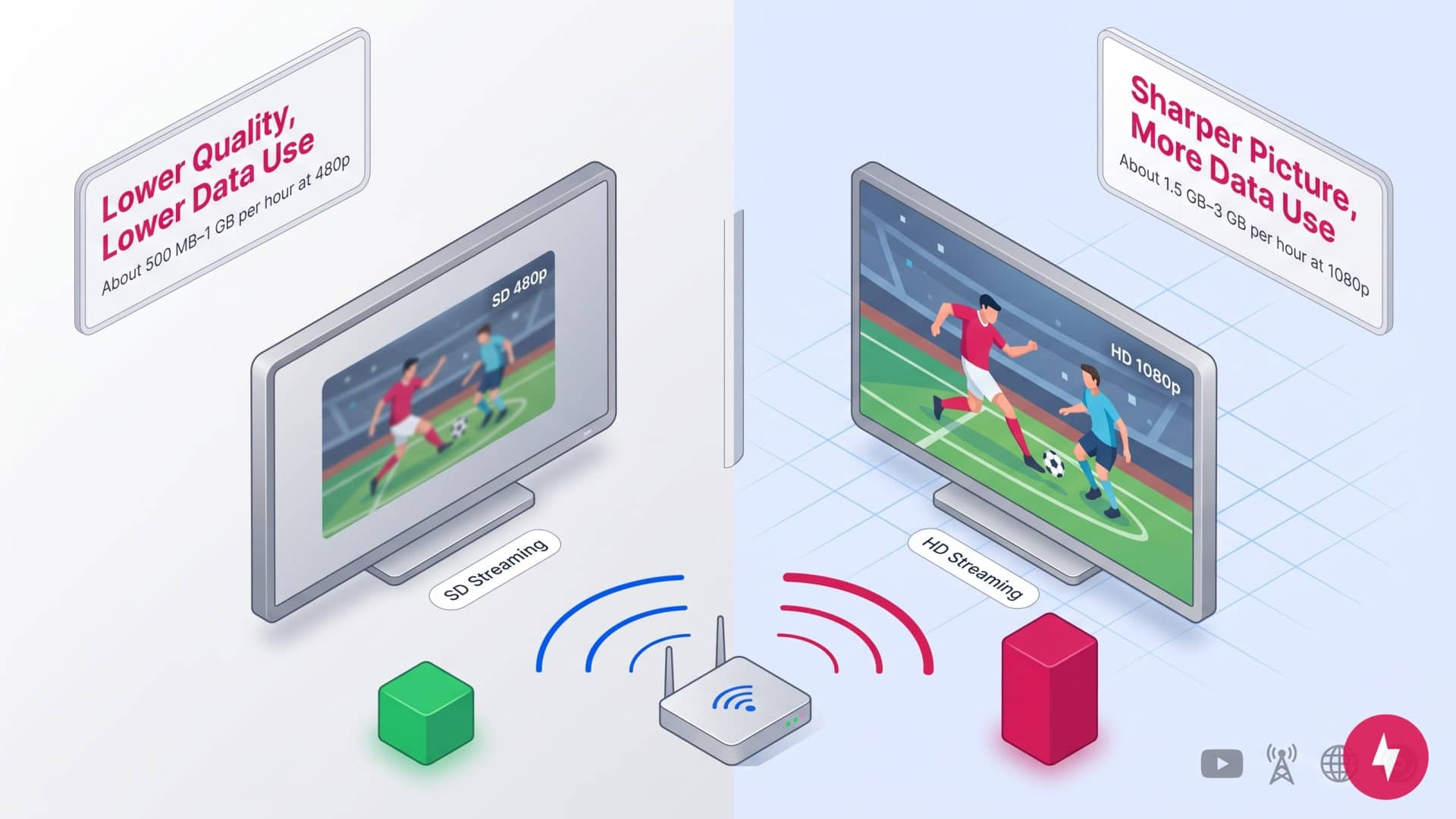
Selecting SD or HD depends on how and where you watch, as well as the limitations of your internet connection or data plan. Use the table below to figure out whether SD or HD is the better fit for your setup and streaming needs.
| Factor | SD is best if… | HD is best if… |
|---|---|---|
| Screen size | You’re watching on a smartphone or small tablet | You’re watching on a laptop, TV, or large monitor |
| Internet speed | You have slow or inconsistent internet | You have fast, reliable broadband |
| Data plan | You’re on a limited or capped data plan | You have unlimited or high data allowances |
| Viewing habits | You watch casually or in the background | You actively watch movies, shows, or sports |
| Content type | News, talk shows, or older content | Movies, live sports, or gaming |
| Device portability | You stream on the go (commuting, travel) | You mostly stream at home |
| Visual priority | You value reliability over sharp visuals | You want crisp detail and clarity |
Choosing between SD and HD ultimately comes down to context, not capability. SD remains a smart choice when bandwidth is limited, data usage matters, or screen size minimizes visual differences, while HD delivers clear advantages for larger displays, detailed content, and shared viewing experiences.
The chart above highlights these tradeoffs, but the key takeaway is this: the “best” resolution is the one that matches your viewing conditions. Check your most common devices, review your streaming platform’s quality settings, and align resolution choices with how and where you actually watch. And make sure you have an internet speed that can handle whichever resolution you want to stream on. By making small, intentional adjustments rather than defaulting to the highest possible quality, you can balance image clarity, performance, and data use without sacrificing the viewing experience.
Frequently Asked Questions About SD and HD Video Resolution
Can you really tell the difference between SD and HD?
Most people can easily see the difference between SD and HD, especially on larger screens. HD video has more pixels, which means sharper images, crisper text, and more detailed visuals. SD can appear blurry or pixelated, particularly on TVs or monitors over 32 inches. The difference is most noticeable in fast-moving scenes, like sports or action movies. On smaller screens, like phones, the difference is less obvious, but HD still looks cleaner and more refined.
Should I buy HD or SD on Amazon?
HD is the better choice on Amazon if video quality matters to you. HD has sharper resolution, richer color, and an overall better viewing experience. SD is cheaper and uses less data, so it might be fine for casual viewing.
Does SD or HD use more data?
HD uses more data than SD, and the difference can be pretty noticeable. SD streams are lighter, using about 500 MB to 1 GB per hour, which makes them great for slower connections, limited data plans, or if your internet connection is throttled. HD gives you sharper visuals, but it can use up to 3 GB per hour. If you’re watching a lot of video and trying to save data, SD is a better fit. But if quality matters and your internet can handle it, go with HD.
What’s the Difference Between HD and UHD?
HD refers to 720p or 1080p resolution, while UHD (Ultra High Definition) refers to 4K resolution, which is 3840 × 2160 pixels. That means UHD has four times the pixels of Full HD, offering sharper, more detailed images. UHD is ideal for newer TVs and high-end content, while HD still looks great on most devices.
Which is better, UHD or 4K?
UHD and 4K are often used interchangeably, but there’s a slight difference. 4K originally referred to 4096 × 2160 pixels in cinema, while UHD is 3840 × 2160, the resolution used in consumer TVs and streaming. In everyday use (especially for home entertainment) they essentially mean the same thing. So if you’re buying a TV or streaming content, “4K” and “UHD” offer the same high-quality experience. Both are better than HD, with sharper visuals and finer detail.