What Is Mi-Fi? Everything to Know About the Mobile Hotspot
Whether you’re traveling near or far, Mi-Fi is the perfect solution for stable connectivity on the go.
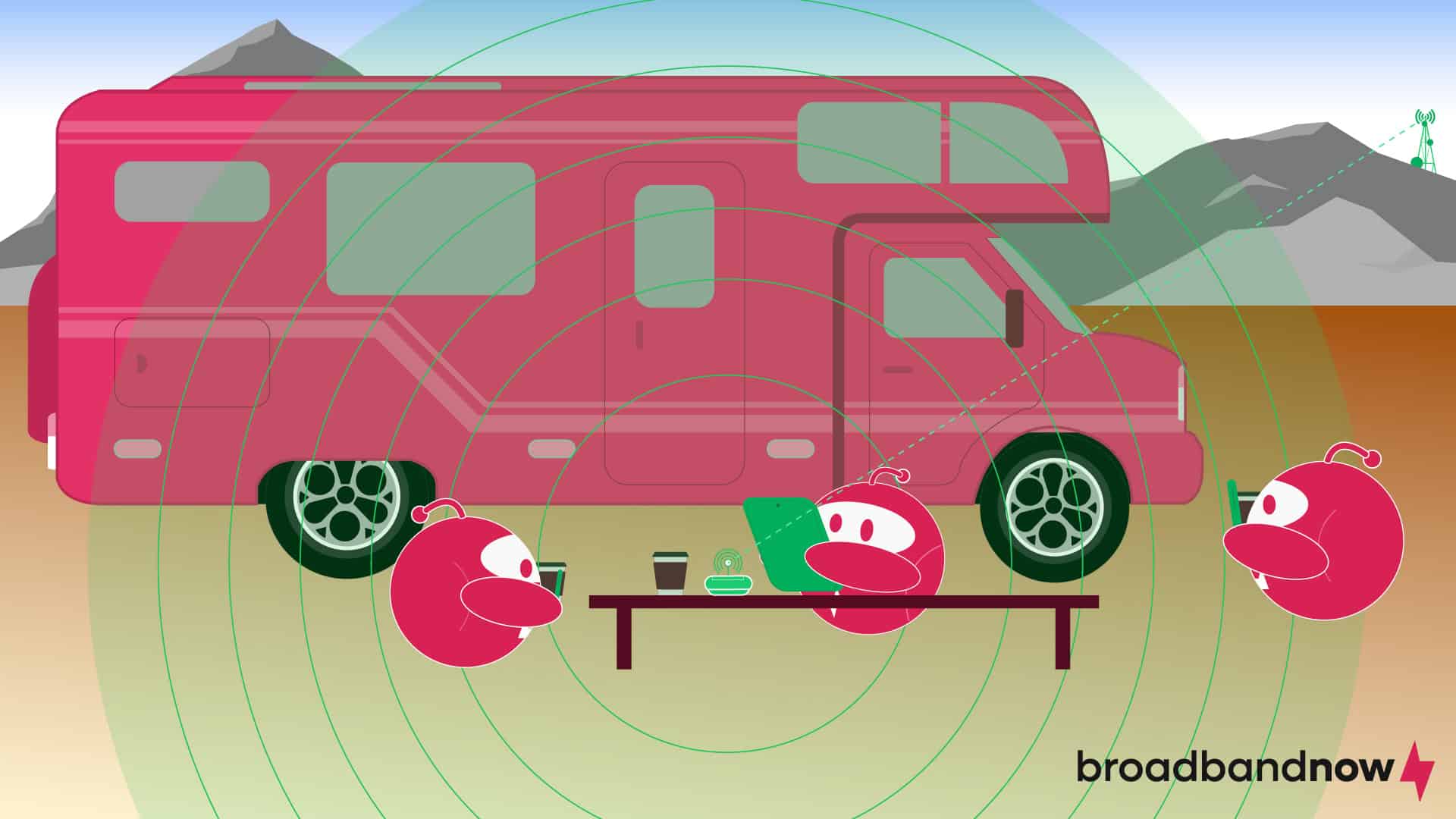
- Mi-Fi devices, also known as mobile Wi-Fi, provide portable internet access by creating a local Wi-Fi network, making them indispensable for travelers and remote workers who need reliable connectivity beyond traditional Wi-Fi networks.
- Leveraging cellular networks, Mi-Fi offers flexibility and convenience, letting users stay connected virtually anywhere within coverage areas.
- Mi-Fi offers benefits such as portability and security, but users should consider coverage, data limits, and battery life when choosing the right option for their connectivity needs.
Mi-Fi devices have become synonymous with hotspots, offering a convenient solution for travelers, remote workers, and anyone who needs portable internet access. This innovative technology has revolutionized on-the-go internet connectivity, allowing users to access the internet virtually anywhere within cellular network coverage. Whether you’re considering investing in a Mi-Fi device or seeking to optimize your existing hotspot setup, we’ll explain everything you need to know about Mi-Fi hotspot devices.
Our Video on Everything You Need to Know About Mi-Fi
Could Mi-Fi be a better option than using your phone’s hotspot? Watch our video where we break down what Mi-Fi is, how it works, and why you can benefit from it.
What Is Mi-Fi?
Mi-Fi, short for mobile Wi-Fi, is a portable device that provides internet access to multiple devices by creating a local Wi-Fi network. Born out of the need for on-the-go connectivity, Mi-Fi devices gained popularity in the mid-2000s with the rise of smartphones and tablets. They typically use cellular networks to establish an internet connection, allowing users to access the internet anywhere within the coverage area.
Mi-Fi devices often include secure password protection, data usage tracking, and the ability to connect multiple devices simultaneously. Individuals and businesses widely use Mi-Fi devices for remote work, travel, and as a backup internet solution. These travel internet devices offer flexibility and convenience, enabling users to stay connected wherever they go without relying on public Wi-Fi networks or fixed broadband connections.
How Does Mi-Fi Work?
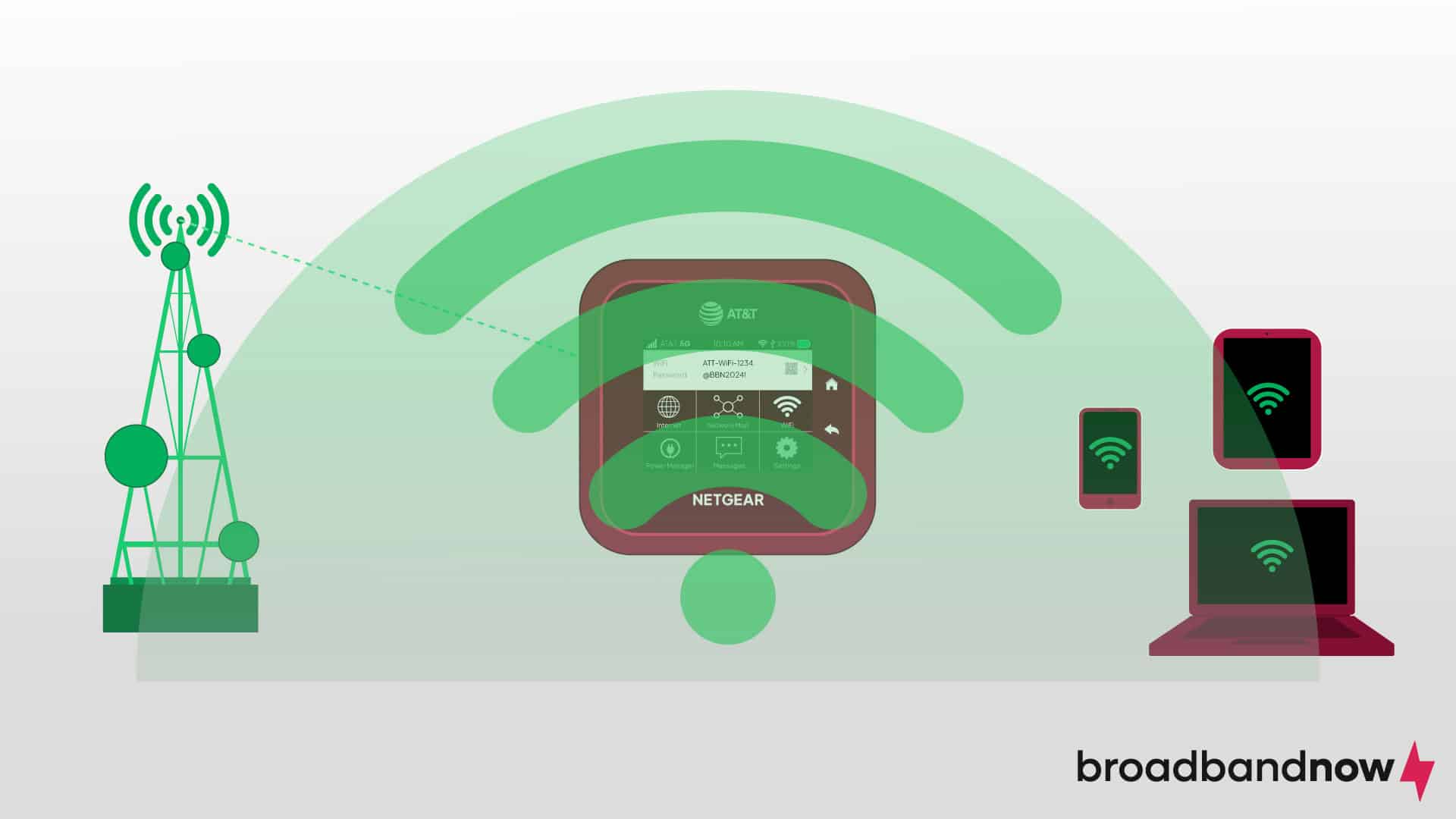
Mi-Fi uses cellular networks to establish an internet connection. Essentially, a Mi-Fi device contains a cellular modem and a mobile hotspot router within a single compact unit, similar to your home network setup. When powered on, the device connects to the nearest cellular tower, like a smartphone, and creates a local Wi-Fi network accessible to other devices. Users can then access the internet through that Wi-Fi network, enabling multiple devices such as laptops, tablets, and smartphones to browse online, stream media, or perform other online activities.
Mi-Fi portable Wi-Fi devices offer unparalleled flexibility and convenience, especially when traditional Wi-Fi or wired internet connections are unavailable or unreliable. When traveling, for example, Mi-Fi lets you stay connected to the internet without relying on public Wi-Fi networks, which may be insecure or offer limited coverage. Mi-Fi travel internet devices provide a reliable way to access the internet in remote areas or during outdoor activities such as camping or hiking, where fixed broadband connections are unavailable. Mi-Fi can serve as a backup internet solution during power outages or emergencies, helping ensure uninterrupted connectivity for essential tasks.
Mi-Fi speeds can vary based on several factors, such as cellular signal strength, network congestion, and the device’s compatibility with different network technologies. Generally, Mi-Fi devices support 4G LTE or 5G technology to offer fast, reliable internet speeds suitable for most online activities. Download speeds typically range from 30 Mbps to 100 Mbps, with upload speeds slightly lower. However, actual speeds may fluctuate based on environmental conditions and network availability.
Is Mi-Fi the Right Portable Wi-Fi Device for You?
Mi-Fi is an excellent option for staying connected if you frequently travel, work remotely, or find yourself in locations with limited or unreliable Wi-Fi access. It’s also useful if you want convenience and flexibility when accessing the internet from multiple devices at once. Mi-Fi has some limitations and disadvantages, though, so you should consider the coverage and speed of available cellular networks in your area, the number of devices you need to connect, and the potential for data usage limits or additional costs before you go with this connection method.
Benefits of Using Mi-Fi
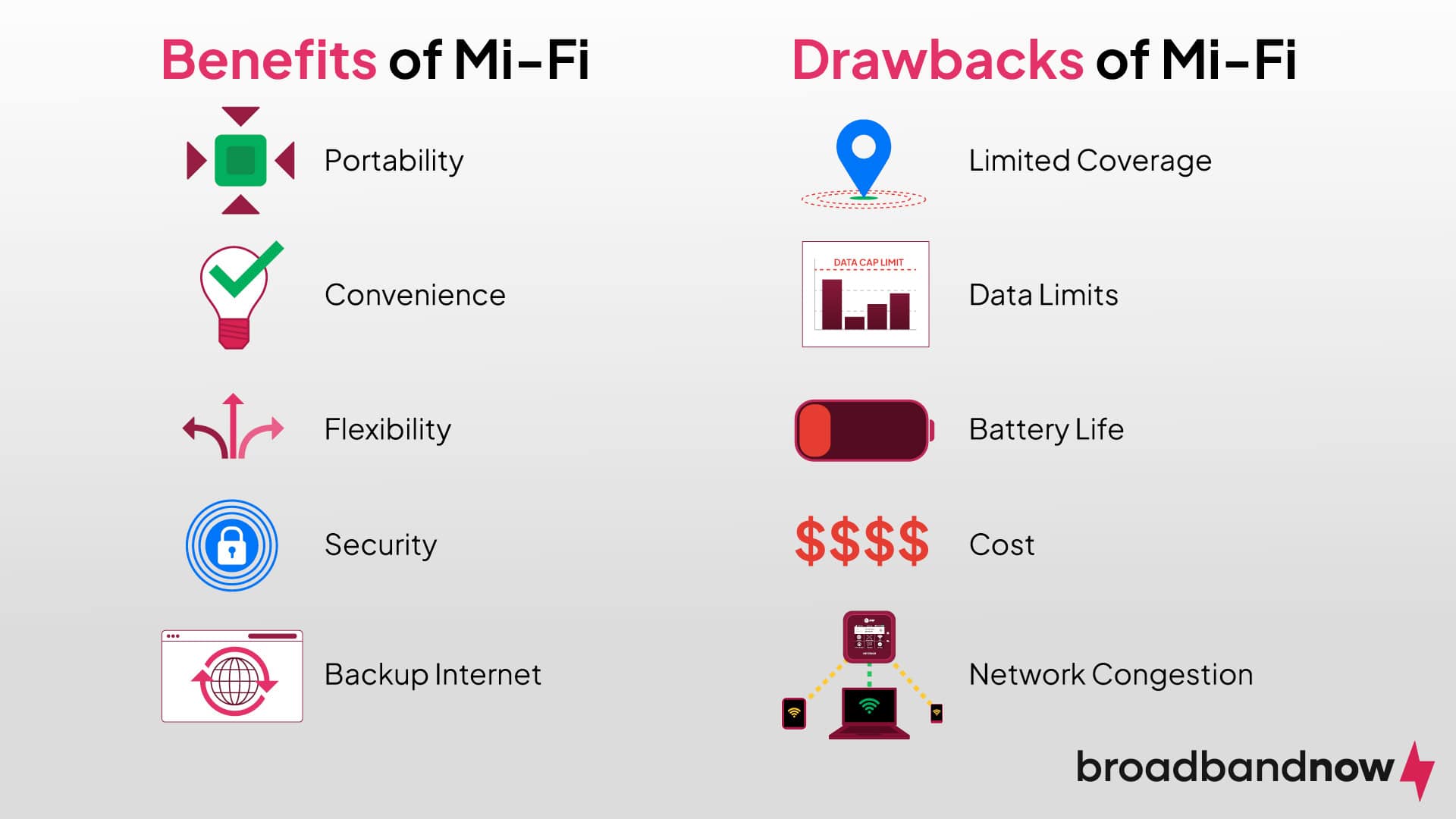
- Portability: Mi-Fi portable Wi-Fi devices are compact and portable, allowing you to carry them easily wherever you go for internet access on the move, whether you’re camping or taking a road trip.
- Convenience: Mi-Fi offers a convenient way to create a Wi-Fi hotspot, enabling multiple devices to connect to the internet simultaneously without the need for wired connections or extra hardware.
- Flexibility: Users can access the internet from various locations, including remote or outdoor settings, where traditional Wi-Fi or wired connections may be unavailable or unreliable.
- Security: Mi-Fi networks can offer greater security than public Wi-Fi networks because you can control network settings and implement security features such as password protection.
- Backup internet: Mi-Fi can be a reliable backup internet solution during network outages or emergencies, ensuring uninterrupted connectivity for essential tasks. If you’re a remote worker who relies on a stable connection, Mi-Fi is a great backup.
Drawbacks of Using Mi-Fi
- Limited coverage: Mi-Fi connectivity relies on cellular networks, so you may experience limited coverage or poor signal strength in certain areas, particularly in remote or rural locations.
- Data limits: Many Mi-Fi plans come with data caps or limits, which result in additional charges or reduced speeds if exceeded and make Wi-Fi less suitable for heavy data users.
- Battery life: Mi-Fi devices require battery power to operate, and battery life can vary depending on usage and device specifications. For prolonged use, the device may require frequent recharging.
- Cost: Mi-Fi devices and data plans can be expensive, especially compared to traditional fixed broadband connections. You may incur additional costs for data overages or higher-speed plans. Mi-Fi is also an additional expense on top of a traditional home Wi-Fi network, increasing your overall internet costs.
- Network congestion: During peak hours or in densely populated areas, Mi-Fi users may experience slower internet speeds and reduced performance due to network congestion and shared bandwidth with other users.
Mi-Fi Alternatives Compared
When you need internet access on the move, Mi-Fi isn’t your only option. Here’s how it stacks up against other common solutions:
- Tethering: Using your smartphone as a hotspot is convenient for occasional use when you need emergency connectivity, but it drains your phone’s battery quickly and may throttle speeds after a certain data limit. Mi-Fi devices are built for continuous connectivity and can handle more devices without affecting your phone.
- USB dongles: Dongles are compact and often less expensive, but they only work with a single device at a time and require a direct USB connection. Mi-Fi provides more flexibility for connecting multiple devices wirelessly.
- Satellite internet: Services like Starlink offer coverage in remote areas where cellular signals can’t reach. Satellite connections are generally slower, have higher latency and require bulkier equipment, making them less practical for true on-the-go use compared to a portable Mi-Fi hotspot. If you’re taking a road trip in a dedicated vehicle or van that can hold your equipment, satellite may be a good choice.
What Is the Difference Between Mi-Fi and Wi-Fi?
Mi-Fi refers to a portable mobile hotspot router device that provides internet access by creating a local Wi-Fi network using cellular data. Wi-Fi is a local area wireless networking technology that allows devices to connect to a network within a specific range without cables. Modems and routers establish a Wi-Fi home network from an internet service provider.
| Features | Mi-Fi | Wi-Fi |
|---|---|---|
| Portability | Highly portable, designed for on-the-go use. | Typically stationary, providing coverage within a specific area, such as homes, offices, or public spaces. |
| Connectivity | Relies on cellular networks for internet access, offering connectivity anywhere within cellular coverage. | Requires a connection to a wired internet source, such as a modem and router, to provide Wi-Fi coverage within the connected network’s range. |
| Coverage | Coverage depends on the availability and strength of cellular networks in the area. May have limited coverage in remote or rural locations. | Coverage is limited to the range of the Wi-Fi signal emitted by the router, typically within a few hundred feet indoors and slightly farther outdoors. |
| Security | Provides control over network security settings, including password protection and encryption, offering relatively secure connections. | Security features such as encryption and password protection can be implemented, but security may vary depending on the network configuration and protocols used. Public Wi-Fi networks feature much less security. |
Which Internet Service Providers Offer Mi-Fi Plans?
Verizon, AT&T, and T-Mobile are some of the top portable internet providers, delivering quality portable Wi-Fi services to customers. We put together the following table to compare features from popular Mi-Fi providers, so you can compare plans and find the best portable internet provider for you.
| Details | Verizon | AT&T | T-Mobile |
|---|---|---|---|
| Price range (per month) | $10 to $80 | $25 to $90 | $10 to $50 |
| Data | 15 to 50 GB | 15 to 100 GB | 2 to 50 GB |
| Technology | 5G | 5G | 5G |
| Device cost range | $79.99 to $399.99 | $79.99 to $459.99 | $42 to $246 |
| Best for | Suburban or rural areas | Urban or suburban areas | International travelers |
How to Set Up a Mi-Fi Device
Setting up a Mi-Fi device is fairly straightforward, and a proper setup can make a big difference in speed, security, and overall performance. Aside from getting it up and running, taking a few extra minutes to configure it correctly ensures you’ll have a reliable connection wherever you go. Follow these steps to power up, connect your devices, and secure your network from day one.
- Insert the SIM card and charge the device. Most Mi-Fi devices require a compatible SIM card and a full charge before first use.
- Power it on. Press and hold the power button until the device lights up or displays a connection indicator.
- Connect your devices. Use the Wi-Fi name (SSID) and password printed on the device or provided in its accompanying app to connect your phone, laptop, tablet or other device.
- Access the admin dashboard. Open a browser and enter the IP address listed in your device manual to reach the settings page.
- Update security settings. Change the default Wi-Fi password and enable WPA2 or WPA3 encryption.
Mi-Fi Troubleshooting Tips
If you run into hiccups setting up your Mi-Fi device, try these troubleshooting tips before you call your provider. Here are some common issues you might face and how to resolve them.
- Weak signal: Move closer to a window or try placing the device higher for better reception.
- Slow speeds: Disconnect unused devices, switch to a less congested frequency band (like 5 GHz), or restart the device to clear temporary issues.
- Device won’t connect: Double-check the password, reboot your device, or reset the Mi-Fi.
- Overheating: Give the device a break in a cool area, especially during long sessions, to prevent throttling or performance drops.
Frequently Asked Questions About Mi-Fi
Can Mi-Fi replace home internet?
Mi-Fi can offer internet connectivity at home, but it may not entirely replace traditional home internet. Mi-Fi relies on cellular networks, which can result in slower speeds, limited coverage, and data caps compared to fixed broadband connections. Using Mi-Fi at home long-term may cost more, especially if you exceed data limits or choose higher-speed plans. For many data-intensive online activities, such as streaming and gaming, exceeding data limits is more likely. For people in areas with limited access to fixed broadband, those traveling on road trips or camping, or those needing backup connectivity during outages or emergencies, Mi-Fi can be a viable solution.
Can Mi-Fi be used in rural areas?
You can use Mi-Fi in rural areas, but its effectiveness largely depends on the availability and strength of cellular networks in specific rural locations. Mi-Fi can provide a reliable internet connection in areas where cellular coverage is adequate. Mi-Fi may offer a convenient solution for residents and businesses in rural communities with limited access to traditional broadband services. Mi-Fi, however, may not be a viable option in more remote or isolated rural areas with poor or no cellular coverage.
Do you need internet for Mi-Fi?
No, you do not necessarily need an internet plan from a traditional ISP to use Mi-Fi. Mi-Fi operates independently of traditional wired internet connections and relies on cellular networks for internet access. Users can get Wi-Fi without an internet plan by obtaining a data plan directly from a cellular provider. That process enables the Mi-Fi device to connect to the internet via the cellular network.
How long does Mi-Fi last?
The battery life of a Mi-Fi portable Wi-Fi device can vary depending on factors such as the device model, battery capacity, usage patterns, and network conditions. Mi-Fi batteries typically last anywhere from several hours to a full day on a single charge. Higher-capacity batteries and energy-efficient devices may offer longer battery life, while heavy use or weak cellular signals can drain the battery faster.
Do Mi-Fi devices work internationally?
Many Mi-Fi devices work internationally, but it depends on the model and the cellular bands it supports. If you’re traveling abroad, check whether your Mi-Fi device is unlocked and compatible with the networks in your destination country. The GSMA is a great resource for network coverage maps to find availability during your travels. You may need to purchase a local SIM card or an international data plan from your carrier to stay connected.