Best Internet Providers for Streaming in 2026
Choose the best internet provider for a smooth streaming experience that won't leave you frustrated.

- Top Providers: Google Fiber and Verizon Fios are the best fiber options for seamless streaming, while Xfinity serves as the strongest cable alternative.
- Minimum Speeds: You need a minimum download speed of 5 Mbps for high-definition (HD) streaming and 25 Mbps for 4K streaming per active device.
- Data Caps: Households streaming 4K video daily across multiple devices should prioritize unlimited data plans to avoid expensive overage fees.
With 4K content and live programming dominating household screens, choosing the right connection requires understanding exactly what your viewing habits demand. While basic plans will stream standard video on a single device at slower speeds, avoiding buffering during a premium movie night or competitive gaming session requires a robust connection with sufficient bandwidth. Finding an internet service provider, or ISP, that meets these demands means looking beyond just the promotional price to evaluate capacity and reliability. Keep reading for a complete breakdown of fundamental connectivity terms, household scenario planning, and a comparison of the market’s leading options to help you secure the best internet for streaming.
Top Internet Providers for Streaming (2026)
- Google Fiber (Best Overall for Streaming): Starting around $70/month for symmetrical speeds up to 8 Gbps, offering top-tier 4K/8K streaming due to low latency and high reliability.
- Verizon Fios (Best for Perks): Starting around $50/month for speeds up to 2 Gbps, providing excellent fiber connectivity alongside valuable streaming bundles (like discounts on Netflix or Disney+).
- AT&T Fiber (Best for Reliability): Starting at $34/month for speeds up to 5 Gbps, delivering consistent, high-speed fiber plans ideal for heavy, simultaneous household streaming.
- Xfinity (Best for Cable): Starting at $30/month for speeds up to 2 Gbps, acting as the strongest cable alternative with widespread availability for HD viewing.
- Spectrum (Best for No Data Caps): Starting at $30/month for speeds up to 1 Gbps, featuring widespread cable availability with the distinct advantage of zero data caps on its Gigabit plans.
- T-Mobile/Verizon 5G (Best Wireless): Starting around $50/month for speeds up to 300 Mbps, providing stable, contract-free, and often cheaper options for households with solid 5G coverage.
Watch: The Best ISPs for Streaming
Tired of buffering TV shows and movies and just want a provider who won’t let you down? We rounded up the best streaming internet providers so you can watch the content you want without interruption.
Comparing Streaming ISPs Head to Head
Internet providers for you are largely determined by your location, so we rounded up the top nationwide providers you can choose from. Availability and plans will vary by location, but here’s a closer look at our top picks for internet providers that deliver reliable performance for seamless streaming.
Because multiple factors go beyond location, a low monthly rate may seem appealing at first, but a restrictive data cap or insufficient upload speeds may not meet your needs long term. Review how the most popular internet providers differ in their baseline prices, connection types, maximum download speeds, data caps, and ideal user profiles so you can find a tailored fit.
| Internet provider | Connection type | Starting price | Download speeds (up to) | Data cap | Best for |
|---|---|---|---|---|---|
| AT&T | Fiber or fixed wireless | $50 | 5 Gbps | Unlimited data on fiber | Symmetrical speeds and 4K streaming |
| Xfinity | Cable or fiber | $30 | 2 Gbps | 1.2 TB or unlimited data | Budget-conscious viewers |
| Spectrum | Cable | $30 | 2 Gbps | Unlimited data | Wide availability and no connection data limits |
| CenturyLink | DSL or fiber | $55 | 940 Mbps | Unlimited data | Price predictability and simplicity |
| Optimum | Cable or fiber | $35 | 8 Gbps | Unlimited data | Multi-gig plans and heavy smart home streaming |
| Frontier | Fiber | $29.99 | 7 Gbps | Unlimited data | Consistent fiber reliability and performance |
Best Internet Speeds for Streaming

To get an accurate idea of how much internet speed you need, rely on concrete math rather than a generic guess. A good rule of thumb is to allocate at least 5 Mbps of bandwidth for every HD stream and 25 Mbps for every 4K stream on your network. Review the decision table below to match your household scenario with the optimal speed and network metrics:
| Household scenario | Simultaneous streams | Video quality | Recommended download speed | Recommended upload speed | Unlimited data advisable? |
|---|---|---|---|---|---|
| Single-user or light usage | One stream | SD or HD | 50 Mbps | 5 Mbps | No |
| Couples or roommates | Two to three streams | HD or 4K | 100 to 300 Mbps | 10 to 20 Mbps | Recommended |
| Families | Four to five streams | 4K | 300 to 500 Mbps | 20 Mbps | Yes |
| Heavy usage and smart homes | Five or more streams | 4K | 1,000 Mbps | 50 Mbps | Yes |
A simple planning rule is to allocate 5 Mbps of download speed per HD stream and 25 Mbps per 4K stream on your network, then add 30 percent extra capacity to account for background app updates and network overhead.
Here’s what this looks like:
- (5 x HD streams) + (25 x 4K streams) + 30% = Total Speed Needed
- Example: (5 x 20) + (25 x 10) + 30% = 1.3 Gbps
Internet Speed Requirements for Various Streaming Platforms
Most streaming platforms don’t require more than 5 to 10 Mbps for standard HD video quality, but upgrading to 4K resolution raises the requirement to 15 to 25 Mbps per stream. Audio quality requires far less bandwidth, but active households need enough total speed to support multiple streams at once. For example, a family of four watching separate 4K streams while downloading updates on gaming consoles will rely on high-capacity connections to avoid buffering.
| Streaming service | HD requirement (1080p) | 4K requirement (UHD) | Live upload needs | Est. data use (per hour) |
|---|---|---|---|---|
| Netflix | 5 Mbps | 15 Mbps | N/A | 3 GB (HD) / 7 GB (4K) |
| Disney+ | 5 Mbps | 25 Mbps | N/A | 2 GB (HD) / 7.7 GB (4K) |
| Hulu | 8 Mbps (Live TV) | 16 Mbps | N/A | 1.5 GB (HD) / 7 GB (4K) |
| YouTube | 5 Mbps | 20 Mbps | Varies | 2.5 GB (HD) / 10+ GB (4K) |
| Twitch | 4 to 6 Mbps | N/A | 6 to 8 Mbps | 1.5 GB to 3 GB |
| Spotify | 320 Kbps | N/A | N/A | 144 MB |
Common Streaming Activities in Today’s Households
- Streaming movies and TV shows on Netflix, Hulu, Disney+, etc.
- Broadcasting live gameplay on Twitch or YouTube Live.
- Listening to music on Spotify or Apple Music.
- Gaming competitively online with low-latency broadband.
Although the list looks short, many streaming platforms cater to different users and needs. As internet-only entertainment becomes standard practice, many households find themselves running four or five concurrent entertainment apps at once.
What Is Streaming?

Essentially, streaming is a method of viewing video or listening to audio content on your TV, computer, and mobile devices. You don’t have to download anything, and you can play back the content in real time. Today, the dominant entertainment streaming services include Netflix, YouTube, Prime Video, Hulu, Disney+, and Max. Choosing the right internet provider ensures you can enjoy these platforms without constant interruptions or downgraded video quality.
To help you evaluate internet providers effectively, here are concrete definitions of the most critical terms you should understand when shopping for a streaming connection:
- Bandwidth: The maximum capacity of an internet connection to handle data at any given moment, typically measured in megabits per second (Mbps). Think of bandwidth as a highway; more bandwidth means more lanes for data to travel simultaneously without traffic jams.
- Buffering: The frustrating delay that occurs when your streaming device cannot download video data fast enough to keep up with playback. This forces the video to pause while it pre-loads the next segment.
- Latency: The time it takes for data to travel from your network to a server and back. Low latency provides a responsive experience, which is particularly vital for live streaming, interactive viewing, and competitive online gaming.
- Data cap: A monthly limit imposed by an internet service provider on the amount of data a household can download or upload. Exceeding this limit often triggers overage fees or severely throttled connection speeds.
- Unlimited data: An internet plan that lets a household download and upload an unlimited amount of data without extra charges or strict speed throttling. This is highly recommended for households that stream video daily.
- Fiber internet: A cutting-edge connection that uses light signals sent through glass strands to transmit data. Fiber provides the fastest, most reliable speeds and typically features identical (symmetrical) download and upload rates.
- Cable internet: A widely available connection delivered through the same coaxial cables used for traditional television services. While it boasts high download speeds suitable for heavy streaming, upload speeds are generally much lower than fiber equivalents.
- Satellite internet: A connection beamed from orbiting satellites to a receiving dish on a home. It provides essential connectivity for rural areas but generally suffers from higher latency and restrictive data caps.
Streaming demands robust bandwidth, just like any large file transfer over the internet. This means network latency and congestion become evident quickly, especially in large households where multiple people view high-definition content at once. Unlimited data is your best friend when it comes to streaming, but ISPs like AT&T Internet and Xfinity offer generous data caps or unlimited data add-ons.
How Do Internet Connection Types Affect Streaming?

When evaluating internet packages for movie nights and remote work, knowing the differences between broadband technologies is vital. Of the total U.S. internet providers we evaluate in our network database, fiber-optic internet is widely considered the gold standard for connectivity. However, coverage can be limited outside major metropolitan areas, so it isn’t always a viable option for every household. Before choosing a plan, it helps to understand two essential terms: bandwidth (the maximum amount of data your connection can transmit at once) and latency (the time it takes for data to travel from its source to your device). High bandwidth prevents interruptions, while low latency ensures live streams and gaming commands respond instantly. Let’s take a closer look at how different internet types affect streaming.
- DSL: Digital Subscriber Line (DSL) internet delivers access through traditional copper telephone lines. It’s an aging technology with maximum speeds typically ranging from 10 Mbps to 100 Mbps, making it acceptable for single-stream households but prone to buffering (when your video pauses to load more data) under heavy 4K loads.
- Cable: Cable internet transmits broadband data using the same coaxial underground networks that deliver cable television services. Modern upgrades have enabled cable to offer download speeds of 1,000–1,200 Mbps (1–1.2 Gbps). It provides excellent bandwidth for multi-device streaming and smart home hubs, though upload speeds remain slower than fiber.
- Fiber-optic: Fiber internet transmits data via light pulses through microscopic glass strands, making it the fastest and most reliable broadband technology available today. Speeds routinely reach 1 Gbps to 5 Gbps with symmetrical upload capabilities (meaning download and upload speeds are the same). With fiber, latency is minimal, reducing the likelihood of buffering for massive 4K streams and competitive online gaming.
- Satellite: Satellite internet beams data to a satellite dish installed on your property, solving connectivity gaps in rural or remote areas. Modern Low Earth Orbit (LEO) providers like Starlink can deliver speeds ranging from roughly 25 Mbps to 100 Mbps with moderate latency, while traditional geostationary plans usually provide 25 Mbps to 100 Mbps to meet standard HD streaming thresholds.
Data Cap Requirements for Streaming
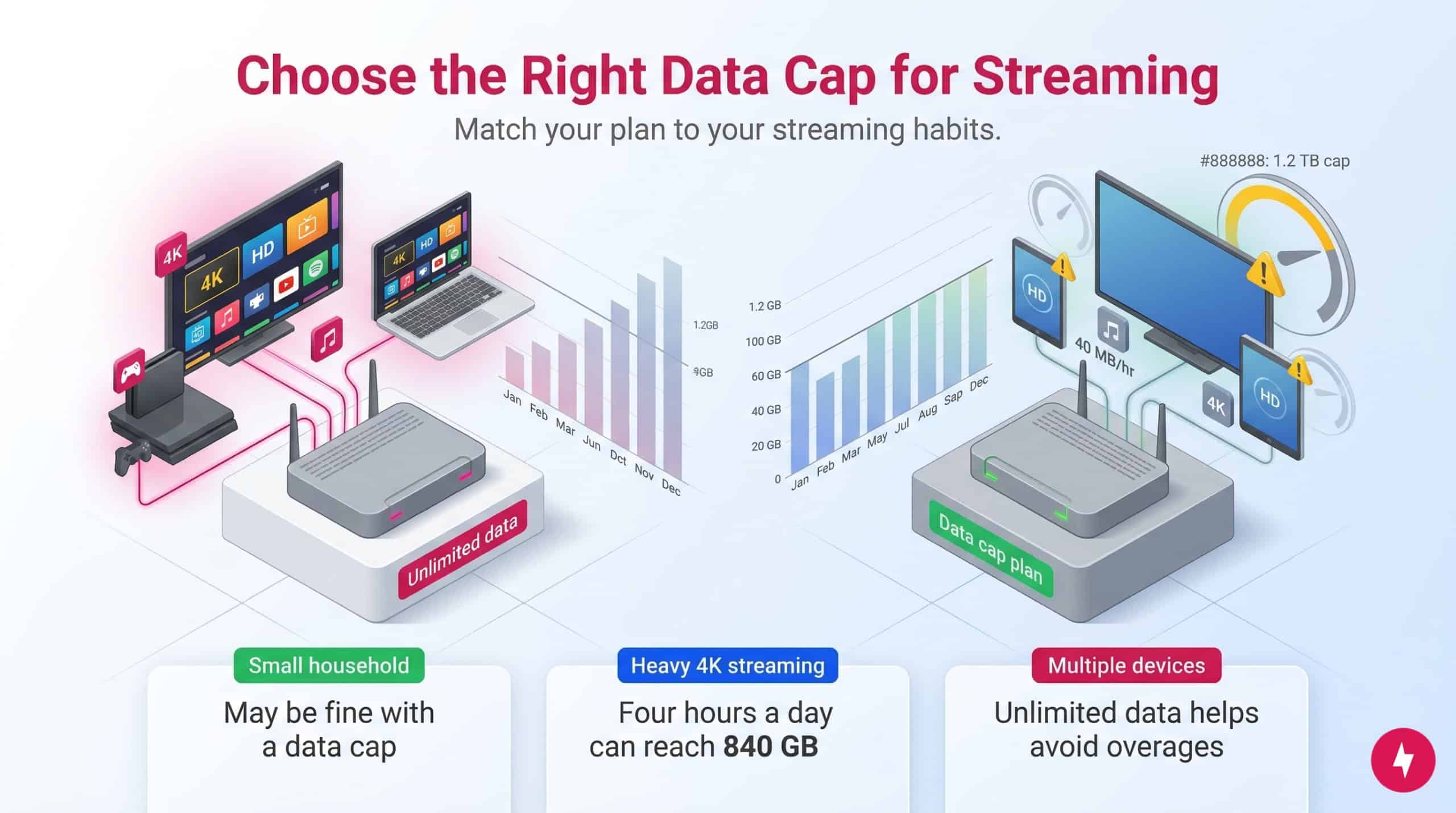
Beyond the type of broadband affecting your streaming experience, data caps dictate how much content you can watch without incurring overage penalties. A data cap is a hard monthly limit on the total volume of data your household can download and upload. If you exceed this limit, your internet provider may charge extra fees or temporarily slow down your connection. Conversely, unlimited data means you have no monthly usage limits or throttling from your provider. If you can afford an internet package with unlimited data, we recommend it highly. Unlimited data becomes essential if your household streams 4K video daily, uses multiple smart home cameras, or regularly downloads large video game files. But if those plans are beyond your budget, it’s time to consider how much data you need to enjoy streaming at optimal quality across several platforms.
As a simple planning rule, expect standard High Definition (HD) streams to use about 5 Mbps of bandwidth and 3 GB of data per hour. Ultra-High Definition (4K) streams demand significantly more from your connection, requiring at least 25 Mbps of bandwidth and consuming up to 7 GB of data per hour. To estimate your household’s minimum speed requirement, multiply your peak simultaneous 4K streams by 25 and your HD streams by 5, then add an extra 25 percent buffer for background smartphone and smart device usage.
To avoid buffering and stay within your limits, you must understand how much bandwidth different video qualities consume. Here are the estimated hourly data and bandwidth requirements for popular streaming platforms:
| Streaming platform | SD quality (estimated data per hour) | HD quality (estimated data per hour) | 4K quality (estimated data per hour) | Live broadcast needs |
|---|---|---|---|---|
| Netflix | 0.7 GB per hour | 3 GB per hour | 7 GB per hour | Not applicable |
| Disney+ | 0.6 GB per hour | 2 GB per hour | 7.7 GB per hour | Not applicable |
| Hulu | 0.7 GB per hour | 1.5 GB per hour | 7 GB per hour | Not applicable |
| Twitch | 0.5 GB per hour | 2.5 GB per hour | Not available | 6 Mbps to 8 Mbps upload |
| YouTube | 0.5 GB per hour | 2.5 GB per hour | 10 GB per hour | 4 Mbps to 10 Mbps upload |
While video consumes the vast majority of network traffic, audio streaming services like Spotify require significantly less bandwidth, generally around 43 MB per hour on the Normal quality setting.
As a rule of thumb, watching four hours of 4K content daily consumes roughly 840 GB per month. If your plan has a standard 1.2 TB data cap, you will easily exceed it when adding in web browsing and remote work. Households that consistently exceed 1 TB of monthly usage from prioritizing 4K resolution across multiple TVs should always opt for unlimited data.
Keep in mind that data usage varies by device. Instead of guessing your requirements, use a simple formula: allocate 5 Mbps per high-definition stream and 25 Mbps per 4K stream to calculate your baseline speed needs. Small households streaming primarily high-definition video might not need unlimited data. However, large households utilizing multiple 4K televisions simultaneously will quickly hit standard data limits, meaning unlimited data is the safest choice.
Data caps for streaming are situational, since each household is unique. To avoid overpaying, review your recent usage before deciding. The best approach is to track each person’s data use for one month before deciding on data caps or unlimited data. Most modern router apps and ISP account dashboards show exactly how many gigabytes you used in the previous 30 days.
Your Streaming ISP Checklist

So, now that you’ve made it this far, pause to consider the following questions before signing up for or switching to another internet provider.
- Do you live in a small or large household with multiple streamers? Allocate at least 25 Mbps of download speed for each person streaming simultaneously in 4K, and 5 Mbps for high-definition streaming.
- Do you prefer watching movies and TV shows in 4K resolution? Heavy 4K viewers require unlimited data plans to avoid overage fees.
- What is your monthly budget for internet service? Ensure you factor in whether unlimited data upgrades or router rental fees fit within your price range.
- Do your streams buffer or lag frequently? Frequent pauses indicate you lack sufficient bandwidth or experience high latency, which is the delay in data transfer common with satellite connections.
- How many devices are connected to the internet and in use simultaneously? Count your smartphones, gaming consoles, along with your primary televisions.
As a general word of advice, it’s always best to do your research before committing to an internet service provider. Review your data limits, assess device usage, and buy enough bandwidth to comfortably cover simultaneous internet streams. Other factors beyond streaming quality should also be on your list of internet requirements. Finding the right ISP takes time and commitment.
Finding the Best Internet for Streaming Near You
Streaming isn’t as simple as choosing a show and bingeing it for hours. Selecting the right plan requires balancing connection reliability, household data usage, and the technical requirements of your preferred platforms. When it comes to finding the best internet for streaming, there are several crucial aspects to consider:
- Household footprint: Evaluate the common streaming activities and device loads in today’s households.
- Connection types: Compare the reliability of fiber, cable, satellite, and fixed wireless connections.
- Speed thresholds: Identify the ideal internet speeds for streaming in SD, HD, or 4K.
- Symmetrical performance: Determine how different internet types affect download and upload speeds.
- Usage limits: Factor in data cap limitations and potential slowdowns.
Fiber internet delivers the fastest speeds, while cable internet remains a strong alternative. Consumer streaming habits have evolved, with the average household juggling multiple streaming service subscriptions and integrating high-bandwidth activities like competitive gaming and remote work into their daily routines. Streaming has its pros and cons, but bundling your services is an option if you aren’t ready to cut cable out of your life. Ultimately, matching your household’s digital lifestyle to a capable, high-bandwidth connection will determine whether your streaming experience is seamless or constantly interrupted.
Watch: The Best High-Speed Internet Providers
Need to broaden your options for ISPs with high-speed plans near you? Our team rounds up which internet providers offer high-speed plans to keep up with your household’s streaming habits.
Optimizing Your Home Network for Uninterrupted Entertainment
Choosing the ideal internet provider for streaming comes down to understanding your household’s evolving demands. With 4K video, smart home automation, and remote work pulling from the same bandwidth pool, securing a reliable connection is more critical than ever. Fiber internet is typically the top choice because of its symmetrical speeds and ample capacity, while cable is a strong runner-up for fast downloads. By estimating your peak simultaneous streams, matching connection types to your physical location, and seeking out unlimited data options, you can permanently eliminate the buffering wheel and enjoy your preferred content seamlessly.
Frequently Asked Questions About Internet for Streaming
Does faster internet mean better streaming?
No, faster internet doesn’t always guarantee better streaming if your current plan already meets a platform’s network requirements. Upgrading to a multi-gigabit plan won’t magically make a standard-definition video look clearer. For example, you only need a speed of at least 5 Mbps to stream HD on Netflix. For 4K resolution, you will need speeds of at least 15 Mbps. However, extra bandwidth eliminates buffering, which is the agonizing delay that occurs when your connection cannot download video data fast enough to keep up with playback. This extra speed is particularly important in large households with multiple streamers.
What is considered high-speed internet?
The Federal Communications Commission defines high-speed broadband internet as having a minimum download speed of 100 Mbps and a minimum upload speed of 20 Mbps. The agency updated this standard in March 2024 to reflect modern households’ growing bandwidth demands. While older guidelines set the baseline at 25 Mbps for downloads and 3 Mbps for uploads, those minimums are no longer sufficient for households managing smart home devices, secure remote work connections, and multiple simultaneous video streams. Meeting this new 100 Mbps threshold ensures most average-sized households can comfortably sustain their daily online routines without severe network congestion.
Is 100 Mbps fast enough for streaming?
Yes, 100 Mbps is fast enough for streaming, since most streaming services like Netflix, Disney+, Hulu, and Twitch don’t need more than 25 Mbps for a single 4K stream. As a practical planning rule, households should allocate 25 Mbps for every simultaneous 4K stream and 5 Mbps for every HD stream. If three people in your home want to watch 4K content at once, you will need at least 75 Mbps, so a 100 Mbps plan could work, provided no heavy downloads are happening in the background. But that only covers streaming and won’t account for activities like working from home or online gaming. If your home regularly pushes beyond three active 4K screens while running smart security cameras and frequent Zoom calls, upgrading to a 300 Mbps or 500 Mbps plan offers much-needed breathing room.
How can I make my internet speed go faster?
To improve your internet speed, check how many devices are connected. Heavy background tasks, like downloading large files or running data-intensive smart home routines, will slow your streaming connection. To optimize your network without paying for a faster plan, hardwire your primary streaming device directly to your router with an Ethernet cable. If you must rely on Wi-Fi, place your router in a central, unobstructed location rather than tucking it behind furniture. For consistent optimal performance, restarting your router monthly can also clear out temporary caching issues that cause sudden platform lag. Upgrading your internet is your best bet for avoiding slow speeds if network troubleshooting fails to resolve video buffering.