Mbps vs. MBps: How Are They Different?
Understand internet speeds and file sizes so you can gauge download times and choose the right plan.
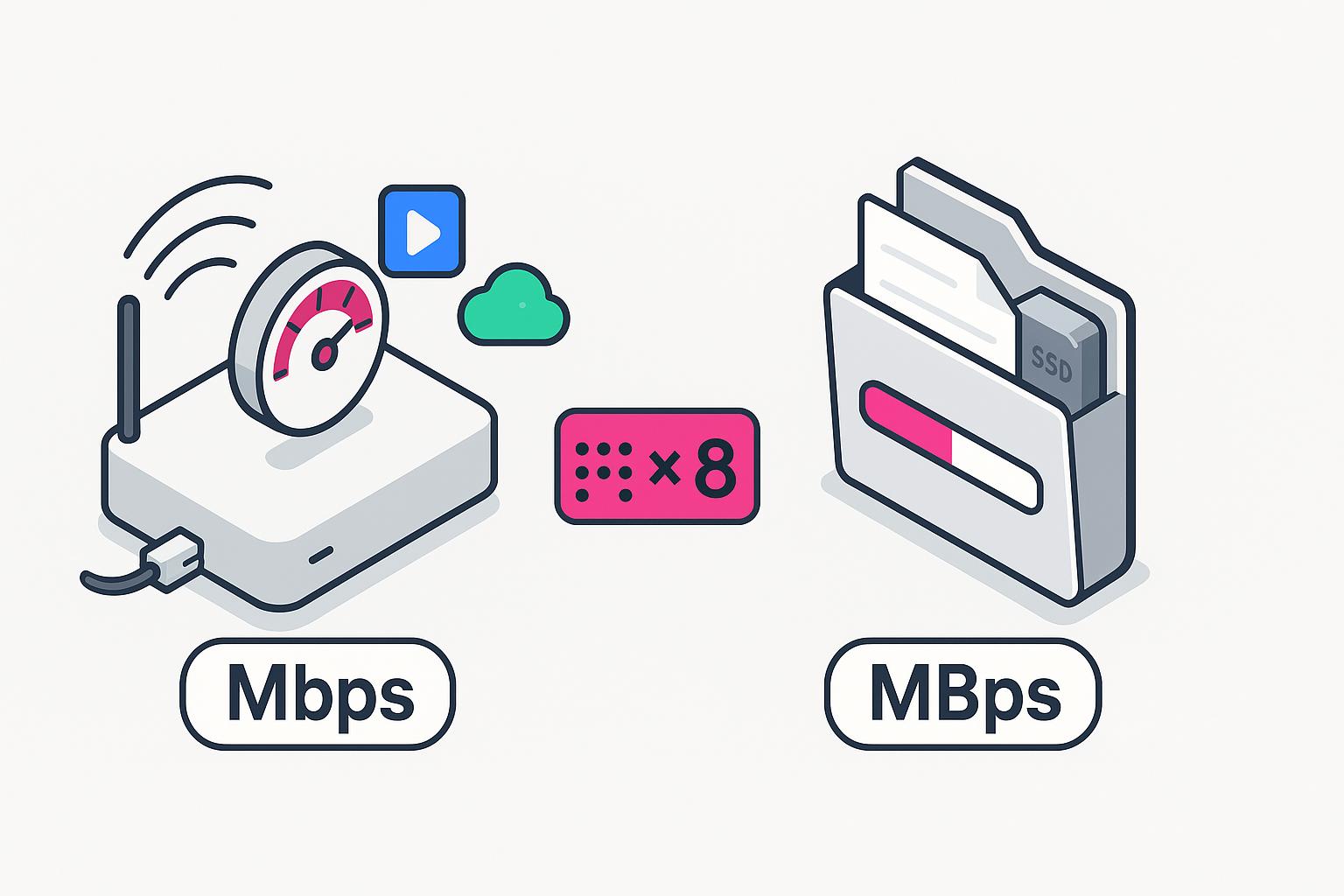
- Bits (lowercase “b”) measure network connectivity speed, whereas bytes (uppercase “B”) measure data storage amounts on your hardware.
- One byte equals eight bits, so you must divide your advertised internet plan’s speed by eight to find the actual download rate.
- Most Internet Service Providers (ISPs) advertise in Mbps because it features a higher numerical value.
Ever sign up for a 100 Mbps internet plan, only to see downloads creeping along at 12 megabytes per second? Don’t worry, your connection isn’t broken. When paying for a premium broadband plan, many users notice a gap between advertised speeds and real download performance. The confusion comes from the difference between a megabit (Mb) and a megabyte (MB), two similar-sounding units that measure very different things. Networks measure transmission speed, while operating systems measure file size and storage usage. 2026 is bringing us faster internet speeds and the rise of multi-gigabit plans, so understanding your true speed in Mbps vs. MBps is more important than ever to set expectations and choose the right internet plan.
Watch: Megabits (Mbps) vs. Megabytes (MBps)
Get the byte-sized version of this article with our short-form video explanation. Check it out if you need a quick breakdown of the difference between megabits and megabytes.
Megabits (Mbps) vs. Megabytes (MBps)
The primary difference between megabits and megabytes lies in what they measure and how the data is grouped. A bit is the smallest unit of digital information, representing a binary one or zero. These are typically used to measure the speed at which data travels. When evaluating baseline broadband connectivity requirements, the Federal Communications Commission (FCC) and telecommunications analysts cite speeds in megabits per second (Mbps). A byte, on the other hand, is a collection of eight bits working together as a single unit commonly used to measure file size or storage capacity.
When you see “Mbps,” it stands for Megabits per second, referring to internet speed or bandwidth. When you see “MBps,” it stands for Megabytes per second, referring to how much specific file data is moving onto your hard drive. Because one byte is equal to eight bits, the maximum numbers you see on speed tests are eight times higher than the numbers you see when downloading a file in your browser. Speed tests typically report results in Mbps, which can be confusing when compared to file download speeds shown in MBps. Understanding this distinction helps avoid misinterpreting performance results.
| Unit name | Abbreviation | Primary use | Relationship |
|---|---|---|---|
| Megabit | Mb or Mbps | Internet connection speeds, bandwidth capacity | 1 Megabit = 1,000,000 bits |
| Megabyte | MB or MBps | File sizes, storage (RAM/HDD), download managers | 1 Megabyte = 8 Megabits |
What Does ‘Megabits per Second’ Measure?
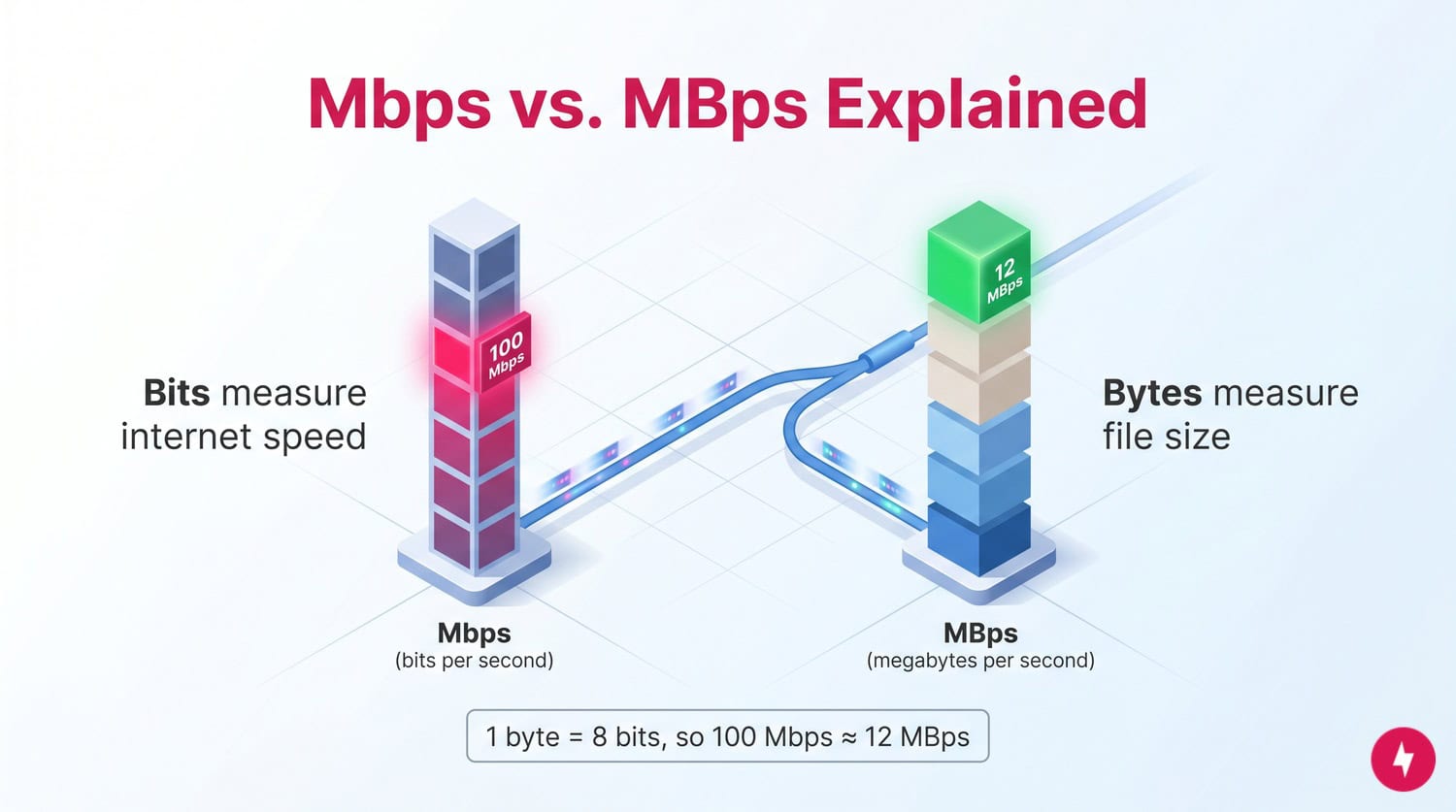
Megabits per second (Mbps) is the industry-standard metric for network transmission speeds. In the context of your home internet, think of bits as the individual cars traveling down a highway. The “Mbps” rating tells you how fast those cars can move (and how wide the highway is to accommodate them). This measurement is all about the flow of data rather than the physical size of the data sitting on a disk.
Because bits are smaller units than bytes, they allow more precise speed measurements, which helps ISPs create service tiers. However, it can make estimating real-world performance tricky if you don’t do the math. To help visualize this, here’s a breakdown of how common advertised speeds (Mbps) translate to actual file transfer rates (MB) and download times.
| Internet plan speed | Max download rate | Time to download a 5 GB HD movie | Time to download a 50 GB video game |
|---|---|---|---|
| 50 Mbps | 6.25 MB/s | ~13 minutes | ~2 hours, 14 minutes |
| 100 Mbps | 12.5 MB/s | ~6 minutes, 40 seconds | ~1 hour, 7 minutes |
| 500 Mbps | 62.5 MB/s | ~1 minute, 20 seconds | ~14 minutes |
| 1 Gbps (1,000 Mbps) | 125 MB/s | ~40 seconds | ~6 minutes, 40 seconds |
Every household has different requirements depending on how many devices are connected. If you are unsure if your current bandwidth is sufficient for your usage habits, check out our guide on how much internet speed you actually need.
Mbps affects how much data you can download at once, while latency (measured in milliseconds) affects how quickly data starts transferring, which is especially important for gaming and video calls.
Where You’ll See Mbps Used
You’ll almost exclusively encounter Megabits per second in contexts related to data transmission and network capacity. Common instances include:
- Residential and business internet service advertisements
- Online internet speed tests
- Technical specifications on router and modem packaging (e.g., Wi-Fi standards like AC1900)
- Video streaming quality requirements (e.g., Netflix recommends 15 Mbps for 4K streaming)
Converting Megabits to Megabytes
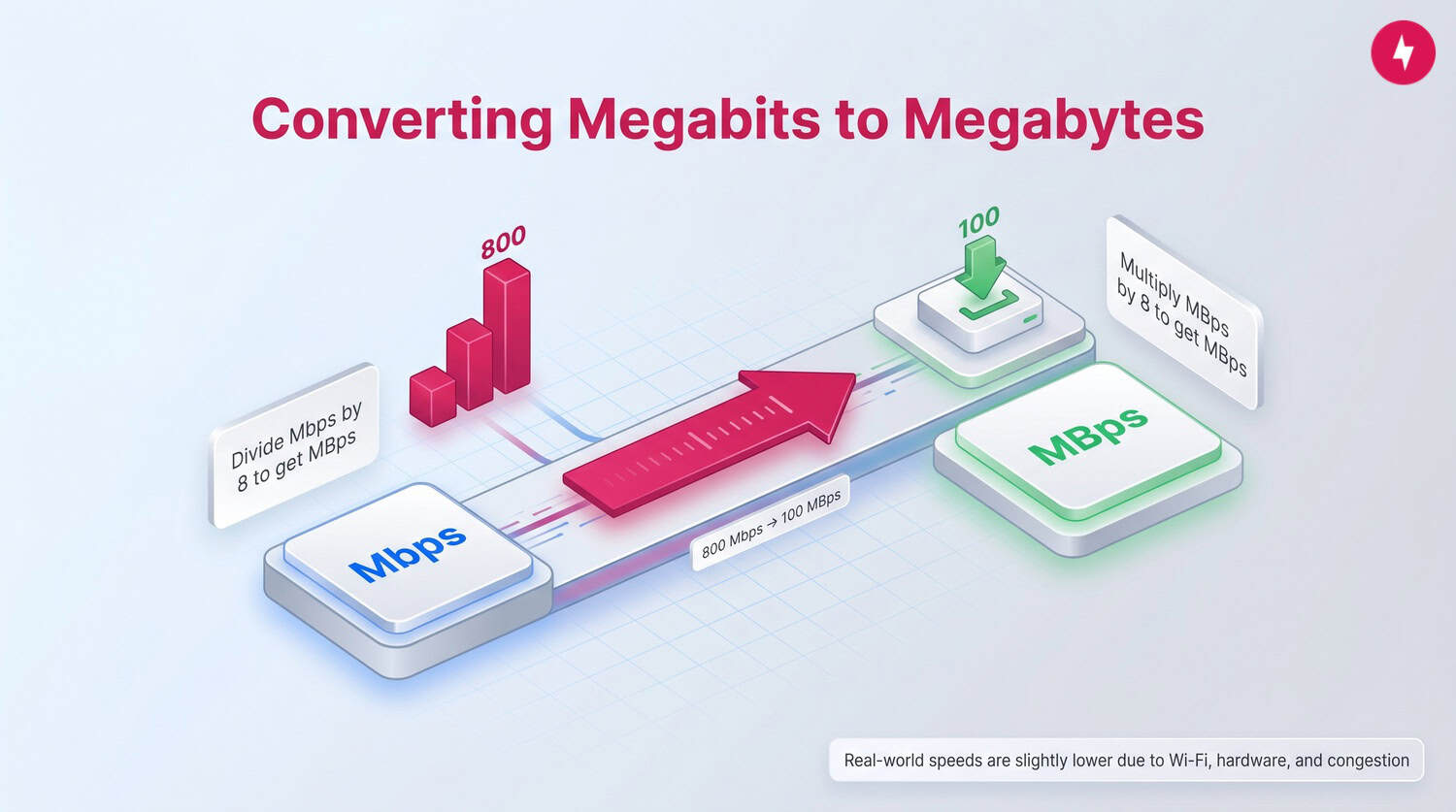
Converting between these two units is straightforward once you remember the ratio: eight bits equals one byte. This is often called the “1-to-8 rule.” To get the equivalent internet speed (Mbps) to file download speed (MBps), you convert the number by dividing by eight. Conversely, if you want to know how much bandwidth a file download is consuming, you multiply the MBps by eight.
For example, if you have a fiber optic connection advertised at 800 Mbps, your theoretical maximum download speed is 100 MBps (800 ÷ 8 = 100). Keep in mind that real-world friction — such as Wi-Fi interference, older hardware, or network congestion — often lowers this number slightly. The difference between bandwidth and latency can also affect how “fast” a connection feels, regardless of the raw Mbps conversion.
What’s a Megabyte?
A megabyte (MB) measures data volume or storage. If megabits are the cars driving on the highway, megabytes are the parking lot where they end up. One megabyte contains roughly one million bytes (or 8 million bits). On the network, megabits and megabytes typically use decimal units (1 MB = 1,000,000 bytes), but some operating systems report file sizes using binary units (1 MiB = 1,048,576 bytes), which can create small discrepancies. We use bytes to measure digital files because computers process and store data in these 8-bit clusters. When you save a photo, install a program, or download an email attachment, that data occupies physical space on your hard drive or in cloud storage, and it’s always measured in bytes. Mobile carriers often measure data in gigabytes (GB), while home internet providers measure speed in Mbps, reflecting the difference between data usage and transmission speed.
As technology has advanced, we have moved beyond megabytes into gigabytes (GB) and terabytes (TB) for storage. However, the megabyte remains a standard unit for smaller files like MP3 songs, high-resolution JPEG images, and PDF documents. When you download these files, your browser displays the transfer rate in MBps to tell you how much of that file’s specific volume is arriving every second.
What’s Measured in Megabytes per Second?
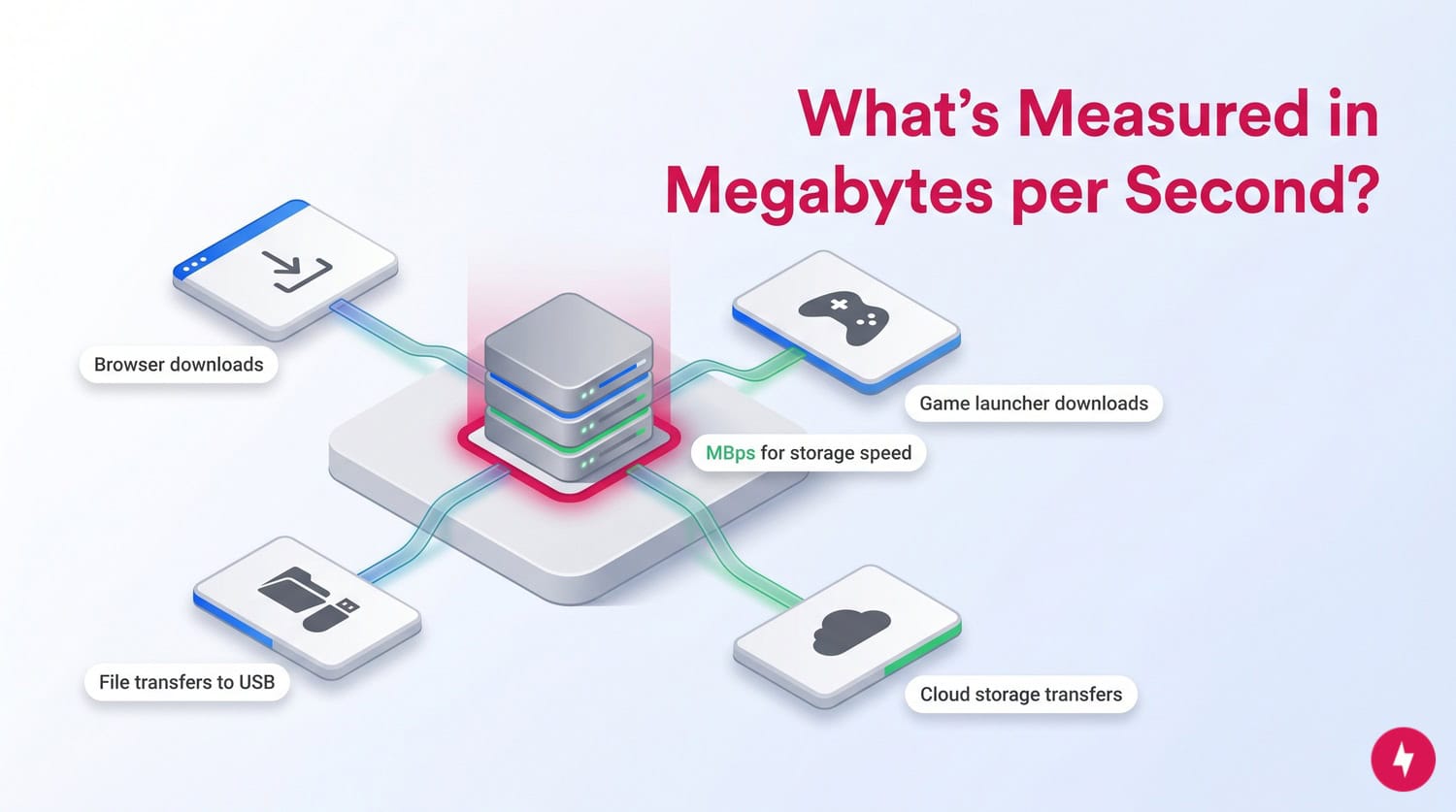
The unit MBps (note the capital B) is generally reserved for scenarios where files are being written to or read from storage media. You’ll see this measurement in:
- Web browser download managers (Chrome, Firefox, Safari)
- File transfer windows when moving files from a PC to a USB drive
- Video game launchers like Steam, Xbox App, or PlayStation Network
- Cloud storage uploads and downloads (Google Drive, Dropbox)
Why Do ISPs Advertise in Megabits?
Internet Service Providers (ISPs) advertise in megabits primarily because it’s the standard unit for telecommunications transmission. Engineers have always measured data throughput in bits. However, there’s also a marketing advantage. The number “100” looks more impressive to a consumer than “12.5,” even if they represent the exact same speed. By using the smaller unit (bits), providers can display larger, more marketable numbers on their plan pages.
Getting the Speed You Need
Understanding the difference between Mbps and MBps helps you make sense of what your internet plan actually delivers. While providers advertise speeds in megabits, your real-world experience (like how fast a movie downloads or a game installs) is measured in megabytes. Knowing how to convert between the two gives you a more accurate picture of performance.
This matters when choosing an internet plan. A higher Mbps number doesn’t always mean dramatically faster downloads if your usage doesn’t require it. By understanding how speed translates into actual file transfer rates, you can better match a plan to your needs, avoid overpaying, and set realistic expectations for everyday tasks like streaming, gaming, and downloading large files.
Frequently Asked Questions About Megabits vs. Megabytes
Why is my download speed lower than my internet speed?
Internet providers advertise speeds in megabits per second (Mbps), but most devices display download speeds in megabytes per second (MBps). Because 1 byte equals 8 bits, the number you see during a download will be about eight times lower than your plan’s advertised speed. For example, a 100 Mbps connection often results in real-world download speeds of around 12.5 MBps. Additional factors, such as network congestion, Wi-Fi interference, and hardware limitations, can further reduce speeds.
How many MBps is 1 Gbps?
One gigabit per second (Gbps), or 1,000 Mbps, equals 125 megabytes per second (MBps). To convert Mbps to MBps, divide by eight. This means a 1 Gbps connection can theoretically download data at up to 125 MBps under ideal conditions.
- 1 Gbps = 1,000 Mbps
- 125 MBps maximum
- Hardware limitations matter more at this level
Is MBps faster than Mbps?
MBps is not “faster” than Mbps; it is a different unit of measurement. MBps (megabytes per second) represents a larger quantity of data than Mbps (megabits per second). Specifically, 1 MBps equals 8 Mbps. Mbps describes internet connection speeds, while MBps shows how quickly files transfer or download.
What factors can affect my actual download speed besides Mbps vs. MBps?
Several real-world factors can impact your download speed, even if your internet plan is fast. These include Wi-Fi signal strength, the number of devices connected to your network, router quality, and the performance of the website or server you are downloading from. Network congestion during peak hours and outdated hardware can also slow speeds. Even with a high Mbps plan, these variables can prevent you from reaching the theoretical maximum download rate.
Why does Steam show MBps instead of Mbps?
Platforms like Steam display download speeds in MBps (megabytes per second) because they measure how quickly game files are written to your storage, not just how fast data is transmitted over the network. Since files are stored in bytes, using MBps gives a more accurate view of real download progress. This is why the number appears lower than your advertised Mbps speed; it’s simply using a different unit (1 MBps equals 8 Mbps).
How can I improve my download speeds at home?
You can improve download speeds by optimizing your home network setup. Start by placing your router in a central location and minimizing interference from walls or other electronics. Using a wired Ethernet connection instead of Wi-Fi often provides faster and more stable speeds. Upgrading older routers or modems, limiting the number of active devices, and ensuring your internet plan matches your household’s usage needs can also help improve overall performance.