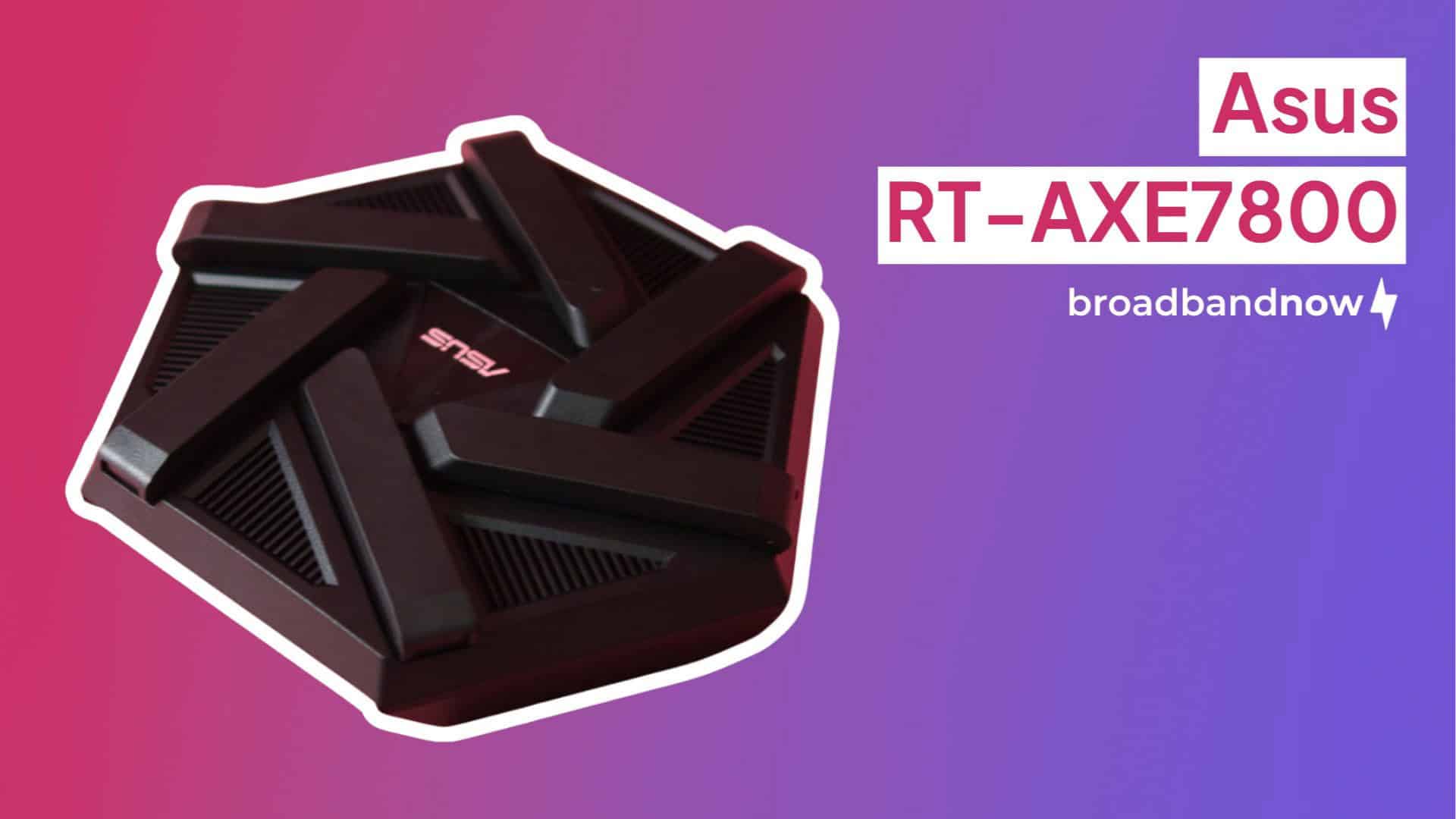
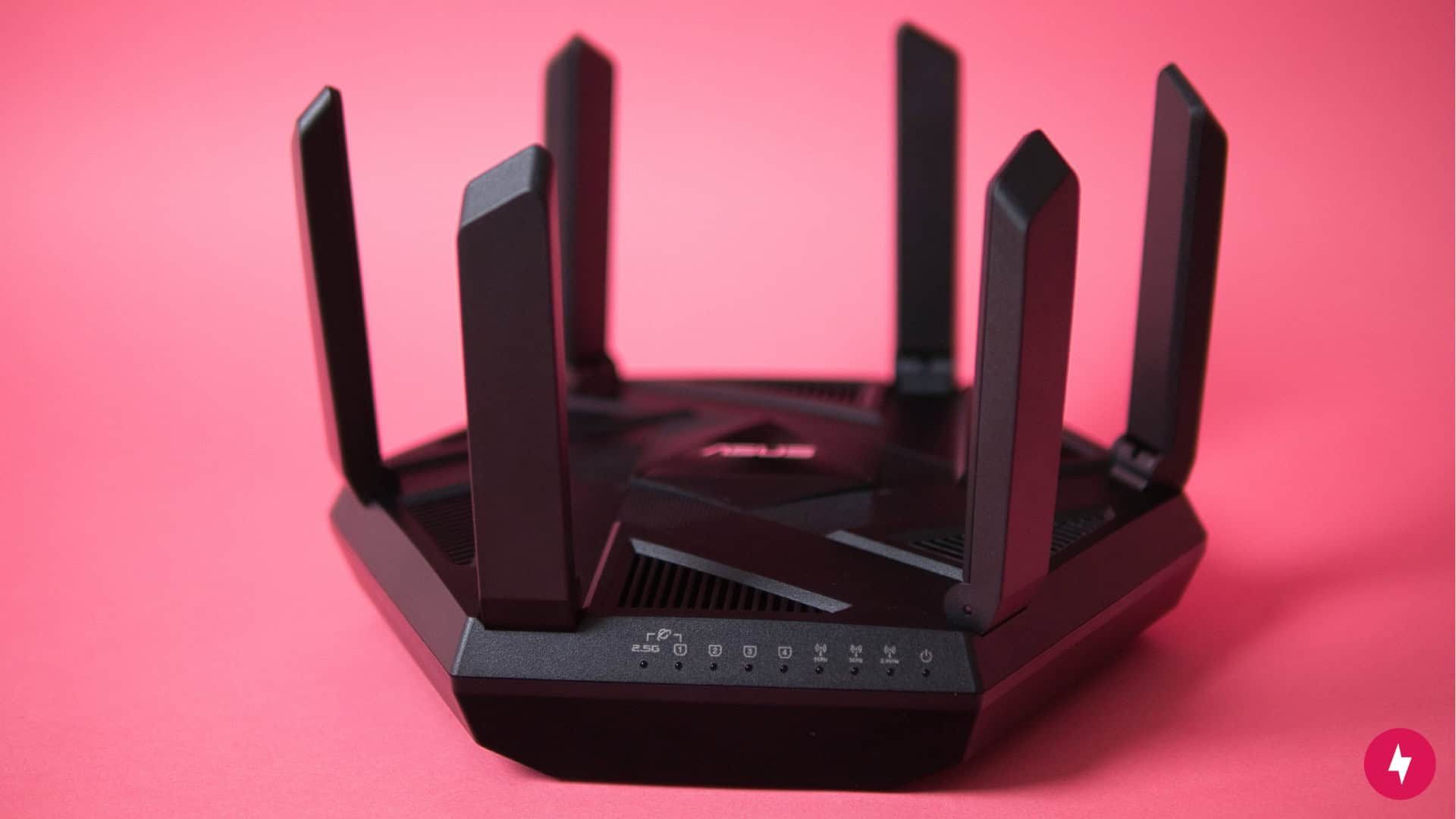
The Asus RT-AXE7800 doesn’t have the most impressive specs, but its performance remains consistent across the board. (Image by Alejandro Medellin)
The Asus RT-AXE7800 is Asus’s answer to the growing demand for fast, reliable, and future-proof Wi-Fi 6E coverage. Positioned under its flagship models, this tri-band router promises blistering speeds, a sleek design, and wide compatibility with the latest devices. But with Wi-Fi 7 on the rise, is it worth investing in this router now? We put the RT-AXE7800 through its paces based on its specs, setup, price, performance and value to see if it deserves a spot at the center of your home network.
What We Like
Effortless setup
Intuitive app
Consistent throughput
What We Don't Like
Bulky footprint
High price tag compared to entry-level models
Asus RT-AXE7800 Review Rating
(4.4/5)
BroadbandNow Bottom Line
The Asus RT-AXE7800 is a strong standalone Wi-Fi 6E router that blends ease of use with advanced features. While it can’t match the range of a dedicated mesh system, it delivers consistent speeds and solid value for power users and busy households alike. For those ready to future-proof their network without breaking the bank, the RT-AXE7800 is available on Amazon for $279.99 or Walmart for $371.98.
Our Asus RT-AXE7800 Video Review
No time to read the rest of the review? Check out our Asus RT-AXE7800 review video below.
2.5 Gigabit WAN/LAN port (1), Gigabit WAN/LAN port (1), LAN (3), USB 3.2 port (1)
Processor, memory, and storage
1.7 GHz quad-core processor,
256 MB Flash and 512 MB DDR4 RAM
Dimensions
9.6 x 8.8 x 6.1 inches
Asus RT-AXE7800 at First Glance: Bold on the Outside, Future-Proof on the Inside
The Asus-RT-AXE7800 stands out with its hexagonal base and six antennas sticking up. (Photo by Alejandro Medellin)
The Asus RT-AXE7800 doesn’t exactly fade into the background. With its sharp, upright design and six foldable antennas, it looks more like a sci-fi console than a home networking device — bold and unapologetic, hardware that makes a statement on your desk or shelf. While the design may split opinions, what’s inside is harder to argue. Tri-band Wi-Fi 6E, a 2.5 Gbps port, and Asus’s advanced networking tools give this router the specs to match its futuristic exterior.
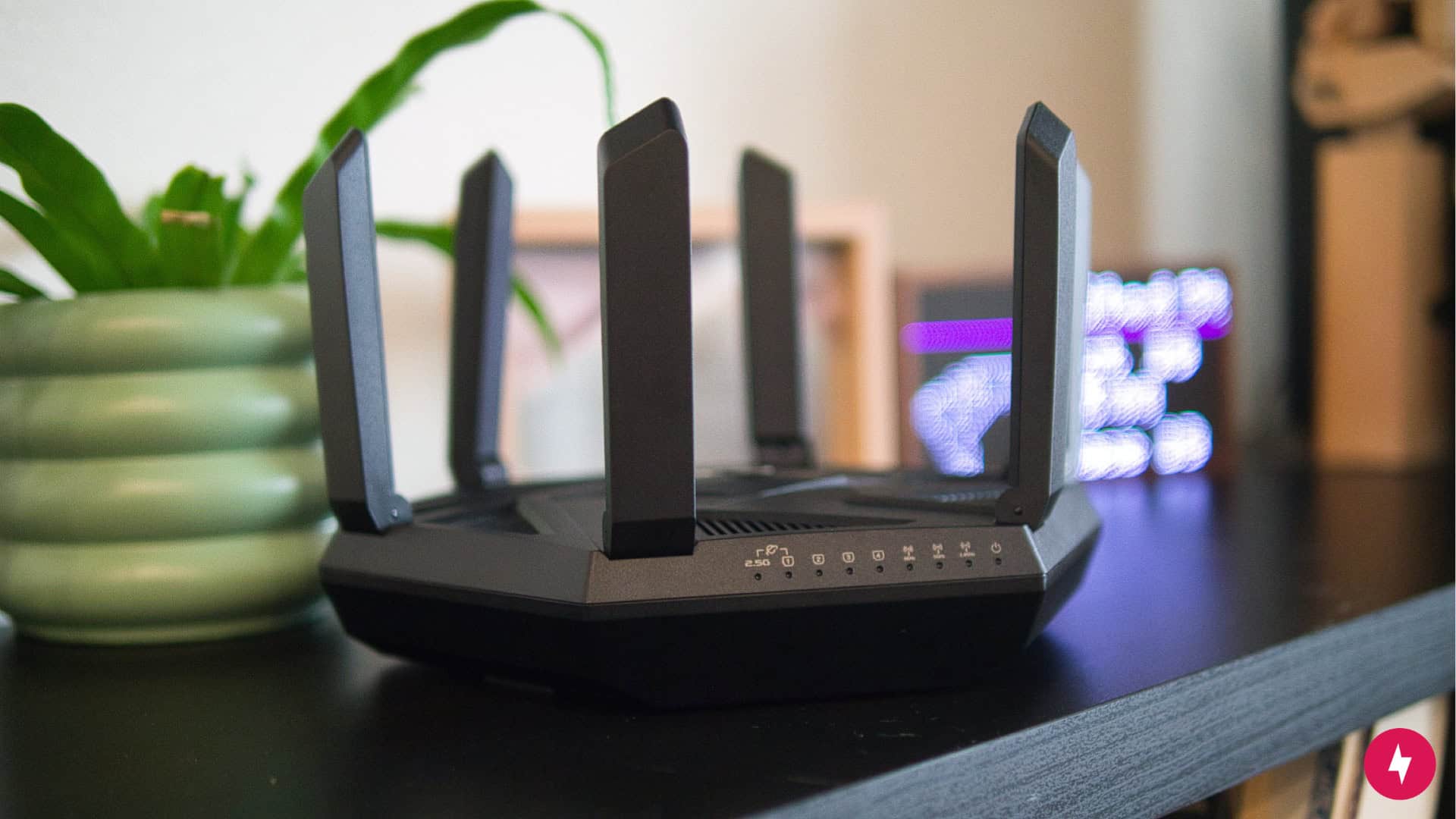
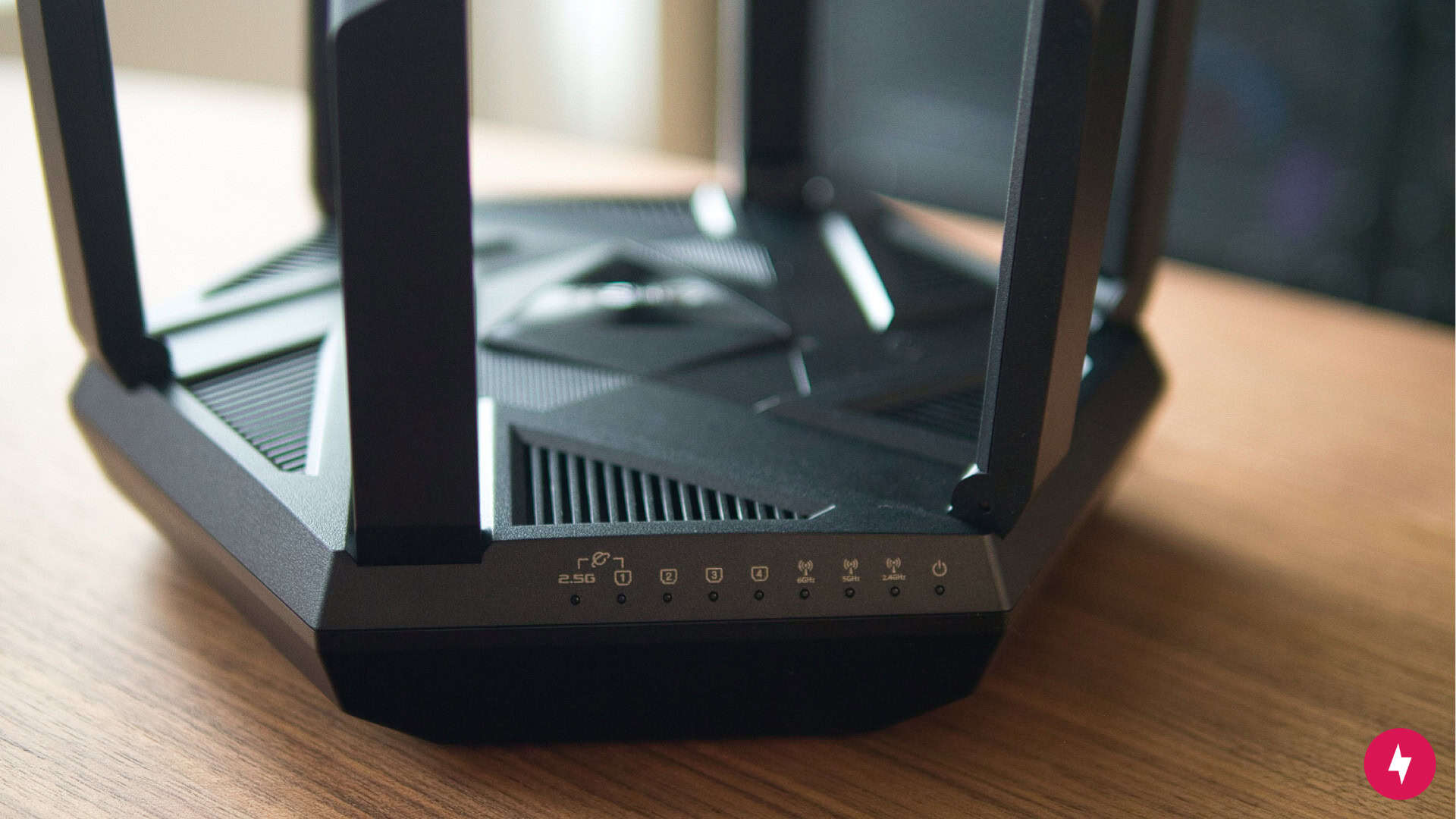
Wi-Fi 6E unlocks the 6 GHz band, a key feature of the Asus RT-AXE7800. (Photo by Alejandro Medellin)
Under the hood, the RT-AXE7800 packs serious firepower. It’s a tri-band Wi-Fi 6E router, broadcasting across 2.4 GHz, 5 GHz, and the new 6 GHz band. That extra spectrum is the star of the show, offering wider 160 MHz channels with less interference — perfect for households balancing dozens of devices, gaming sessions, and 4K streams without hiccups.
On the wired side, Asus provides a 2.5 Gbps WAN/LAN port, another auto-sensing WAN/LAN port and three additional Gigabit LAN ports. That’s a flexible lineup if you’re running multi-gig internet or want to hardwire consoles, PCs, or media hubs. A USB 3.2 Gen 1 port is also included, making it easy to share storage or plug in network devices.
Inside, it runs on a 1.7 GHz quad-core Broadcom processor with 512 MB of RAM and 256 MB of flash memory — solid specs that keep routing, QoS, and security features humming along without slowdown. On the software side, Asus layers in AiProtection Pro (Trend Micro-powered security), VPN Fusion, and AiMesh support for expanding coverage with other Asus routers.
Altogether, it’s a hardware package that clearly aims at power users: plenty of throughput for Wi-Fi 6E devices, flexible port options for wired setups, and the processing muscle to keep everything stable.
Asus RT-AXE7800 Installation: Effortless Setup With Enough Depth to Satisfy Power Users
Despite its large presence, the Asus RT-AXE7800 is easy to set up. (Photo by Hanna Shemke)
Bringing the RT-AXE7800 online is surprisingly painless for a router this capable. After switching my modem to bridge mode to sidestep double NAT, the router immediately detected the connection and handled the rest through auto-sensing WAN/LAN ports. Within minutes, I had tri-band Wi-Fi 6E broadcasting across 2.4, 5, and 6 GHz.
One technical perk is that the 6 GHz band doesn’t require DFS scanning, so devices can connect instantly without the usual wait you sometimes see on 5 GHz channels. For larger homes, Asus’s AiMesh support means you can integrate the RT-AXE7800 into a mesh system with other Asus routers, extending coverage without complicating setup.
It’s streamlined, efficient, and engineered to minimize friction, which is exactly what you want when dealing with next-gen networking gear.
Unboxing and Initial Setup
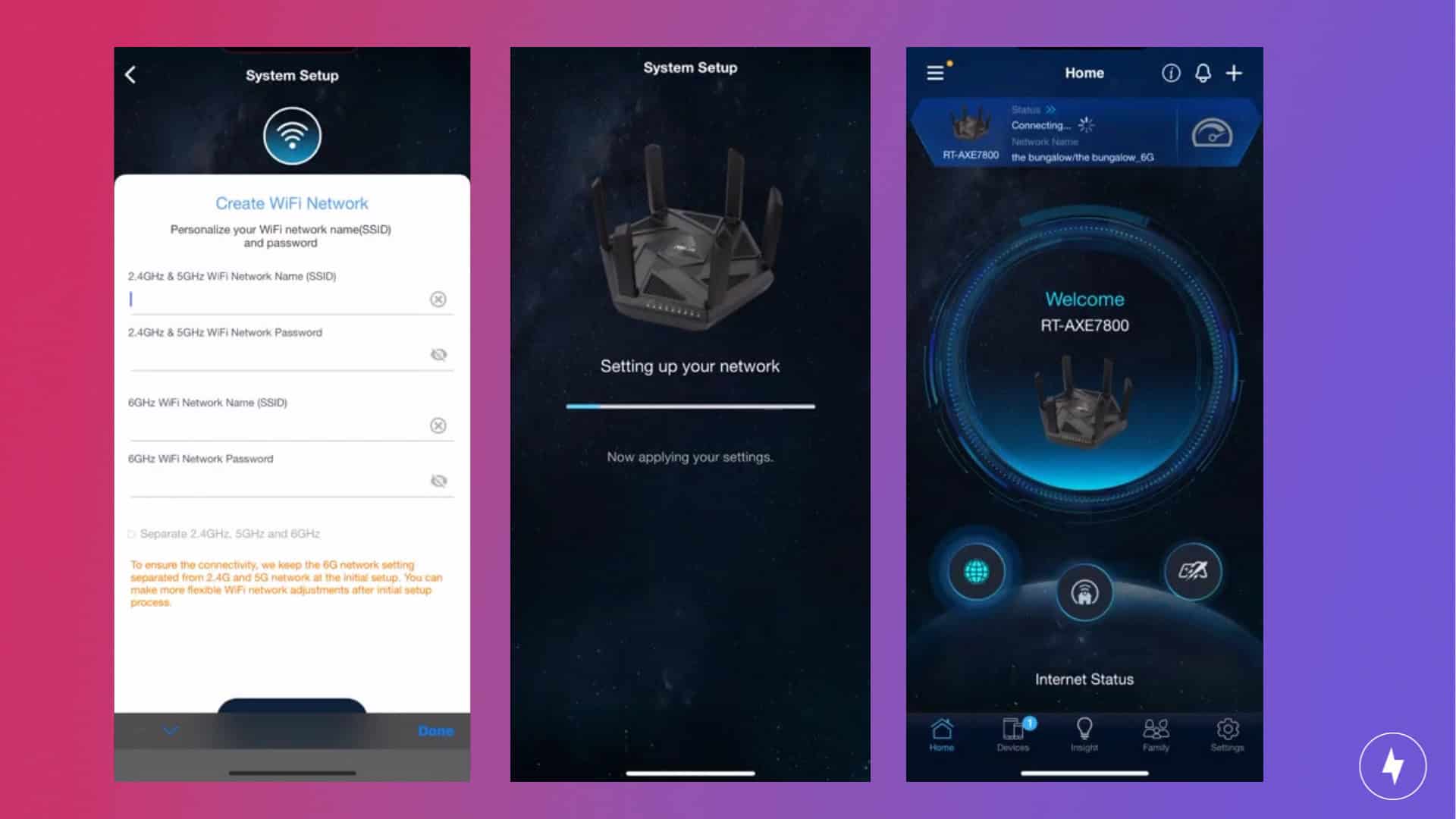
Setting up the Asus RT-AXE7800 was painless and probably the easiest of all the routers I’ve reviewed so far. (Screenshots by Hanna Shemke)
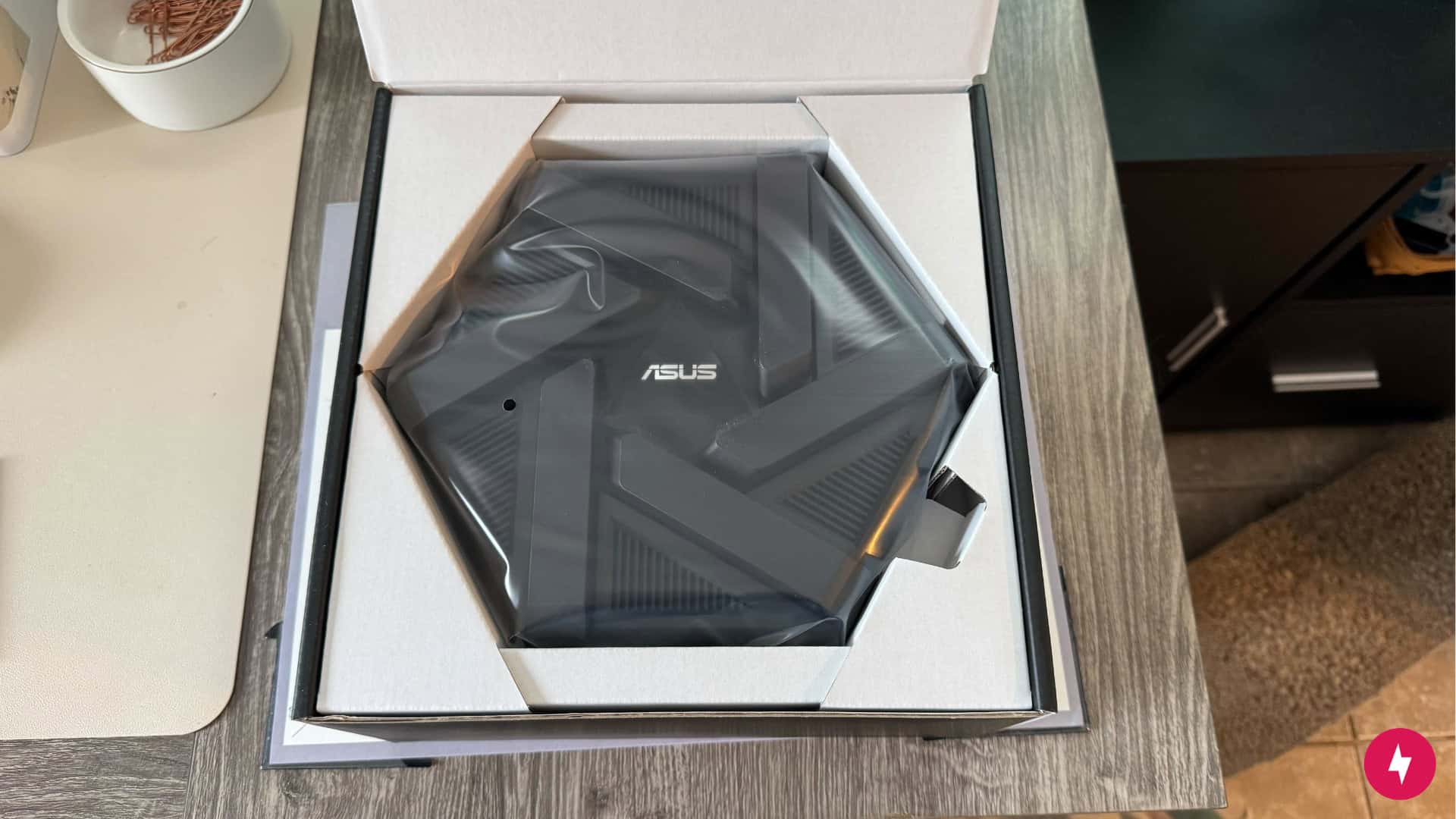
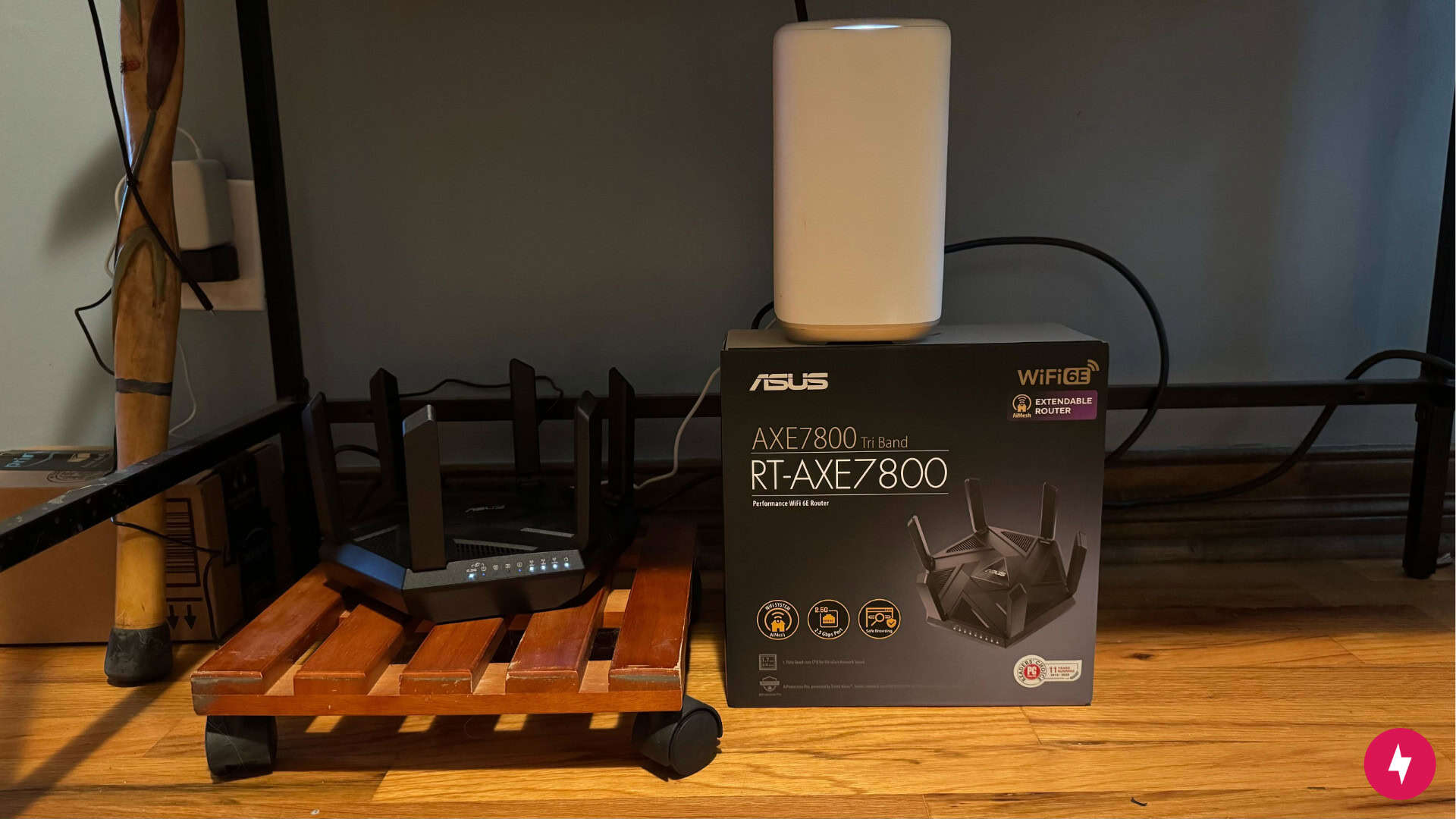
Unboxing the Asus RT-AXE7800 feels like opening something that knows it’s the main event. The sleek packaging uses side flaps that slide neatly into place, which might sound small compared to wrestling open a Starlink or TP-Link box. It’s a foolproof design that keeps you from tearing the packaging apart before you even get to the router.
Front and center sits the RT-AXE7800 itself. With six foldable antennas fanned out, it looks like a sci-fi gadget ready to deploy, but the folding design is surprisingly practical. It keeps things compact for shipping and makes it easier if you ever need to move the router.
Underneath the tray, everything is laid out with Asus’s usual sense of order. You get the essentials — power adapter, Ethernet cable, and a tidy packet of paperwork — but it’s the details that make the difference. A bold red “STOP” card grabs your attention, pointing you directly to customer support if you run into issues (a thoughtful touch when other brands make you dig for help). You’ll also find a VIP warranty guide, quick visual instructions for resetting your modem, and a QR code that takes you straight to the Asus Router app for setup.
Getting the RT-AXE7800 online was the smoothest install I’ve had — even easier than Starlink. Since my ISP provided an Xfinity gateway that also acts as a router, the first thing I did was flip it into bridge mode. That step is crucial: without it, you’ll run into a double NAT scenario, where the gateway and the Asus both try to handle routing. The result? Conflicting NAT tables, broken port forwarding, and a network that looks connected but won’t actually pass traffic. Switching to bridge mode hands full control to the RT-AXE7800 and avoids hours of unnecessary troubleshooting.
Once that was sorted, the rest was simple. The Asus Router app walked me through the setup step by step. I scanned the QR code in the quick-start guide, connected the 2.5 Gbps WAN/LAN port to my modem, plugged in power, and let the router do its thing. In five minutes, I had tri-band Wi-Fi 6E broadcasting across 2.4, 5, and 6 GHz, with the app prompting me to name my SSID and lock it down with WPA3 security.
Here’s a bonus: setup doesn’t just stop at a single unit. Thanks to AiMesh support, the RT-AXE7800 can link with other Asus routers — everything from Wi-Fi 6E models like the GT-AXE11000 down to older Wi-Fi 6 units like the RT-AX86U or ZenWiFi nodes. That means you don’t have to buy a full new system; you can drop this router into an existing Asus network and expand coverage seamlessly.
This feature is especially useful for larger homes, multi-story spaces, or anyone dealing with thick walls where a single router can’t cut it. Power users will appreciate the unified SSID, smart backhaul management, and control over node placement, while more casual households get the simple benefit of stable, wall-to-wall Wi-Fi without juggling multiple networks.
It’s the rare kind of setup that’s both painless for beginners and reassuringly thorough for power users — the perfect balance of “chill” and “serious hardware.”
Navigating the Mobile App
The space theme hammers in the idea that this router looks and feels like a spaceship. (Screenshots by Hanna Shemke)
The Asus Router app feels like it was designed with both power and polish in mind. The first thing you notice is the galaxy-inspired theme — a surprisingly fun touch that makes the dashboard feel more like a modern app than a piece of networking software. It’s clean, visually engaging, and it follows solid UX principles: network status, connected devices, and key controls are all front and center, not buried in submenus.
From the main screen, you can drill into any device, view its activity, or pause its connection with a tap. Asus also includes Family Profiles and parental controls, letting you group devices by user and schedule downtime windows — perfect for keeping streaming or gaming in check during homework hours. Unlike some router apps that feel stripped down, this one gives you plenty of advanced toggles without overwhelming you.
Where Asus really flexes its SME-level muscle is in security and networking tools. AiProtection Pro, powered by Trend Micro, is built in for lifetime use, giving you malware protection, malicious site blocking, and intrusion prevention. Features like Safe Browsing, Instant Guard VPN, and VPN Fusion go even further, letting you fine-tune how traffic is routed across your network. These are typically “pro-grade” tools, yet Asus makes them accessible enough for casual users to activate with a tap.
For smart home users, the app also plays well with Asus’s AiMesh system, letting you add compatible routers to expand coverage without extra friction. The process is visual and intuitive, and the app helps you optimize placement for the strongest backhaul connection.
The app is both user-friendly and deeply configurable. Beginners can stick to the essentials and feel right at home, while enthusiasts can dig deeper and tweak every corner of their network. With the RT-AXE7800, design and functionality keep pace with one another.
Asus RT-AXE7800 Performance: Flawed Yet Impressively Stable
Make sure the router is in a central, open area with no obstructions. (Photo by Alejandro Medellin)
Now for the fun part: performance. I tested the Asus RT-AXE7800 in my two-story home under both light and heavy loads — everything from casual browsing and Zoom calls to streaming 4K video on multiple devices while running games and additional smart home devices in the background. To get a clear picture, I ran tests at several points: about five feet from the router, 15 feet away with a wall in between, and upstairs on the second floor. This let me see how the RT-AXE7800 handled distance, interference, and high traffic across its 2.4 GHz, 5 GHz, and 6 GHz bands in a real-world environment.
Testing the Router
The wireless speed tests during conditions weren’t bad, especially upstairs. (Screenshots by Hanna Shemke)
Each test was performed three times in each location using a third-party testing tool to measure results. At five feet from the router, the Asus RT-AXE7800 delivered impressive consistency. In a calm environment, download speeds clocked in at 896 Mbps with upload speeds of 41.4 Mbps. Even under load — with multiple devices streaming and downloading — download speeds only dipped to 848 Mbps and upload speeds dipped to 41.2 Mbps, a negligible 5.4 percent drop in downloads and less than 1 percent in uploads. That kind of stability this close to the router is exactly what you want for latency-sensitive tasks like gaming or video calls.
Moving to 15 feet away with a wall in between, performance dipped as expected. Calm conditions averaged download speeds of 653 Mbps with upload speeds of 41.6 Mbps, while the busy test came in at 530 Mbps download speeds and 40.3 Mbps upload speeds. That’s about a 19 percent drop in downloads and 3 percent in uploads under load. It’s still plenty fast for 4K streaming and large file transfers, but you can feel the distance more here compared to the rock-solid five-foot test.
Wireless speeds suffered 15 feet away during busy conditions. (Screenshots by Hanna Shemke)
Upstairs, where the signal had to punch through walls and flooring, the RT-AXE7800 still held strong. Calm results hit download speeds of 873 Mbps and upload speeds of 41.3 Mbps, while busy conditions landed at 811 Mbps download speeds and 39 Mbps upload speeds. That’s only about a 7 percent dip in downloads and 5.6 percent in uploads, proving the router’s tri-band design keeps performance resilient even when the environment gets tricky.
Across all scenarios, the RT-AXE7800 showed that it can juggle heavy traffic without breaking stride. The slight dips under load are minor, and the fact that upstairs speeds remained so close to near-range performance is impressive. Whether you’re gaming, streaming, or working across multiple devices, this router delivers the kind of bandwidth and consistency that Wi-Fi 6E promises.
Comparing to Competitors
The Asus RT-AXE7800 is great if you have the budget to upgrade to Wi-Fi 6E. (Photo by Hanna Shemke)
The Asus RT-AXE7800 occupies a competitive position in the Wi-Fi 6E space. With a manufacturer’s list price around $280, it sits below premium flagships like Asus’s own GT-AXE11000 or the Netgear Orbi 870, yet above entry-level 6E options.
In tensile terms, this router holds its ground well against competitors. Thanks to its tri-band setup and 2.5 Gbps wired port, it outpaces the TP-Link Archer AXE75 in both throughput and range. Mesh systems like the Deco XE75 offer similar coverage, but only when used as multi-node kits. Here, the RT-AXE7800 gives you comparable performance solo — ideal if you’re not keen to invest in a full mesh setup.
So who does the RT-AXE7800 best serve?
Single-device households or power users who want maximum Wi-Fi 6E performance from just one router.
Smaller homes or apartments where a central unit suffices, and range isn’t as critical.
Price-savvy shoppers currently eyeing a Wi-Fi 6E router — this deal brings flagship-like features within reach.
While it isn’t the cheapest Wi-Fi 6E router outright, nor the most powerful spec-wise, the RT-AXE7800 delivers an excellent balance of performance, flexibility, and current value — especially if you grab it at today’s reduced price. Thought it’s worth noting that this device, as a one-node option, might now work best for large households, especially in homes with high-bandwidth needs. In this case, the Google Nest WiFi Pro would be a better option, though it costs a little bit more.
Here’s a comparison of the Asus RT-AXE8700 to similar setups.
Features
Asus RT-AXE7800
Google Nest WiFi Pro
TP-Link Archer AXE75
Netgear Orbi 870
Product Cost
$279.99
$301.00
$115.99
$889.99
Coverage
5,700 sq. ft.
6,600 sq. ft.
2,000 sq. ft.
9,000 sq. ft.
Wi-Fi Type
Wi-Fi 6E
Wi-Fi 6E
Wi-Fi 6E
Wi-Fi 7
Wireless Speeds (up to)
7,780 Mbps
5,400 Gbps
5,378 Mbps
21,000 Mbps
Best For
Small to mid-size households juggling multiple high-bandwidth activities
Large households with high-bandwidth needs
Budget-conscious homeowners looking to future-proof
Power users in large households
Our Verdict: Wi‑Fi 6E Speed for Power Users, Without the Flagship Price
For its price point, the Asus RT-AXE7800 is a solid entry-level option for Wi-Fi 6E routers. (Photo by Hanna Shemke)
The Asus RT-AXE7800 makes a compelling case as one of the most balanced Wi-Fi 6E routers on the market. Its bold, futuristic design won’t fade into the background, but under the hood, it brings serious power. Setup is refreshingly simple, whether you’re a first-time user or a seasoned networking enthusiast, and the Asus Router app strikes a rare balance between sleek design and deep configurability.
Performance is where this router really delivers. It’s well-suited for households juggling streaming, gaming, smart home devices, and remote work all at once. The biggest curveball is price. But if you’re looking for a high-performance standalone router that’s easy to install, powerful enough for busy households, and flexible enough to expand with AiMesh, the Asus RT-AXE7800 more than earns a spot at the center of your home network.
How We Assess Routers
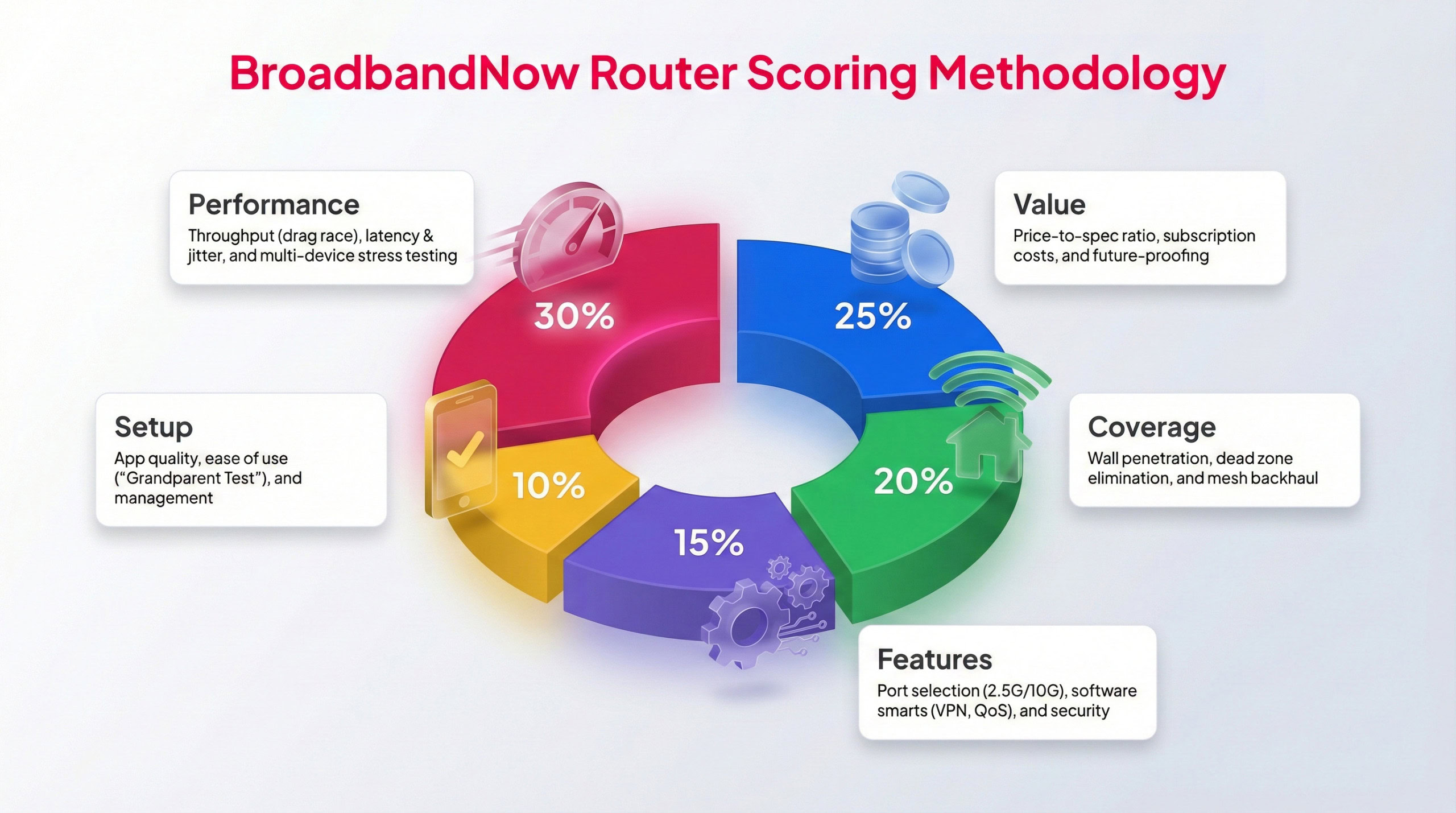
Each BBN expert tests routers following this methodology to provide a weighted score.
We evaluate every router using a consistent, real-world testing approach so readers can easily compare results across models. The Asus RT-AXE7800 was tested in an active home setting for over one month. During that time, our broadband team assessed day-to-day dependability, how its features stack up against its price, and how well it sustains performance when the network is under heavier demand. Testing scenarios included peak evening usage, high-bandwidth activities like 4K streaming and video conferencing, and speed tests conducted from multiple areas throughout the home.
Each category receives a rating on a weighted 1–5-star scale, with the strongest emphasis on performance and overall value. Below, you’ll find our scores across five core categories, along with a closer look at how the RT-AXE7800 performed during testing in my two-story home.
Performance – 5/5: I truly couldn’t have asked for more out of this Wi-Fi 6E router — performance impressed me throughout every speed test, proving this router can handle high bandwidth activities with ease. For heavy users, the high speeds and low latency make this a solid investment for improving (and future-proofing) your Wi-Fi setup.
Value – 4.5/5: While the RT-AXE7800 comes with a bit of a high price tag compared to similar routers, the performance makes the price worthwhile. For households that need a bit more power than their standard ISP router, this one will get your home high speeds if you’re okay with investing some extra cash.
Coverage – 5/5: This router handled coverage in my two-story household with ease. While lower speeds are expected as I moved further from the router, I still achieved over 500 Mbps at the farthest points, which is plenty for even higher bandwidth activities in a two-person household.
Features – 4/5: Compared to similar Wi-Fi 6E routers, the RT-AXE7800 doesn’t have quite as much power, but it still delivers a solid array of features. With multi-gigabit speeds, advanced security features, and a 2.5 Gigabit WAN/LAN port, this router is ideal for the average household without offering features most may not even use.
Setup – 5/5: Beginners and power users alike can enjoy a smooth setup experience with the Asus RT-AXE7800. Navigating the process was incredibly simple and didn’t take too long at all. For power users who need more advanced features, the process was thorough but still easy to navigate. And as a beginner, you won’t need to bother yourself with these advanced features to get through your setup.
Frequently Asked Questions About the Asus RT-AXE7800
Does the Asus RT-AXE7800 support Wi-Fi 7?
No. The RT-AXE7800 is a Wi-Fi 6E router, which means it supports 2.4 GHz, 5 GHz and 6 GHz bands. Wi-Fi 7 will be a separate standard with higher bandwidth and multi-link operation.
Can I wall-mount the Asus RT-AXE7800?
Yes. The RT-AXE7800 includes wall-mounting slots on the back, giving you flexibility if you’d rather keep it off your desk or shelf.
How many simultaneous devices can the Asus RT-AXE7800 handle?
While Asus doesn’t list a hard limit, the router is designed for dense environments and can support well over 100 devices at once, thanks to Wi-Fi 6E’s OFDMA and MU-MIMO technologies.
Does the Asus RT-AXE7800 come with a subscription for security features?
No subscription is required. AiProtection Pro, powered by Trend Micro, is included at no additional cost for the lifetime of the router.
Can the USB 3.2 Gen 1 port on the Asus RT-AXE7800 be used for network storage?
Yes. You can connect an external hard drive or SSD to the USB port and set it up as network-attached storage (NAS) for file sharing, backups, or even media streaming across your devices.