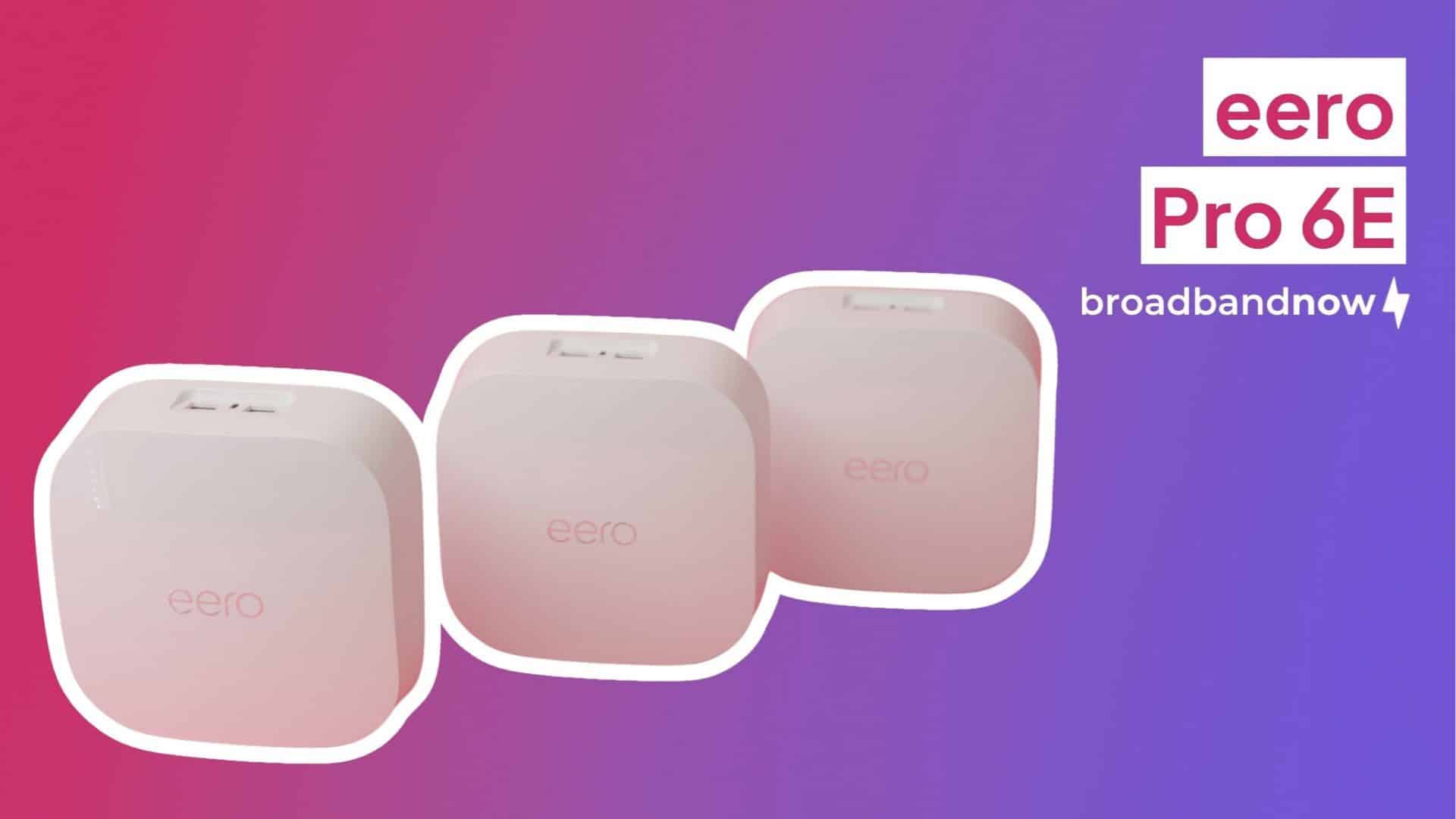
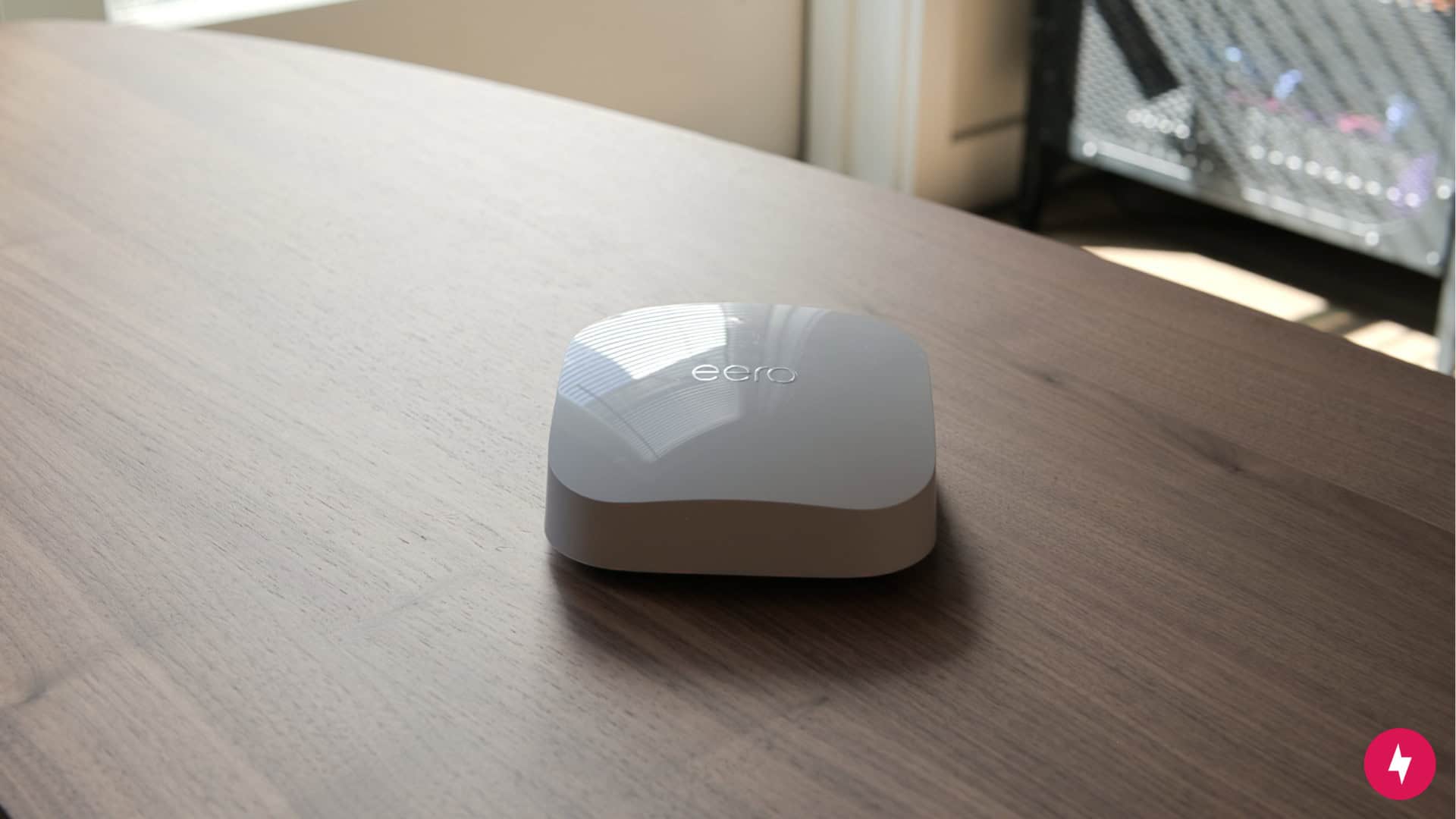
The eero Pro 6E boasts Wi-Fi 6E capabilities. (Image by Alejandro Medellin)
Meet the eero Pro 6E — Amazon’s heavy hitter in the mesh Wi-Fi game. On paper, it’s got everything you’d want: tri-band coverage, Wi-Fi 6E support, and enough horsepower to keep your whole house streaming, gaming, and scrolling without breaking a sweat. But specs are one thing, real-world results are another. To cut through the hype, we ran the eero Pro 6E through our usual gauntlet and asked the big question: Is the value really there? After putting it to work, we’ve got our verdict on whether this slick-looking mesh system is worth making the centerpiece of your home Wi-Fi based on its specs, setup, price, performance, and value.
What We Like
Clean, modern design that blends into any room
Simple setup via the app
Reliable whole-home coverage
What We Don't Like
Setup hiccup with ISPs
Pricey for a mesh Wi-Fi system
Eero Pro 6E Review Rating
(4.8/5)
BroadbandNow Bottom Line
The eero Pro 6E is a sleek, high-performing mesh system that thrives in busy, device-heavy homes. However, its hefty price tag puts it firmly in the premium tier. If you’re a gamer, streamer, or remote worker who needs reliable, no-fuss Wi-Fi across every corner of your home, it’s a strong contender. You can grab it on Amazon for $449.99 or at Walmart for $697.48 for a three-pack to see if it fits your budget.
Our eero Pro 6E Video Review
Prefer watching over reading? Hit play on our eero Pro 6E video review below.
eero Pro 6E at First Glance: Minimalist Looks, Maxed-Out Specs
With the 6 GHz band, the eero Pro 6E can handle more bandwidth-heavy tasks. (Photo by Alejandro Medellin)
Under the hood, the eero Pro 6E brings real muscle. It’s a tri-band Wi-Fi 6E system, which means it delivers concurrent 2.4 GHz, 5 GHz, and 6 GHz connectivity — the new 6 GHz band being the real star here. Supporting 160 MHz channels, it’s built for households that juggle dozens of devices and bandwidth-heavy activities without stuttering.
Wired connections are solid too: each node includes one 2.5 GbE port and one Gigabit Ethernet port, both auto-sensing for WAN or LAN. That’s a nice touch for flexibility, especially if you’re pairing with multi-gig internet service or want to hardwire high-priority devices.
The eero Pro 6E doesn’t look like much on the outside but on the inside, it packs a ton of features. (Photo by Hanna Shemke)
Inside, you’ll find a 1 GHz dual-core processor, 1 GB of RAM, and 4 GB of flash storage — specs that put it comfortably in premium territory. For security and management, the eero Pro 6E supports WPA3, WPA2, and a suite of advanced network services like profiles, port forwarding, IPv6, and VPN passthrough. Pair that with Amazon’s cloud integration and app-based controls, and it’s clear this system is designed to appeal to both casual users who want things simple and power users who still want options under the hood.
Of course, all that capability comes at a cost. Priced at around $450 for a three-pack, the eero Pro 6E sits at the high end of the mesh router spectrum. It immediately begs the question: do the specs and performance justify the premium? That’s exactly what we set out to test.
eero Pro 6E Installation: Quick Setup, Just Watch Out for Double NAT
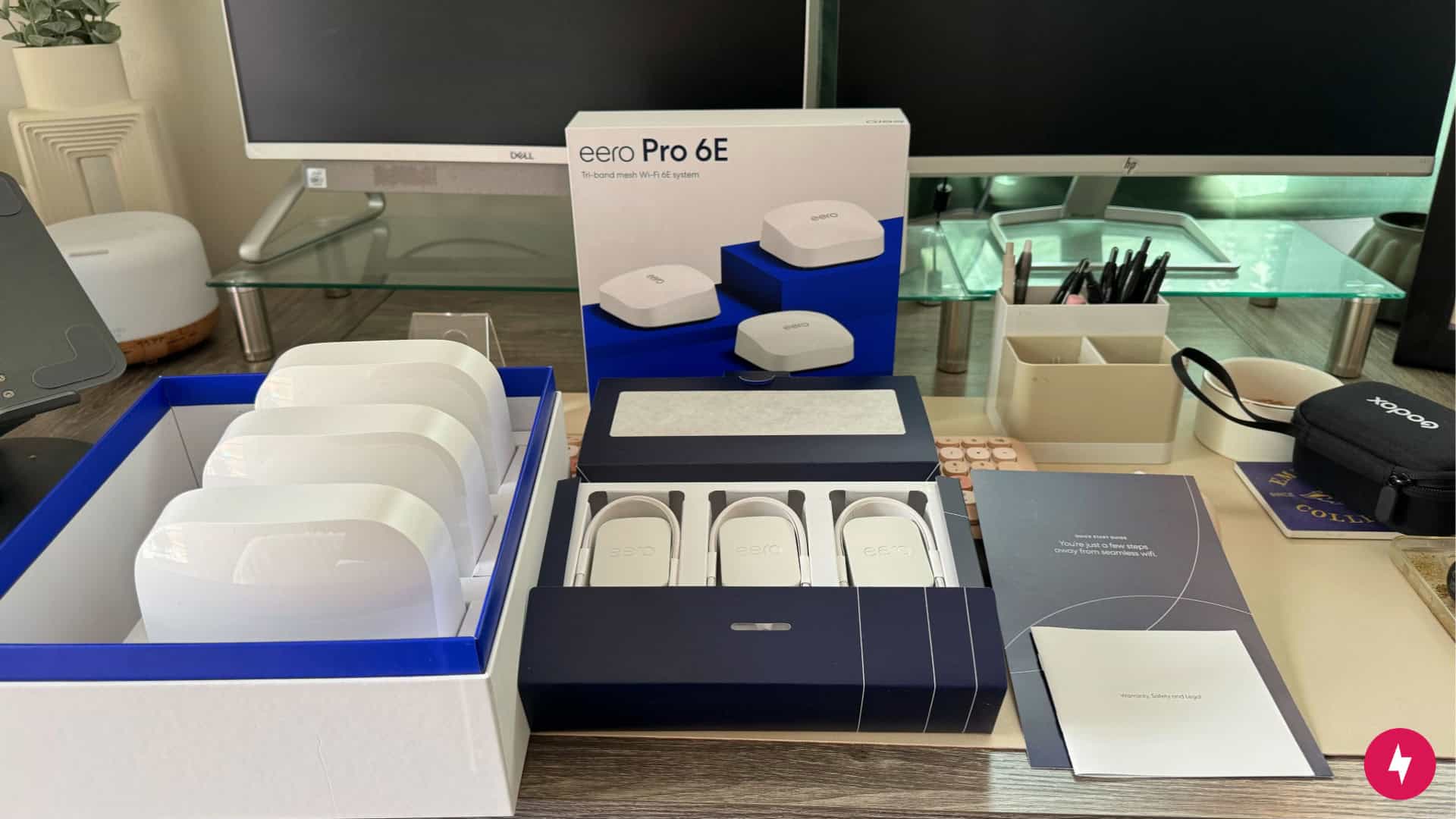
The eero Pro 6E is packaged neatly in the box. (Photo by Hanna Shemke)
If there’s one thing eero nails consistently, it’s making setup feel painless. With the Pro 6E, the entire process was guided step by step through the eero app, and all I had to do was follow along. In under 15 minutes, I had the system online and ready to go.
One standout difference compared to my experience with the eero 7 was how the Pro 6E handles multiple nodes. Instead of forcing me to add each one individually through the app, the Pro 6E let me place and set up all three nodes at once. That little convenience meant less back-and-forth and more time spent optimizing placement for the strongest signal. This thoughtful tweak makes installation feel smooth instead of tedious.
Unboxing and Initial Setup
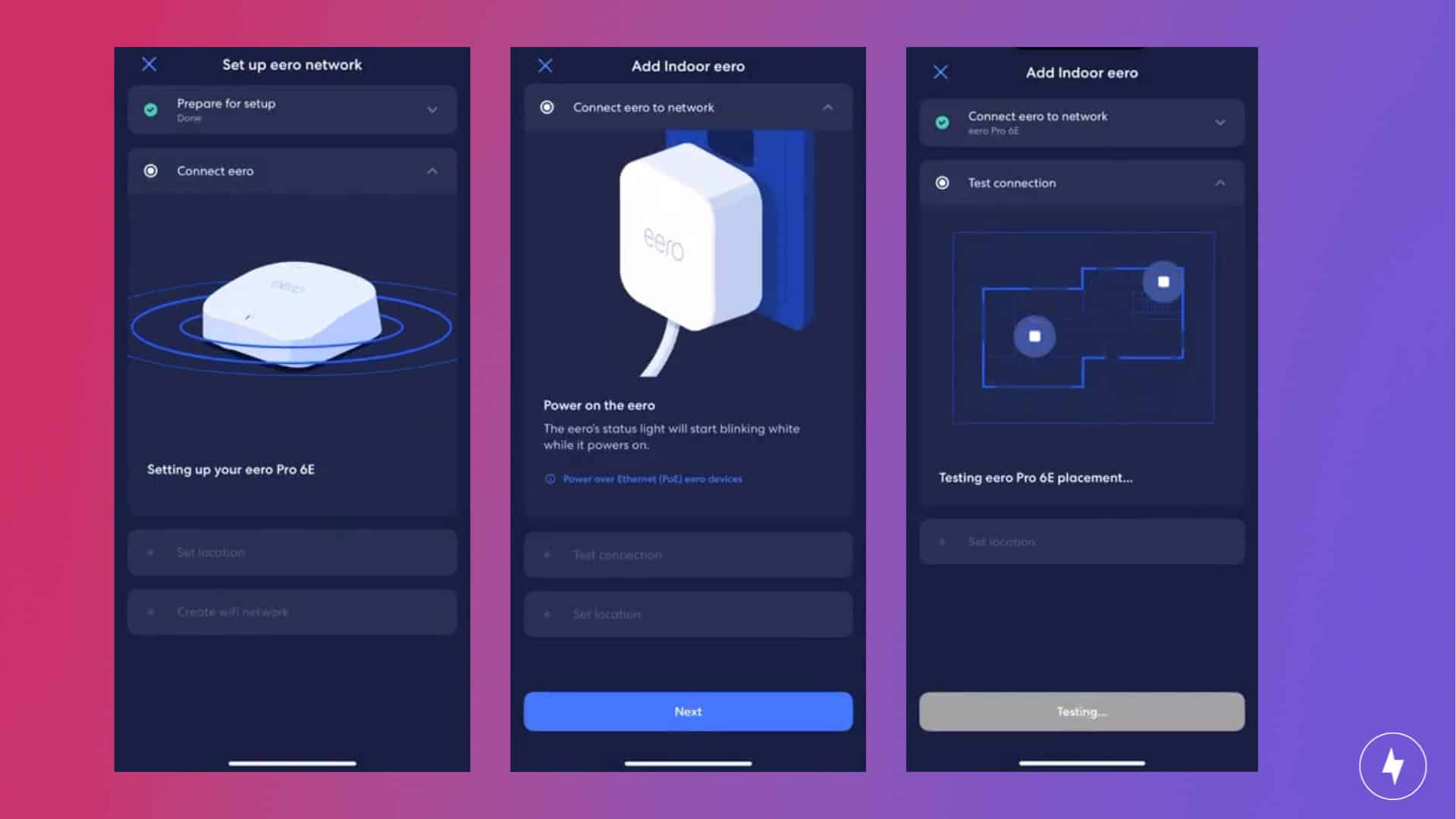
With helpful visual cues, the eero app makes setup seamless. (Screenshots by Hanna Shemke)
Unboxing the eero Pro 6E feels less like setting up a router and more like unwrapping a piece of tech straight out of Apple’s playbook. The design is sleek, minimal, and understated. It’s clean, compact, and one of the better-looking routers on the market.
Inside the box, you’ll find three identical nodes, an Ethernet cable, and three power adapters, all neatly packaged and exactly where you’d expect them to be. No digging, no chaos, no 10-page instruction manual. It’s an unboxing experience that makes setup feel chill before you’ve even plugged anything in.
Getting the eero Pro 6E online was straightforward from the start. I downloaded the eero app on my iPhone 15 Pro Max using the QR code in the quick-start guide, and from there, it walked me through every step. The process was simple: unplug the modem, connect the Ethernet cable from the modem to the main eero node, plug in the eero’s power cable, and then power the modem back up. Within about 10 minutes, I was ready to name my network, set a password, and start streaming.
That said, there’s one key detail that can trip you up — and it got me. If you’re using a gateway device from an ISP like Xfinity, you’ll want to switch it into bridge mode before setup. Without doing so, the eero Pro 6E will connect just fine, but you’ll find yourself staring at an “offline” network. That’s because most ISP gateways double as a modem and router in one, creating a double NAT. In plain terms, that means your eero and your ISP’s box are fighting over who’s in charge of the network. The result? Connection issues, poor performance, and a lot of wasted time.
Enabling bridge mode solves that by disabling the gateway’s router features and letting the eero take full control of your home network — exactly what you want from a system like this. I learned the hard way by forgetting to flip that switch, which cost me a couple of hours and a reset. Don’t make the same mistake.
Once bridge mode was sorted, the rest of the setup was painless. The app’s instructions were clear, the nodes synced up without issue, and the whole experience felt fast and user-friendly. It makes you forget how complicated networking gear used to be.
Navigating the Mobile App
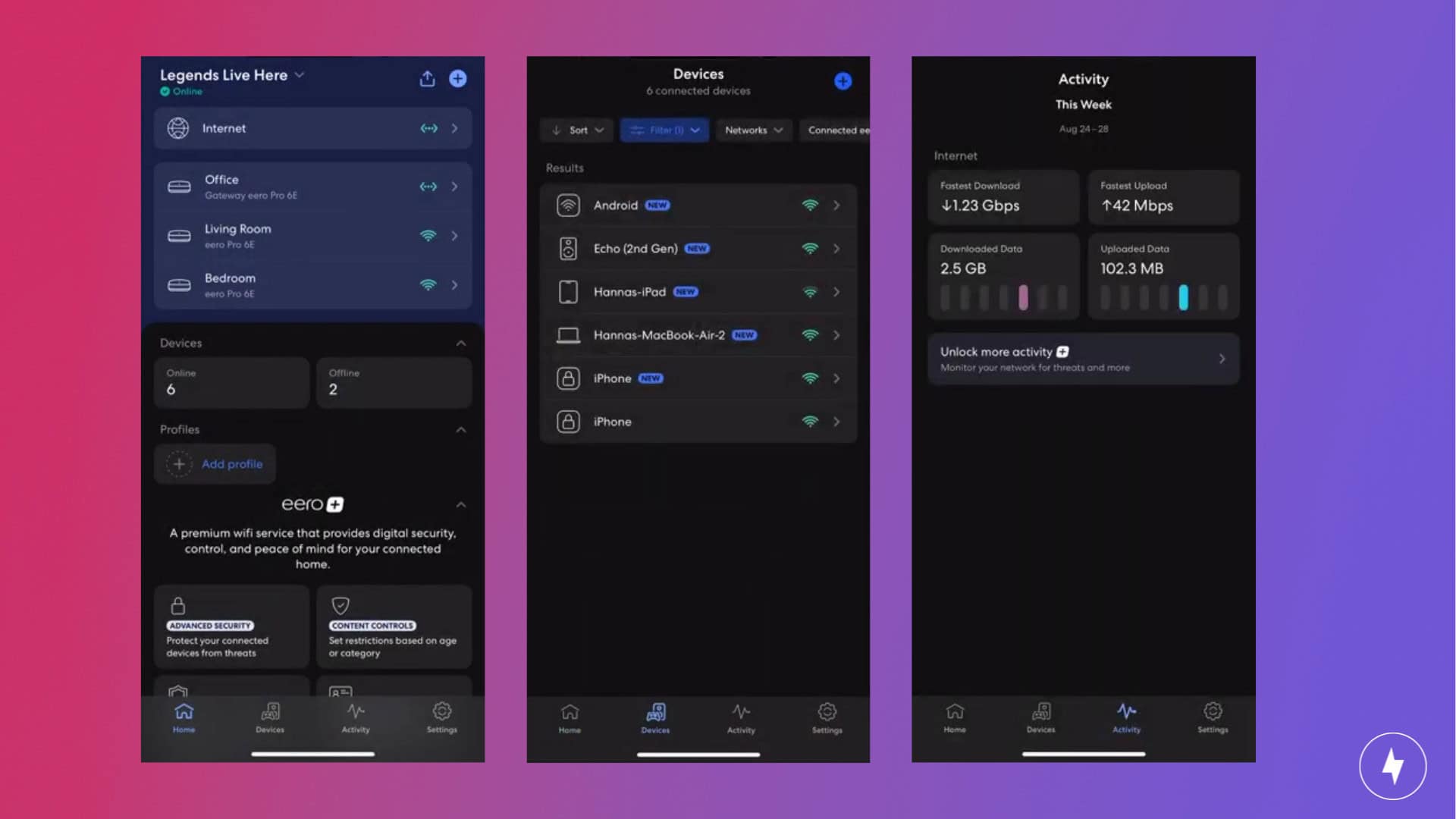
You can track your connected devices in the eero app similar to a dashboard. (Screenshots by Hanna Shemke)
The eero app is designed for simplicity first, and it shows. The homepage immediately lays out the essentials: your network status, the nodes in your system, and a full list of connected devices. From here, you can dive deeper into any device to see its activity or pause its connection with a tap. It feels streamlined compared to other router apps, which often bury these basics behind layers of menus.
The app really shines with its Family Profiles and parental controls. You can group devices by user, set downtime schedules, or pause Wi-Fi across a profile when it’s time for homework or dinner. With an eero Plus subscription, you also get advanced content filters that let you block categories like streaming, social media, or gaming — useful if you want guardrails without micromanaging every device.
Security features are equally approachable. WPA3 support is built in, and eero Plus adds extras like ad blocking, malware protection, and 1Password integration for password management. It’s not a power-user dashboard like Asus or Netgear, but that’s part of the appeal: the eero app makes keeping your network safe something you can do in seconds instead of hours.
For smart home users, the app ties neatly into Amazon’s ecosystem. Setup for Alexa routines is just a few clicks away, and HomeKit Secure Router support is available if you’re running Apple devices. Whether you’re building an Alexa-powered household or just want a simple way to manage dozens of smart gadgets, the integration is seamless.
Overall, the eero app strikes a perfect balance between ease of use and useful controls. It may not overwhelm you with advanced toggles, but it nails the essentials and makes managing a modern home network refreshingly easy.
eero Pro 6E Performance: Strain-Tested and Still Strong
The eero Pro 6E handles busy activities better than other Wi-Fi 6E routers. (Photo by Alejandro Medellin)
Now for the fun part: performance. I tested the eero Pro 6E in my two-floor bungalow under both calm conditions and busy ones — from quietly browsing to streaming from every smart device I own at once. To get a full picture, I ran multiple tests in different spots around the house: five feet from the main node, 15 feet away with a wall in between, and upstairs on the second floor. This gave me a clear sense of how the Pro 6E handled distance, interference, and heavy traffic in a real-world home environment.
Testing the Router
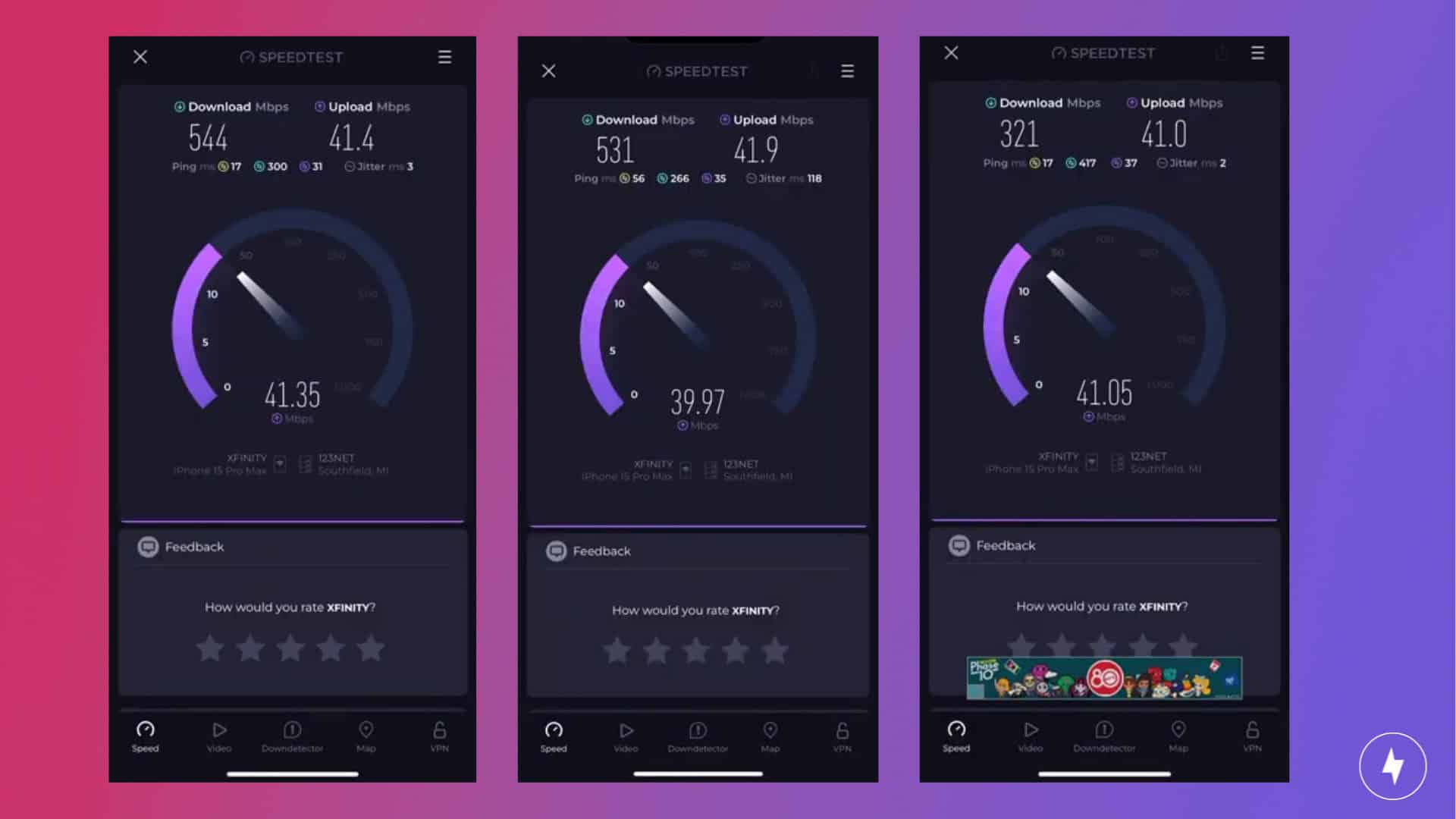
The eero Pro 6E didn’t perform too bad over a wireless connection. (Screenshots by Hanna Shemke)
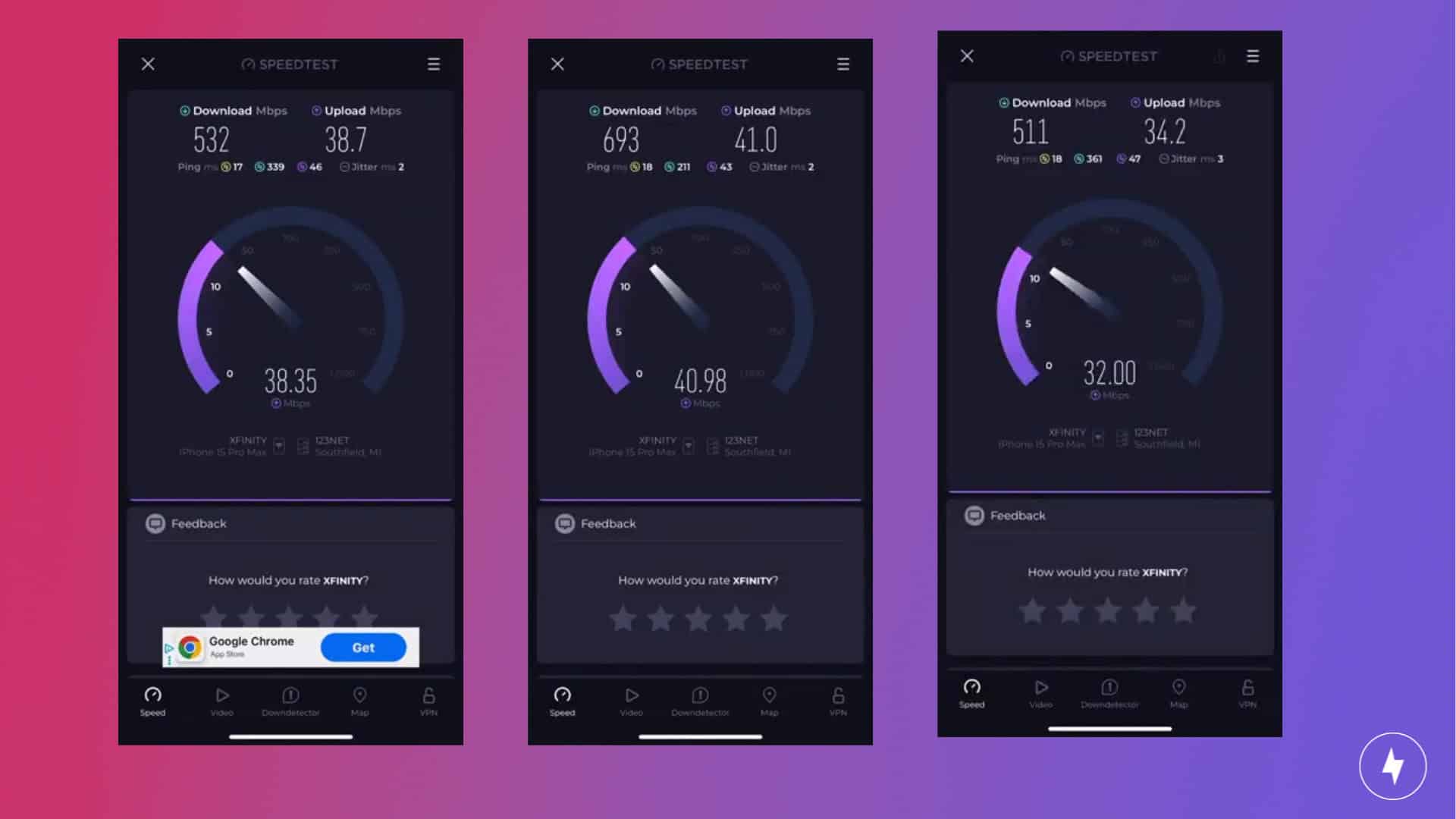
At five feet from the main eero Pro 6E node, speeds were consistent. In a calm environment with only my iPhone 15 Pro Max connected, downloads hit 544 Mbps with upload speeds of 41.4 Mbps. Even when I loaded the network with a podcast stream on my iPhone 15 Pro Max, Alexa streaming Spotify, a 4K video playing on my MacBook Air, “McBee Dynasty” streaming on my smart TV, and a game downloading on my iPad, speeds barely dipped — download speeds of 532 Mbps and upload speeds of 38.7 Mbps. That’s only about a 2 percent drop in downloads and 6.5 percent in uploads, a negligible hit considering the amount of traffic.
At 15 feet away with a wall in between, I expected the performance to take a bigger hit. But in calm conditions, download speeds were 531 Mbps and upload speeds were 41.9 Mbps. In the busy environment, downloads actually jumped to 693 Mbps — a 30 percent increase. Uploads slipped just slightly (about a 2 percent decrease), but overall performance at this distance was surprisingly stronger under strain than when idle.
Surprisingly, the eero Pro 6E performed better under stressful conditions. (Screenshots by Hanna Shemke)
The real test was upstairs, where the signal had to cut through floors and walls. In calm conditions, download speeds dipped to 321 Mbps with upload speeds staying around 41 Mbps. Once the network was fully loaded, however, download speeds surged to 511 Mbps, a massive 59 percent increase compared to calm conditions. Uploads did take a hit, dropping by about 16 percent to 34 Mbps, but the overall download performance under load was far better than expected.
Across all scenarios, the eero Pro 6E proved it can handle heavy traffic without breaking stride. Instead of collapsing under strain, it actually delivered stronger speeds in busy tests — proof that this system is built for speed and built to juggle multiple demanding devices at once. Whether you’re a competitive gamer, a 4K binge-watcher, or a heavy WFH user with smart tech everywhere, the eero Pro 6E is more than up to the challenge.
Comparing to Competitors
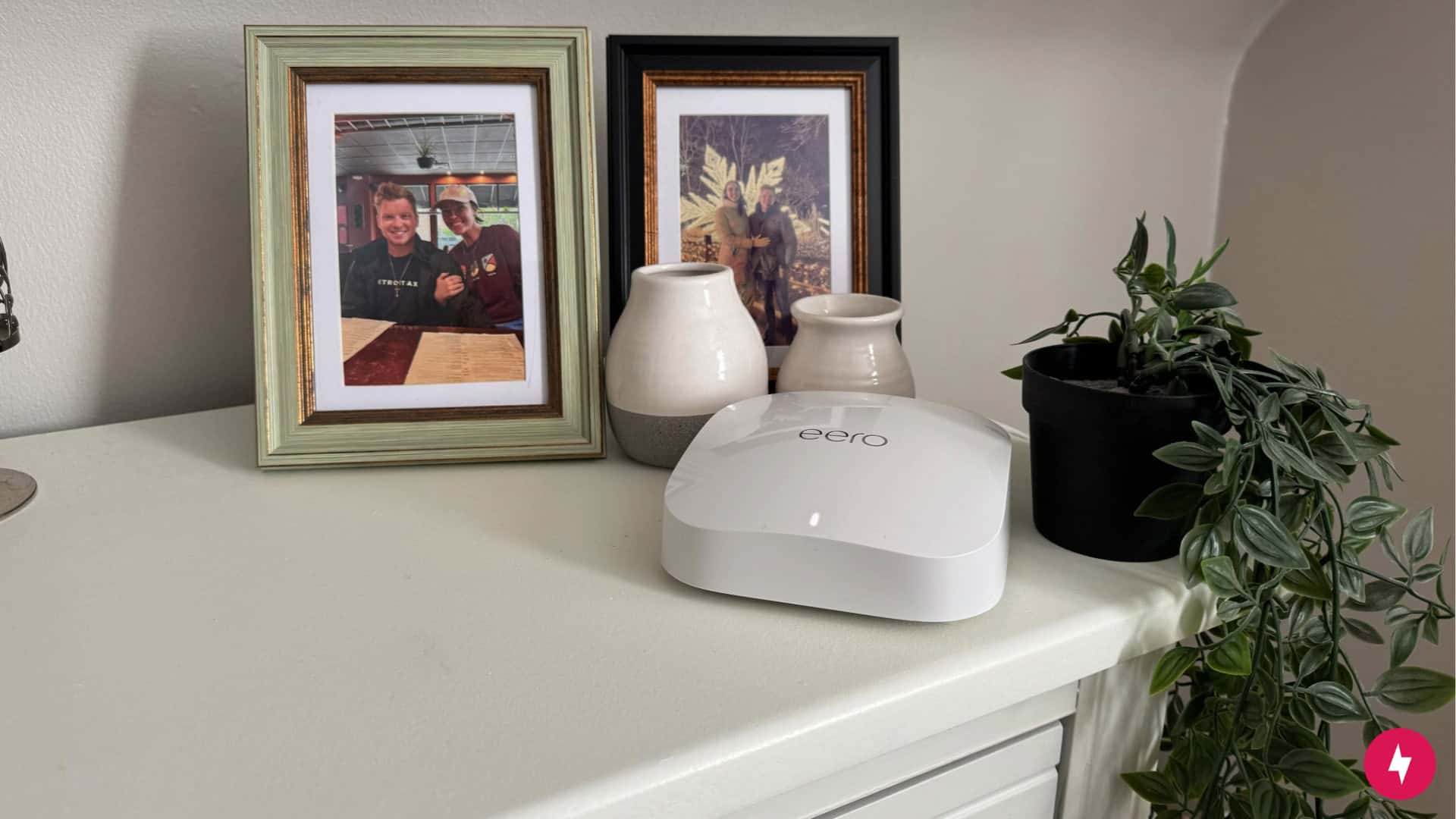
The eero Pro 6E has a premium price point but it delivers on performance. (Photo by Hanna Shemke)
The eero Pro 6E holds its own against other premium mesh systems, especially when handling multiple devices at once. In our testing, it maintained strong speeds even in busy environments, outperforming mid-tier options like the eero 6+ and TP-Link Archer AX55, which tend to struggle more under strain. For example, when we tested the TP-Link Archer AX55 under heavy load, the router struggled to reach 400 Mbps, while the eero Pro 6E handled busy conditions easily. Its tri-band Wi-Fi 6E design also gives it an edge over Wi-Fi 6-only systems by opening the 6 GHz band to newer devices.
That said, price is where the Pro 6E may give some buyers pause. At around $450 for a three-pack on Amazon, it’s firmly planted in the premium tier. On top of that, the eero Plus subscription raises the total ownership cost even further, increasing the yearly cost by $99.99 if you choose the annual plan or by $119.88 if you pay monthly. Competitors like the Google Nest Wifi Pro deliver similar coverage and Wi-Fi 6E support at a lower price point, while high-end systems like the Netgear Orbi RBKE963 can justify their cost with even more raw power and extended coverage. The eero Pro 6E isn’t the outright spec monster of the group, and it’s not the most budget-friendly option either. Instead, it shines as a balance of performance, reliability, and ease of use — perfect for households willing to pay more for a streamlined, hassle-free experience.
Our Verdict: Great for Power Users, Tough on Budgets
If you already have other eero products, you can easily add the eero Pro 6E into your home Wi-Fi system. (Photo by Hanna Shemke)
The eero Pro 6E makes a strong case for itself as one of the most reliable and user-friendly mesh Wi-Fi systems on the market. Its sleek, understated design fits seamlessly into any home, and the installation process is refreshingly straightforward — provided you don’t trip over the bridge mode requirement with certain ISP gateways. Once set up, the companion app makes managing your network simple, from checking connected devices to setting parental controls or adding profiles.
Performance is where the Pro 6E truly shines. In both calm and busy environments, it handled everything I threw at it — streaming, gaming, video calls, and downloads — often performing better under load than when idle. That consistency makes it an excellent fit for heavy users, whether that’s competitive gamers, households with dozens of smart devices, or remote workers who can’t afford downtime.
That said, the price tag is hard to ignore. At roughly $450 for a three-pack, the Pro 6E isn’t budget-friendly, and there are competing mesh systems that deliver similar Wi-Fi 6E speeds for less. It’s also not the most feature-packed option for power users who crave endless customization.
But for anyone who values speed, reliability, and ease of use, the eero Pro 6E delivers. If your home is packed with devices and you want a mesh system that just works — no fuss, no constant tinkering — this router earns its place at the top of the list.
How We Assess Routers
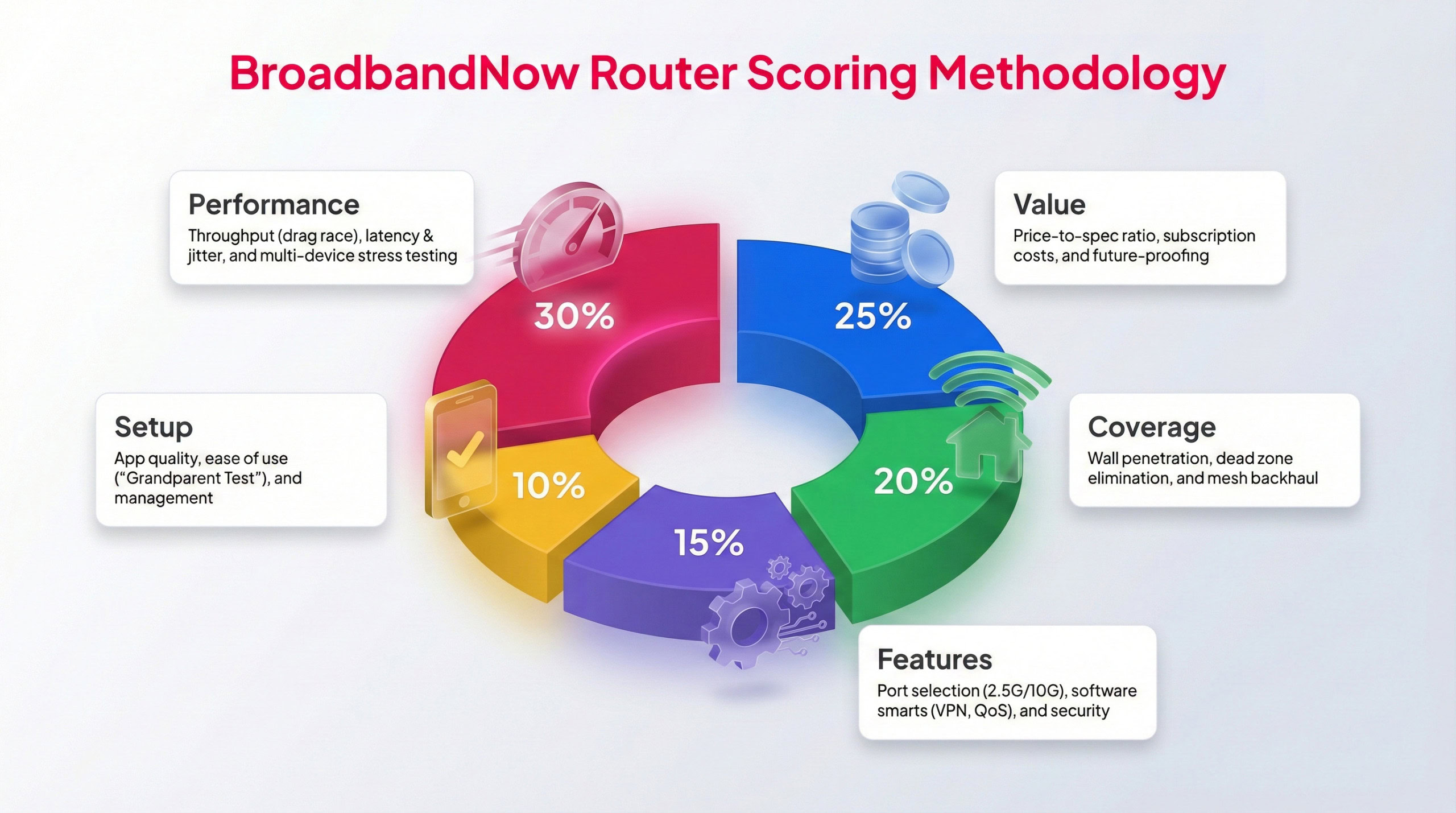
Each BBN expert tests routers following this methodology to provide a weighted score.
We use a uniform testing approach for every router we review, so results remain fair and easy to compare. The eero Pro 6E was tested in a real-world home setting over a full month by our broadband experts. During that time, we evaluated daily performance, how its feature set matches its price, and how reliably it handles heavy usage. Testing scenarios included peak evening traffic, high-bandwidth activities like 4K streaming and video conferencing, and speed tests taken from various areas throughout the home.
Each category is scored on a 1–5 star scale using a weighted rating system, with performance and overall value playing the largest role. Below is our breakdown across five core categories, along with insight into how the eero Pro 6E performed during testing in my two-story bungalow.
Performance – 5/5: All my tests of the eero Pro 6E — from close to the router and far away, to calm conditions and heavy bandwidth sessions — proved this device truly packs a power punch. The system didn’t collapse under the strain of high-bandwidth activity, proving it’s an ideal choice for heavy gamers or busy work-from-home setups.
Value – 4.5/5: The eero Pro 6E more than proved it can handle even the busiest large households, and the results are well worth the price you’ll pay for a full setup. Unfortunately, the high price tag may be a bit out of reach for budget-conscious shoppers
Coverage – 5/5: As a tri-band system with a maximum coverage of 6,000 sq. ft., this mesh system didn’t flinch to provide stable coverage throughout my two-story bungalow. I was wholly impressed with how well the system powered through, no matter where I performed tests in my house.
Features – 4.5/5: The eero Pro 6E comes packed with features that the average household can take full advantage of, including tri-band radios, gigabit speeds, and enhanced security. Performance makes this device perfect for power users, but it does lack some customization features that such users would value in a mesh system.
Setup – 5/5: Eero devices can always be relied on to deliver a seamless setup experience. The eero app is extremely user-friendly, with an instruction insert that doesn’t feel overwhelming. Plus, the device’s minimalist design doesn’t leave you scratching your head about which cord plugs into what.
Frequently Asked Questions About the eero Pro 6E
Can the eero Pro 6E work if the internet goes down?
Yes, local devices on the same network can still talk to each other, but setup changes and many app controls won’t be available until connectivity returns. Account login and some cloud features also pause during outages.
Does the eero Pro 6E require a subscription?
No, core routing, WPA3 security, and updates work without a plan. The optional subscription adds extras like advanced threat blocking, ad filtering, and enhanced parental controls.
Does the eero Pro 6E placement matter?
Yes. Place units in the open on hard surfaces with airflow and avoid cabinets to help both thermals and signal quality.
Can the eero Pro 6E mix with older eero units?
Yes, it’s backward‑compatible, so older nodes can join the same mesh. For best performance, use the Pro 6E as the primary router and keep performance‑critical rooms on newer nodes.
Is the eero Pro 6E good without Ethernet backhaul?
It works well wirelessly, but a wired backhaul is ideal for larger or congested homes for consistent top speeds and stability. If wiring is possible, prioritize Ethernet between nodes to free up wireless capacity.